
How to Enable and Record Credit
This guide explains how to activate credit, assign credit to customers, and manage credit records properly.
1️⃣ Enable Credit Payment
Before customers can use credit during checkout, you must enable the feature.
How to Enable Credit
1️⃣ Log in to Boxify Dashboard
2️⃣ Go to Settings
3️⃣ Click Parameters
4️⃣ Scroll to Shopping Cart
5️⃣ Tick to Enable Credit Payment
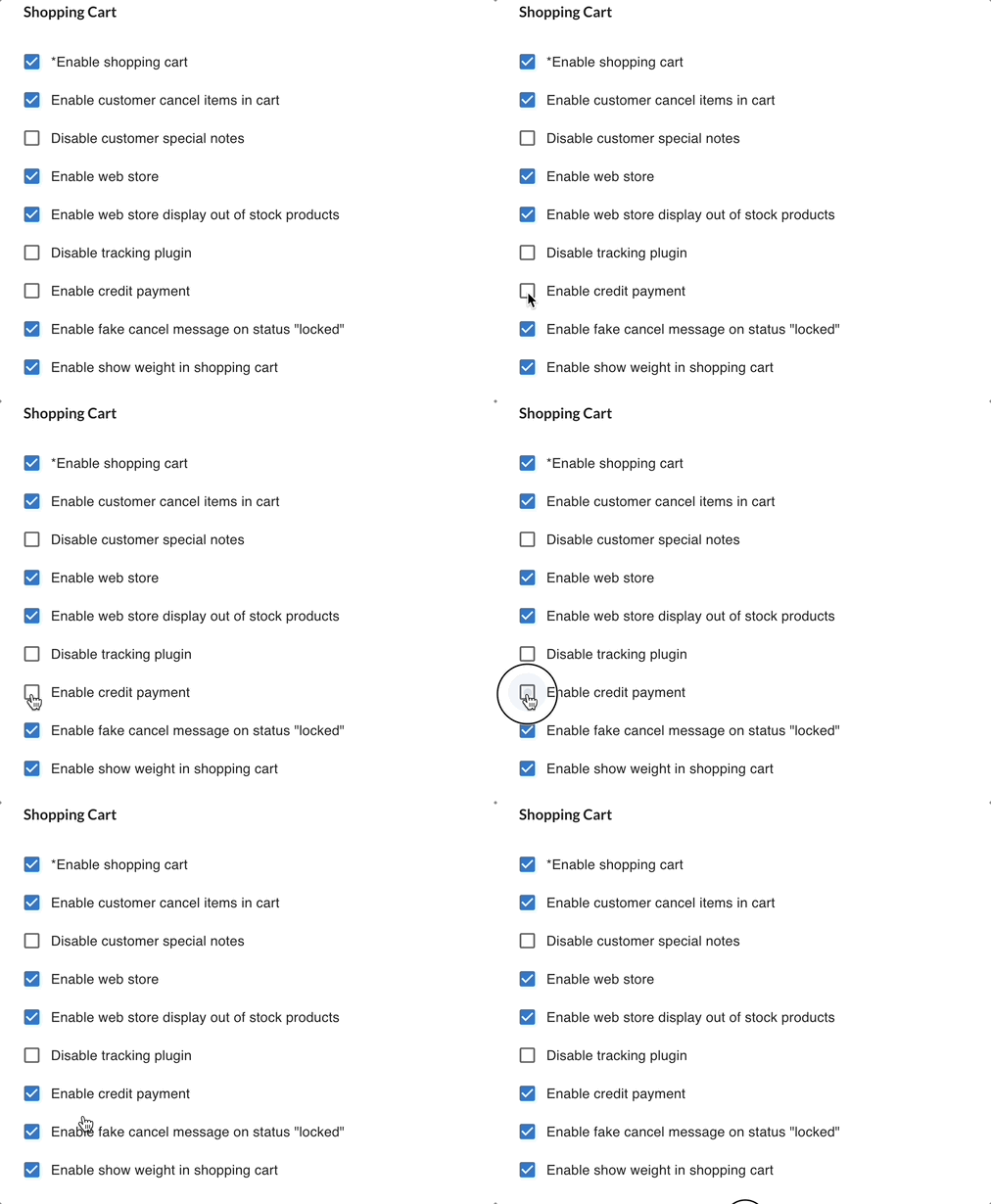
Once enabled:
✔ Customers will be able to use available credit during checkout
✔ Credit will appear as a payment option
2️⃣ How to Record (Add) Credit to a Customer
Credit must be manually assigned by merchant.
✔ Customers will be able to use available credit during checkout
✔ Credit will appear as a payment option
How to Add Credit
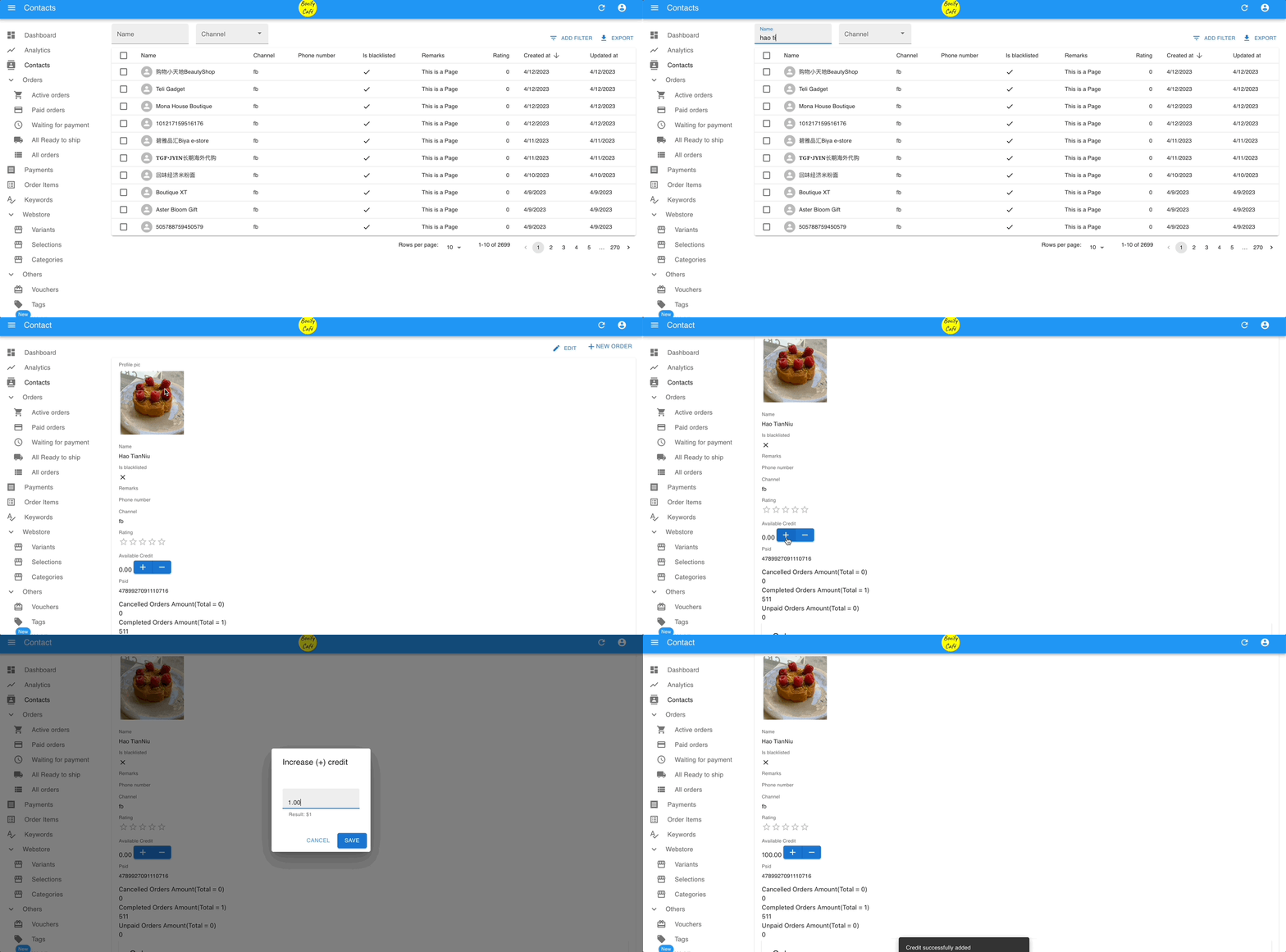
1️⃣ Go to Customer / Contact list
2️⃣ Select the customer
3️⃣ Locate the Credit section
4️⃣ Enter credit amount
5️⃣ Save
The system will update the customer’s available balance.
Important Reminder
Always record reason for issuing credit (recommended for internal tracking).
Example:
- Compensation
- Loyalty reward
- Campaign rebate
- Refund replacement
3️⃣ How to View Credit History
You can monitor credit balance and transaction records for each customer.
Step 1: View Customer Credit Balance
1️⃣ Go to Customers
2️⃣ Select the customer
3️⃣ Check the Credit balance shown in the customer profile
This shows the current available credit for that customer.
Step 2: View Detailed Credit Transaction History
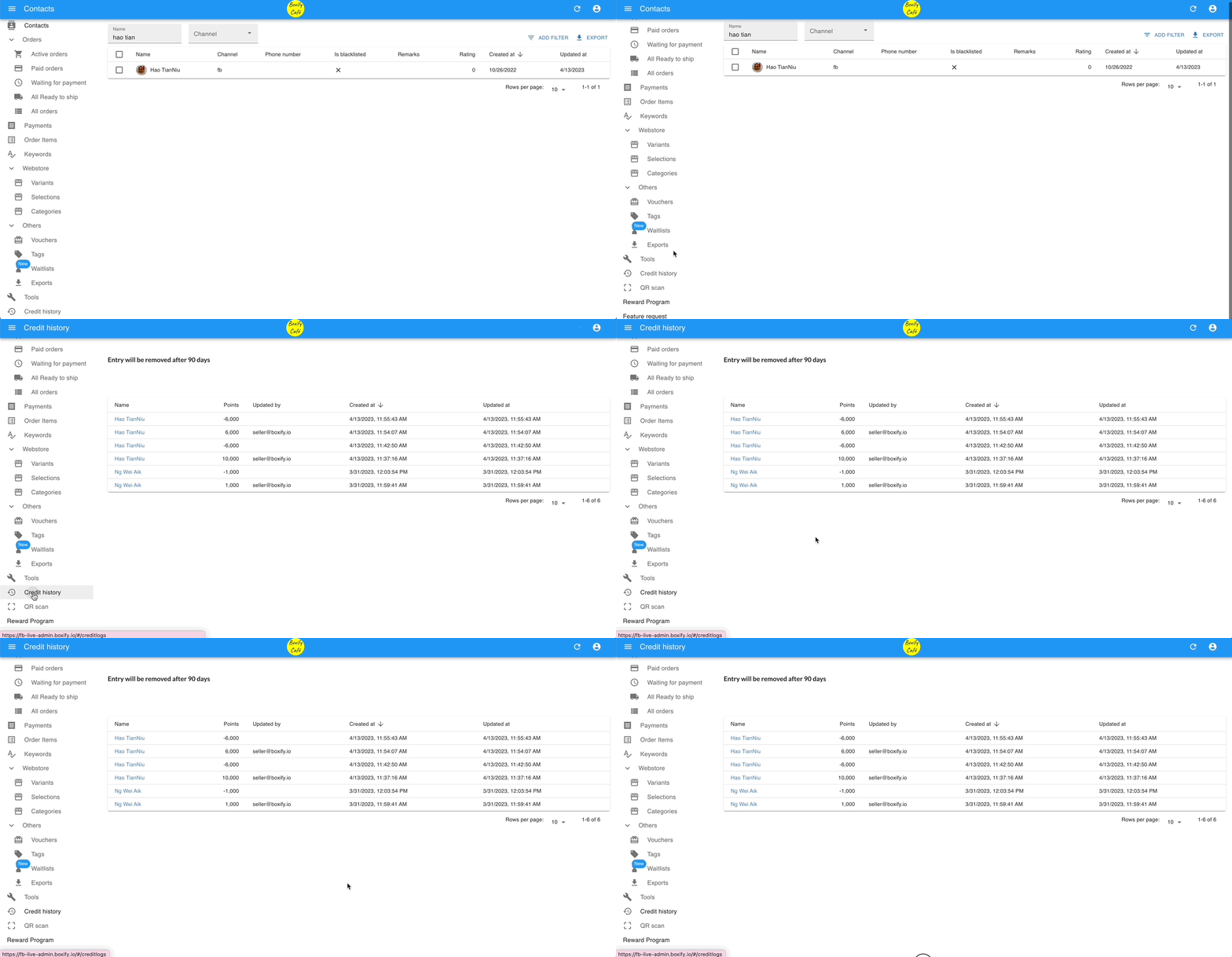
To see detailed credit movements:
1️⃣ Go to Menu
2️⃣ Click Credit Logs
3️⃣ Search for the customer
You will see:
✔ Credit added
✔ Credit deducted
✔ Transaction date
✔ Order reference (if applicable)
⚠ Important — Data Retention Policy
Credit Logs are stored for 90 days only.
After 90 days, records may no longer be accessible.
Recommended Best Practice :
✔ Export Credit Logs regularly
✔ Keep monthly records for accounting reference
✔ Archive logs before 90-day limit
This ensures proper tracking and audit safety.
4️⃣ How Credit Is Deducted During Checkout
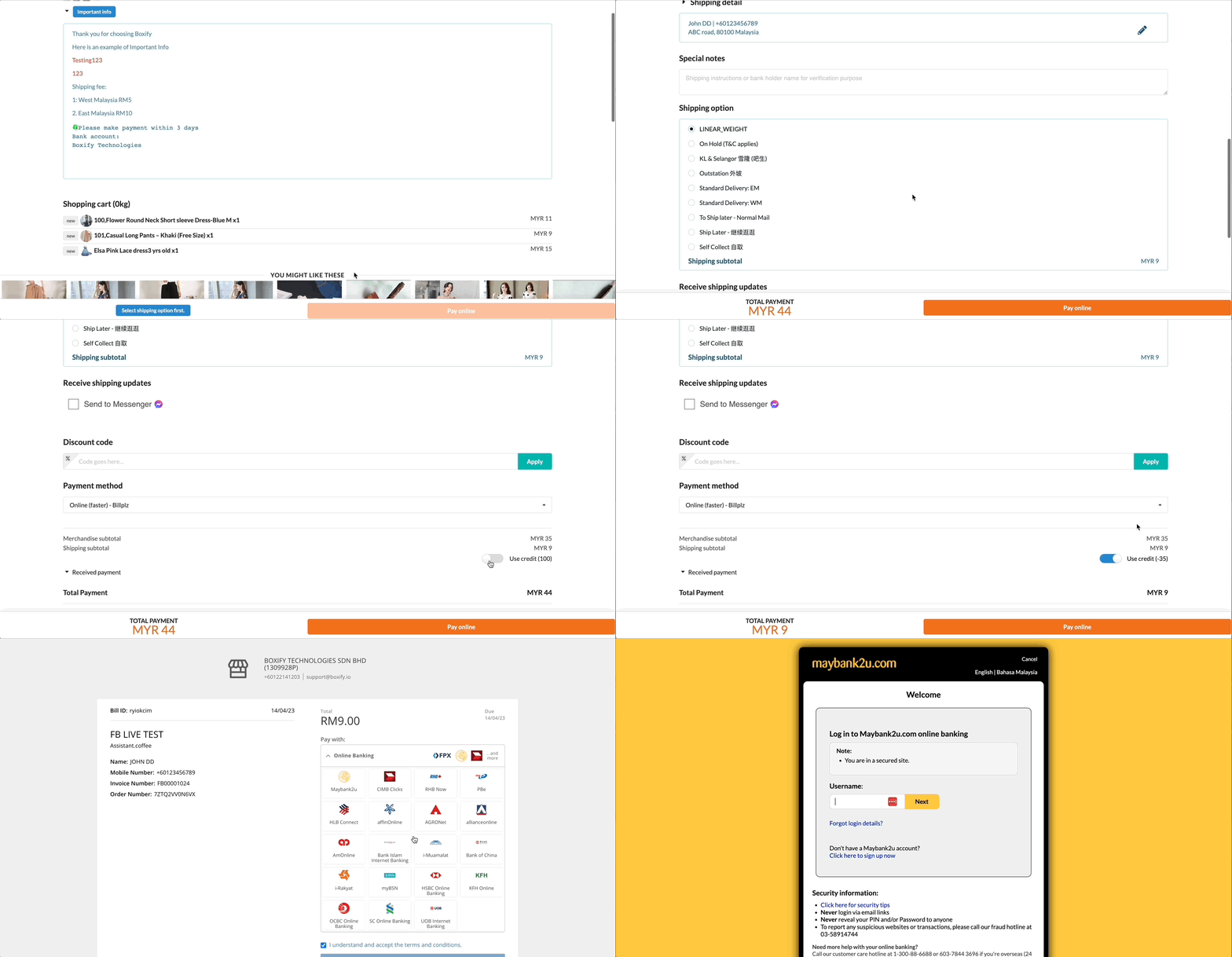
When a customer places an order:
✔ Available credit will appear
✔ Customer can choose to apply credit
✔ Credit reduces payable amount
If credit is greater than order total:
Remaining credit stays in account.