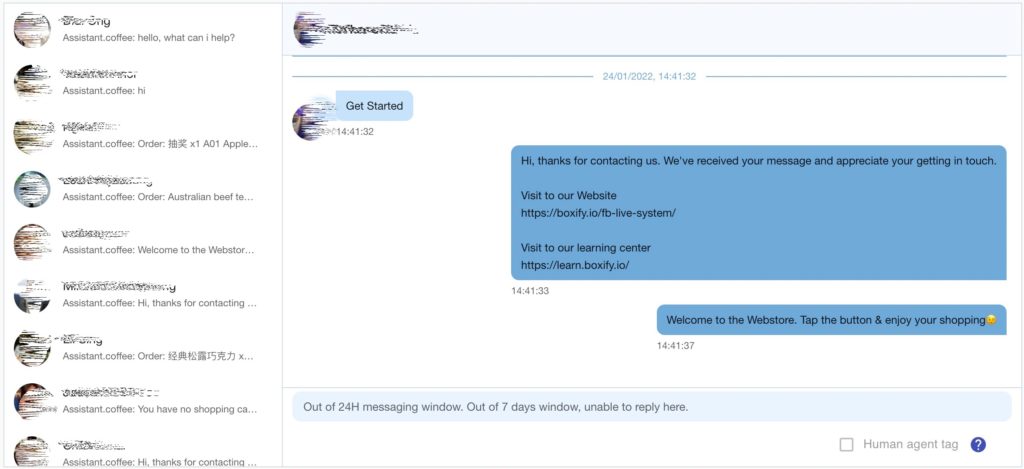
Conversation Manager Overview
The Conversation Manager helps you manage customer conversations efficiently during high-traffic selling sessions, especially during Facebook Live.
It is designed to:
✔ Reduce the impact of Facebook messaging limits
✔ Manage large volumes of incoming customer messages
✔ Improve response speed during live selling
✔ Prevent missing important customer interactions
When Facebook applies messaging limits due to high volume activity, Conversation Manager helps centralize and manage interactions more effectively, even though the customers have no orders in the Boxify system.
Where to Find Conversation Manager
You can access Conversation Manager inside your Boxify system.
Follow these steps:
- Log in to your Boxify Dashboard
2. Go to the right-side menu
3. Click on Tools
4. Select FB Conversation Manager
From there, you can manage your Facebook or Instagram conversations.
Why Use Conversation Manager?
During live selling, high message volume may cause:
• Query limit reached
• Messaging temporarily paused
• Delayed message sending
• Missed customer replies
Conversation Manager provides a structured interface to:
✔ View all conversations clearly
✔ Prioritize responses
✔ Manage replies efficiently
✔ Reduce repetitive manual searching