
FB Utility Messages allow merchants to send order updates to customers even outside Facebook’s 24-hour messaging window.
Before setting up, please ensure you understand how FB Utility Messages work.
👉 Refer to: How to use Facebook Utility Message in Boxify (Avoid the 24-hour rule limitation)
Step 1: Login to Boxify
Go to:
Setting → FB Utility Messages Templates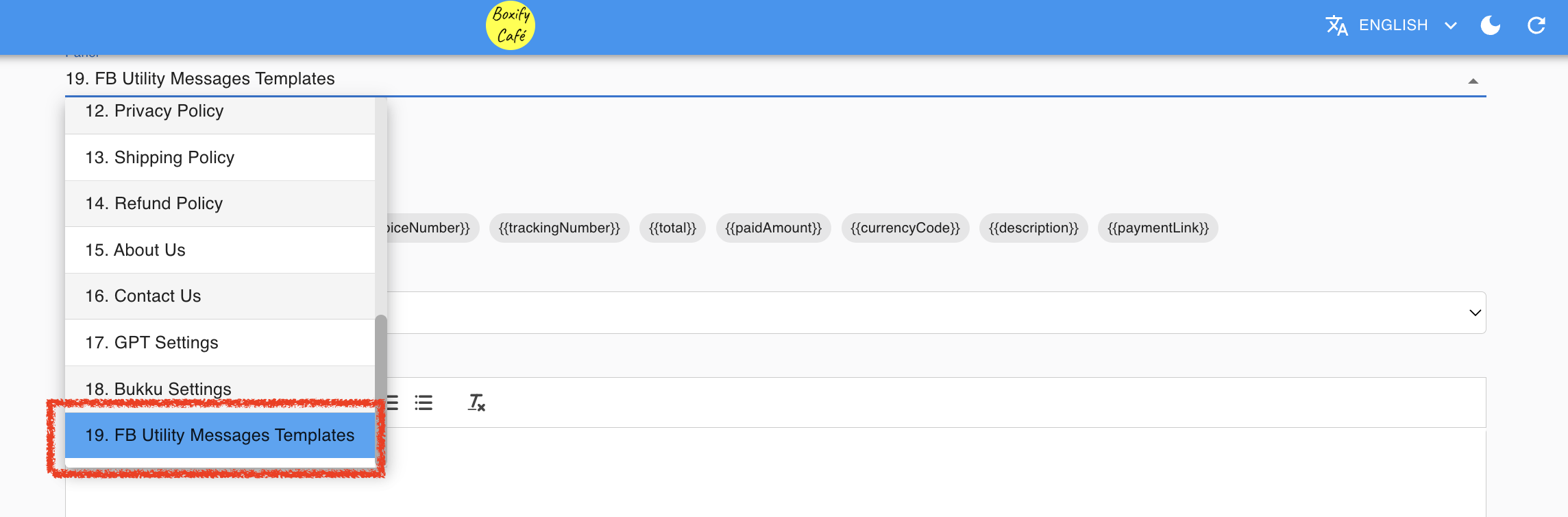
Step 2: Go to Message Template Editor
- Select the Message Type you want to configure.
Step 3: Fill in the Header
- You may name it according to your preference
Suggested examples:
- Order Payment Reminder
- Cart Payment Link
⚠ Avoid promotional wording.
Step 4: Fill in the Body Message
Edit the message template if necessary. Boxify provides a default template which you can customise.
Keep the message:
- Clear
- Transaction-focused
- Non-promotional
Example (Safe Version):
Your order {{orderNumber}} is ready.
Please proceed with payment using the link below.
If you need assistance, feel free to contact us.
Step 5: Enable Button URL (Important)
✔ Tick “Use Button URL (orderNumber)“
Why this is important:
Some customers may not be able to receive clickable links directly.
By enabling this option, they can click the button to access their cart and complete payment.
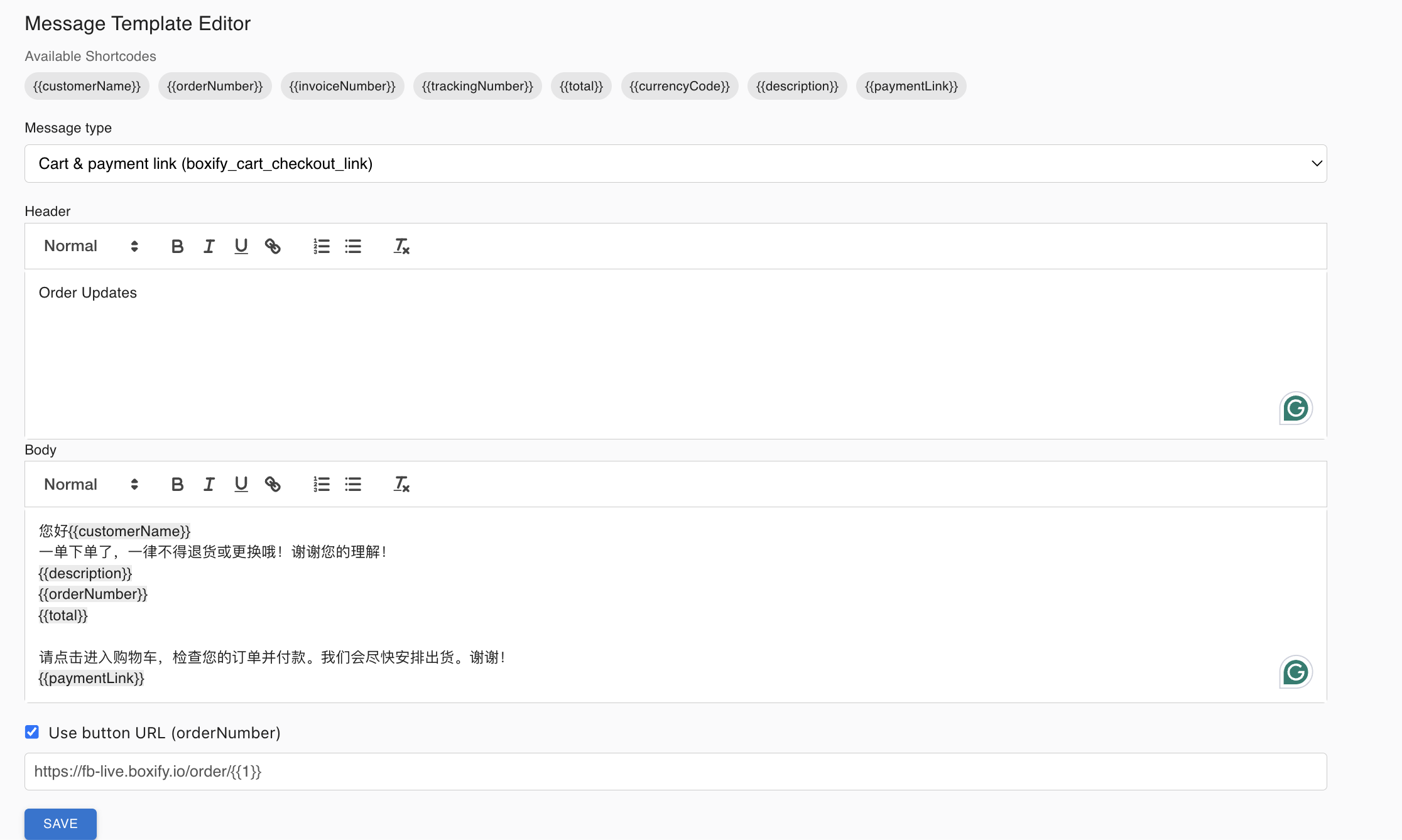
Step 6 : Wait for FB approval
Click Save and wait for Facebook approval before the message can be sent.
How the System Sends Messages
- Within 24 hours → Standard Message
- After 24 hours → FB Utility Message Template
Boxify will automatically switch to Utility Message when necessary.
Important Notes
- Each Message Type must be approved by Facebook before it can be used.
- Editing an existing template may require re-approval.
- Utility Messages should only contain transactional updates, not promotional content.
Quick Reminder
You can configure the following message types under FB Utility Messages:
- Cart & Payment Link
- Delivery Status
- Order Update
- Payment Confirmed
- Payment Receipt
- Payment Reminder
- Ready to Ship
- Shipped
- Shipped (Self-collect)
- Waitlist
Best Practices
When creating your Utility Message, ensure it is:
✔ Clear
✔ Short
✔ Transaction-related
✔ Free from promotional language
Remember:
A Utility Message is for transaction updates, not marketing.