
If you would like customers to place orders through Facebook Messenger, you can enable Message Capture inside Boxify.
Once enabled, customers can send keywords directly in Messenger to place orders.
How to Enable Messenger Order Capture
Follow these steps:
1️⃣ Log in to your Boxify system
2️⃣ Go to Settings
3️⃣ Click Parameters
4️⃣ Scroll to the Message section
5️⃣ Tick ✅ Enable Message Capture
6️⃣ Click Save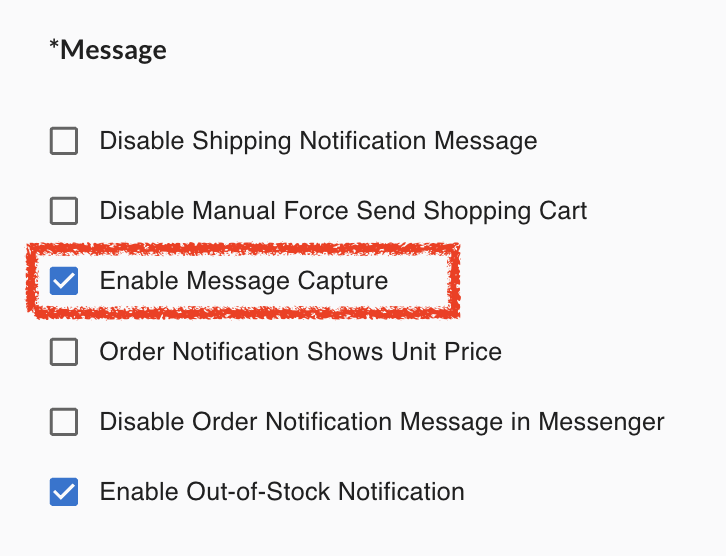
That’s it.
Messenger ordering is now activated.
What Happens After Enabling
When Message Capture is enabled:
✔ Customers can send keywords via Messenger
✔ Orders will be created automatically (if keyword & stock are valid)
✔ Payment link / cart will be sent through Messenger
✔ Messenger works the same way as comment selling logic
Important Reminder
Before using Messenger ordering, make sure:
✔ Facebook Page is properly connected
✔ Page permissions are active
✔ Keywords are activated
✔ Stock is allocated
Messenger orders will only be collected if keyword rules are met.
How Customers Place Orders in Messenger
Customers can:
• Type the keyword + quantity
Example:A1+2
Or
• Type cart to retrieve their shopping cart / payment link.
When to Use Messenger Capture
Messenger ordering is useful when:
✔ Customers prefer private ordering
✔ Live comment flow is fast
✔ You want backup ordering method
✔ You want to reduce missed comments