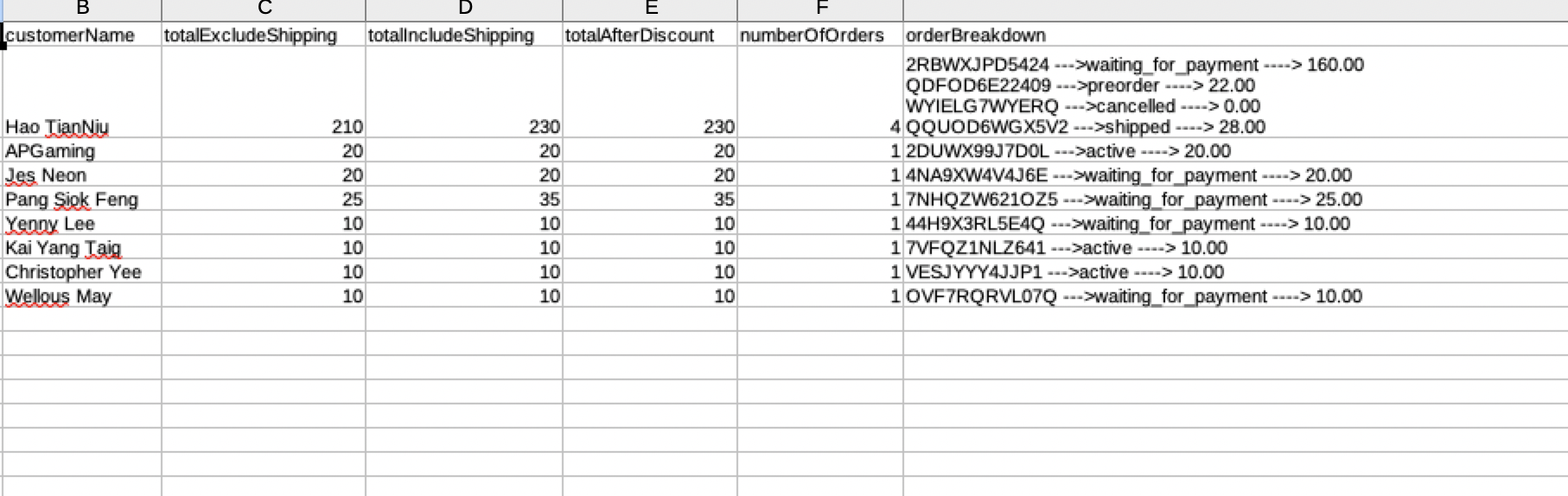
The Top Spenders Report allows merchants to identify customers who have spent the highest total amount within a selected period.
This report is commonly requested by merchants for:
- Loyalty programs
- VIP customer rewards
- Marketing campaigns
- High-value customer follow-up
- Performance review
What This Report Shows
The Top Spenders Report ranks customers based on:
✔ Total amount spent
✔ Number of orders
✔ Selected date range
The calculation is based on confirmed order data within the chosen period.
How to Export the Top Spenders Report
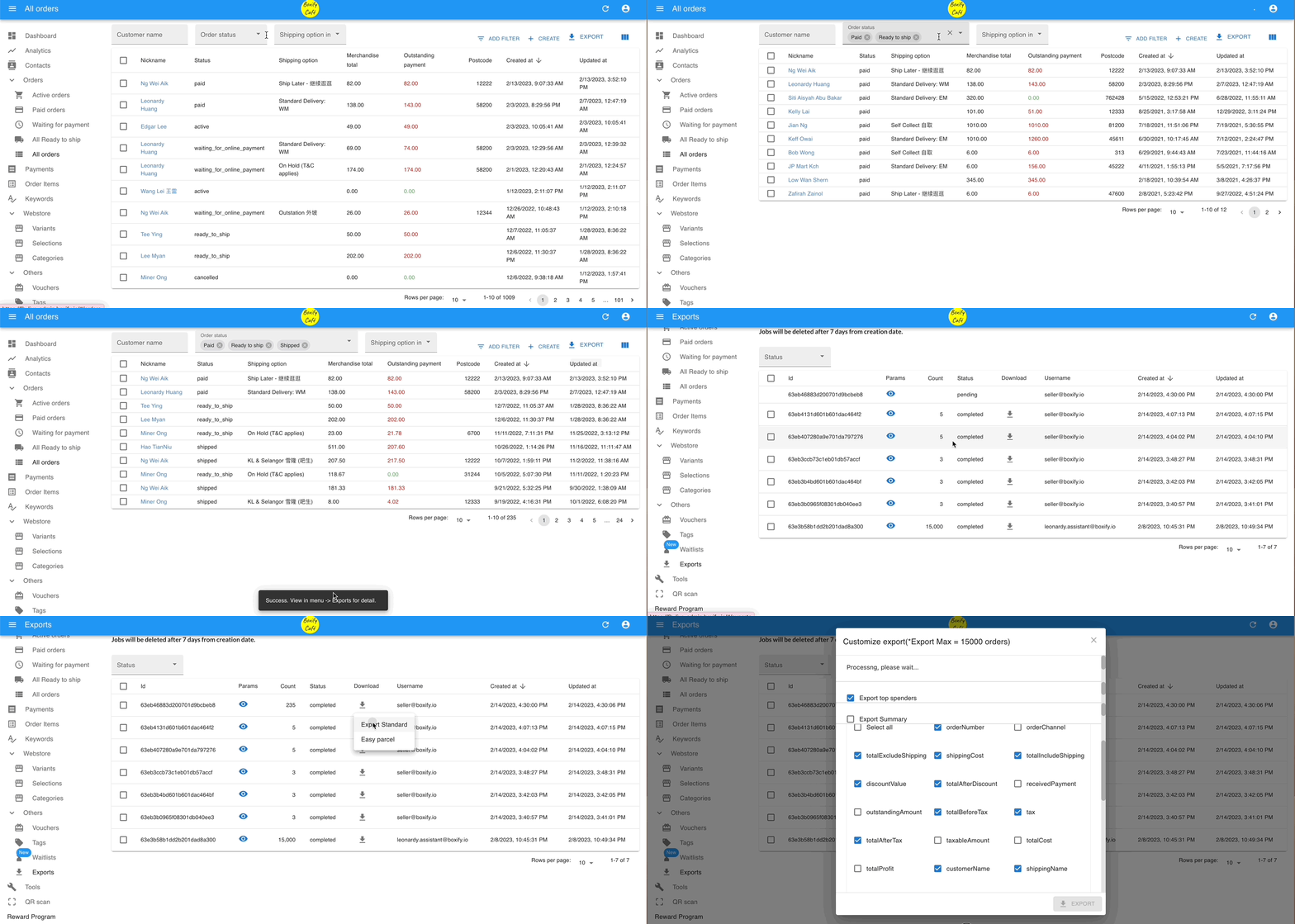
Follow these steps:
Step 1: Go to All Orders > Filter the order created start or end date/time or the order status.
Step 2: Click on the button ‘Export‘.
Step 3: Go the the ‘Exports‘ on the left menu. Click the download icon( ) beside the export file list, select ‘Export Standard’.
Step 4: Select ‘Export top spenders‘ and click ‘Export‘.