Connect your J&T account to create shipments with J&T.
What you need
- You need a valid J&T account. 🔗Register here if needed.
- Required account or API information provided by J&T.
Steps:
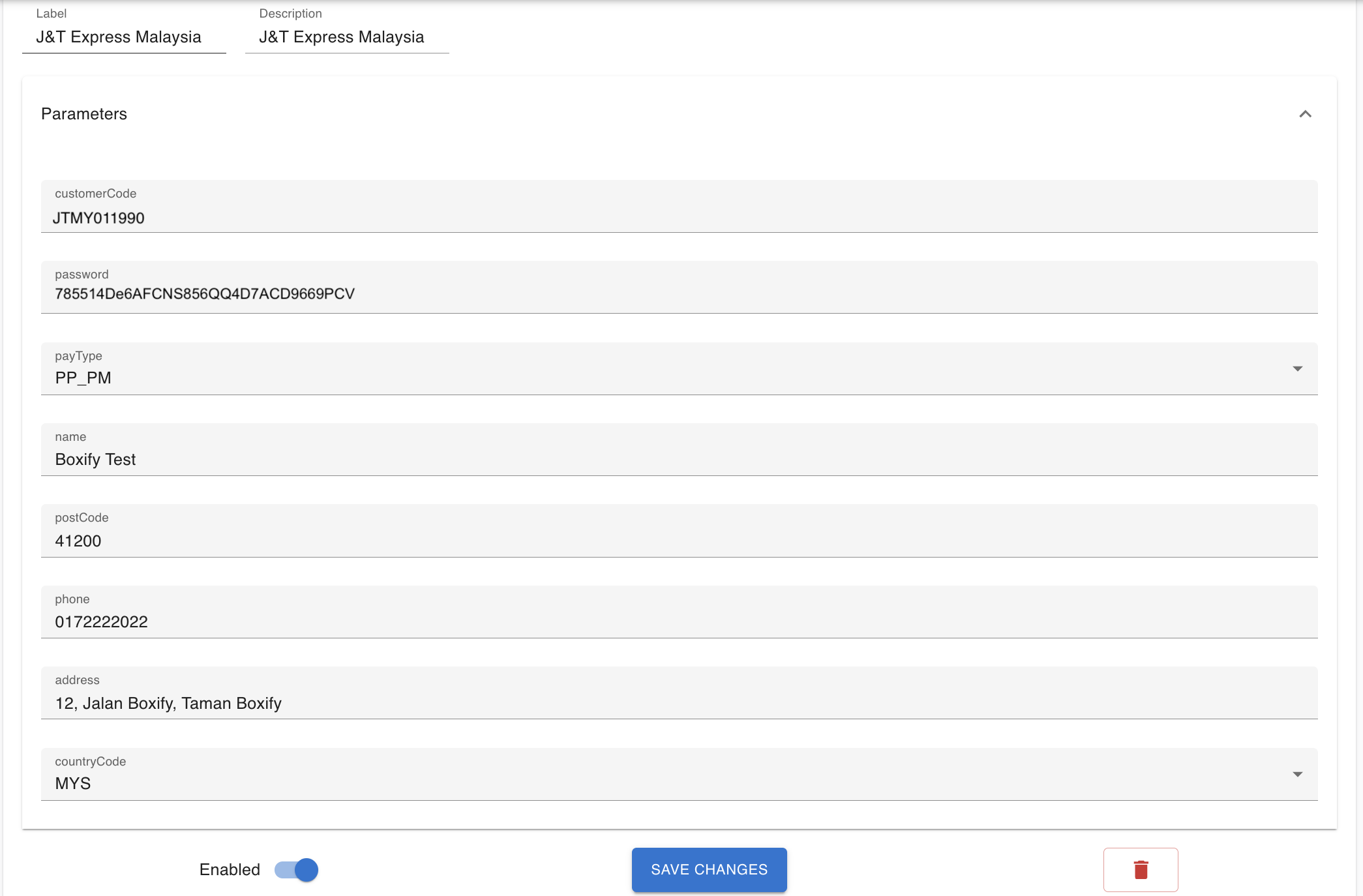
- Login Boxify and go to Settings → Shipping Profiles
- Create a new profile and Label it to J&T.
- Click open the ‘Parameters’ & fill in all the required fields.
– PP_PM : Prepaid (Sender Pays), Monthly settlement.
– PP_CASH : Prepard (Sender Pays), Cash settlement.
– CC_CASH : Collect on Delivery (Receiver Pays), Cash settlement. - Toggle on to blue to enable the shipping profile & Save the changes.
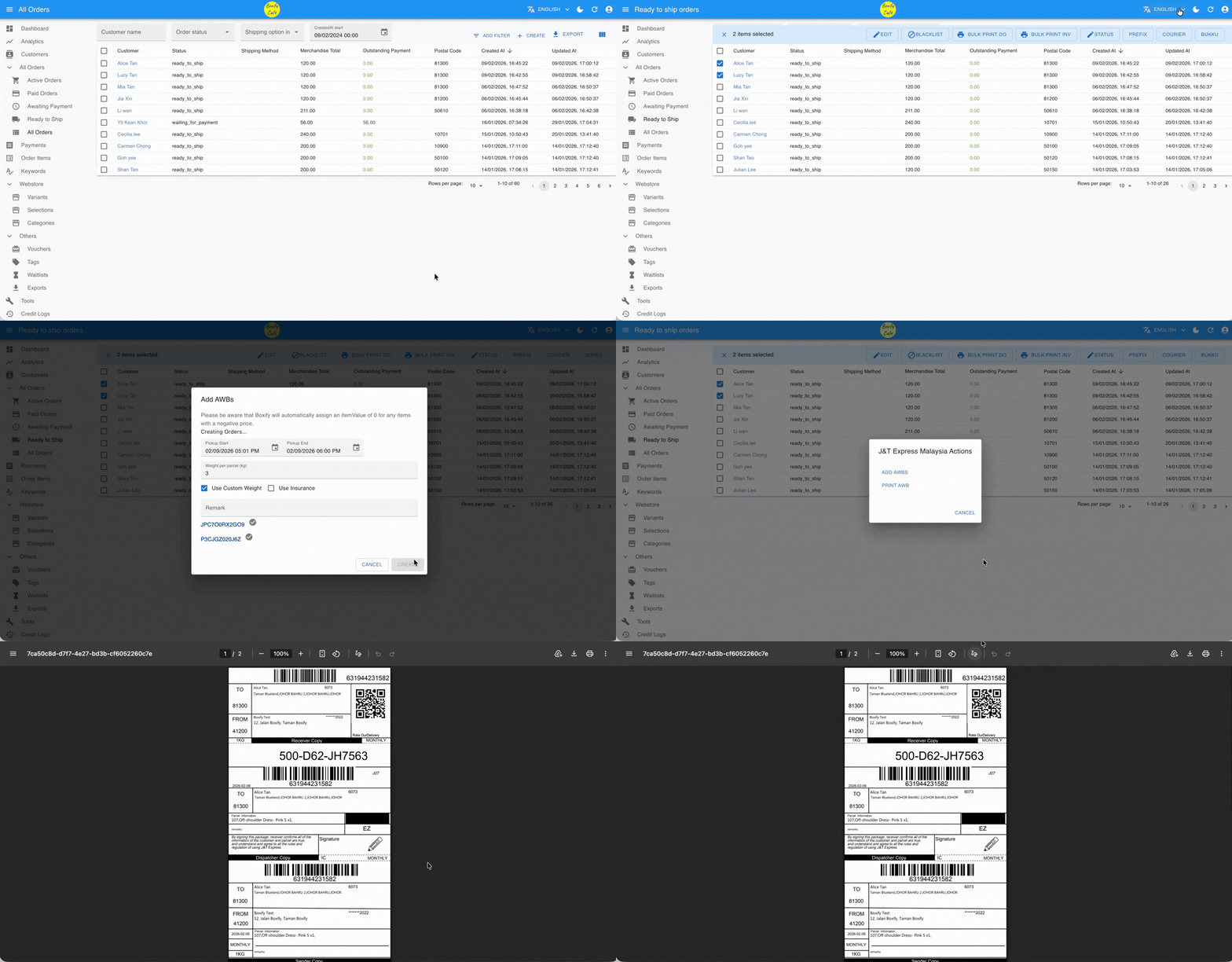
Create & Print the Airwaybill
Step 1: Go to ‘All Ready to ship‘ from the menu on the left.
Step 2: Select the orders and click Courier on the right top, then choose J&T.
Step 3: Click Add AWB, then review and confirm the shipment pickup date and time. If the item weight has been set in Keywords, the system will automatically fill in the parcel weight.
Otherwise, you can manually enter the weight for each parcel and tick “Use Custom Weight.”
Step 4: Return to the J&T Express Malaysia Actions window and click PRINT AWB.
Step 5: You may click PRINT ALL to print all AWBs at once, or click PRINT next to each airway bill to print them individually.