
Collection vs Payment received
- Collections provide insight into the payment inflow, customer paying behavior, and the preference of the payment method.
- The report of the payment received will give you the total payment collected over the day, week, or month for the sales by using the filtration tools.
- The figure of the collection and payment received will not tally because the figure of the payment received is based on the order items that had performed the payment reconciliation, and the scene of the order stack will allow several time frames of items in an order.
To get the total payment received report for the day
It’s advisable to perform the payment reconciliation in order to get an accurate report from the system.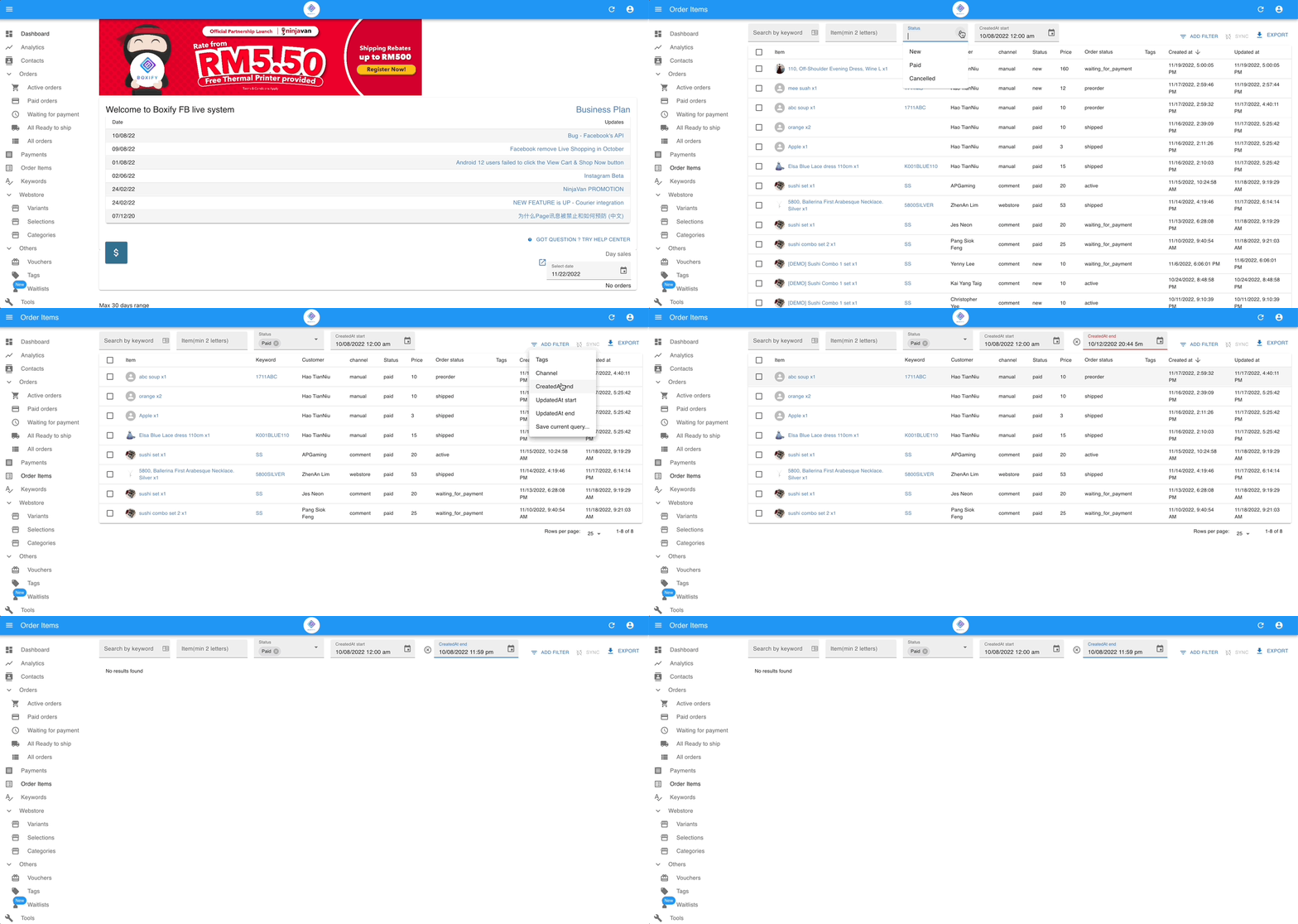
Step 1: Go to ‘Order items‘ from the menu on the left.
Step 2: Filter the status of the items to ‘Paid‘ and the ‘created start & end’ (date/time) of the day.
Step 3: Click the button ‘Export‘ to get the CSV file.
To get the total payment received report for the month
It’s advisable to perform the payment reconciliation in order to get an accurate report from the system.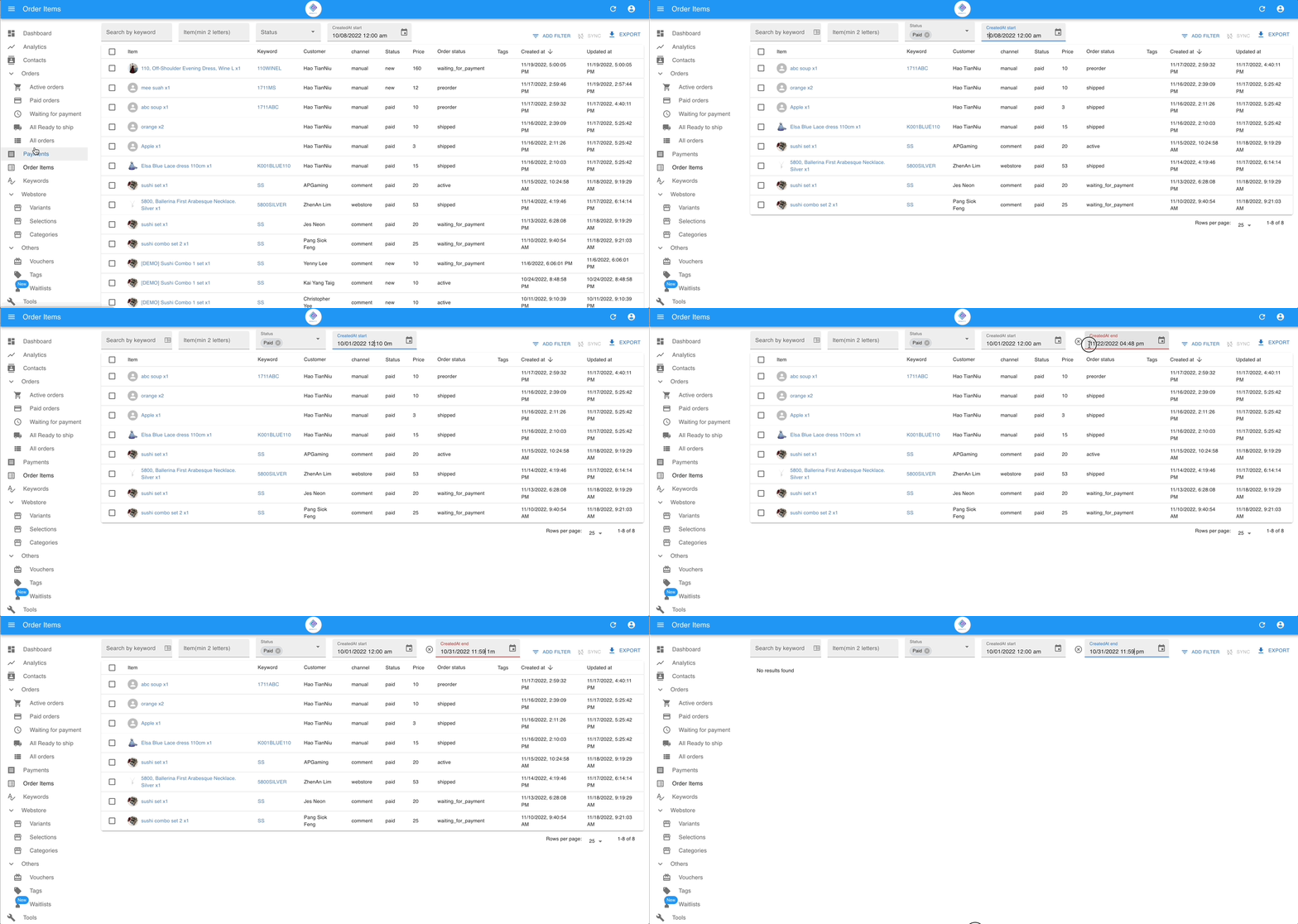
Step 1: Go to ‘Order items‘ from the menu on the left.
Step 2: Filter the status of the items to ‘Paid‘ and the ‘created start & end’ (date/time) of the month.
Step 3: Click the button ‘Export‘ to get the CSV file.