J&T Express Malaysia
Link your J&T Express Malaysia account to Boxify so you can create and print shipment labels directly.
Before you start
Section titled “Before you start”- A valid J&T account. Register here if you do not have one yet.
- Your API credentials provided by J&T.
- For customer code and password, ask your account manager.
Set up the shipping profile
Section titled “Set up the shipping profile”- Log in to Boxify and go to Settings › Shipping › Shipping Profiles.
- Click Create New Profile and label it J&T.
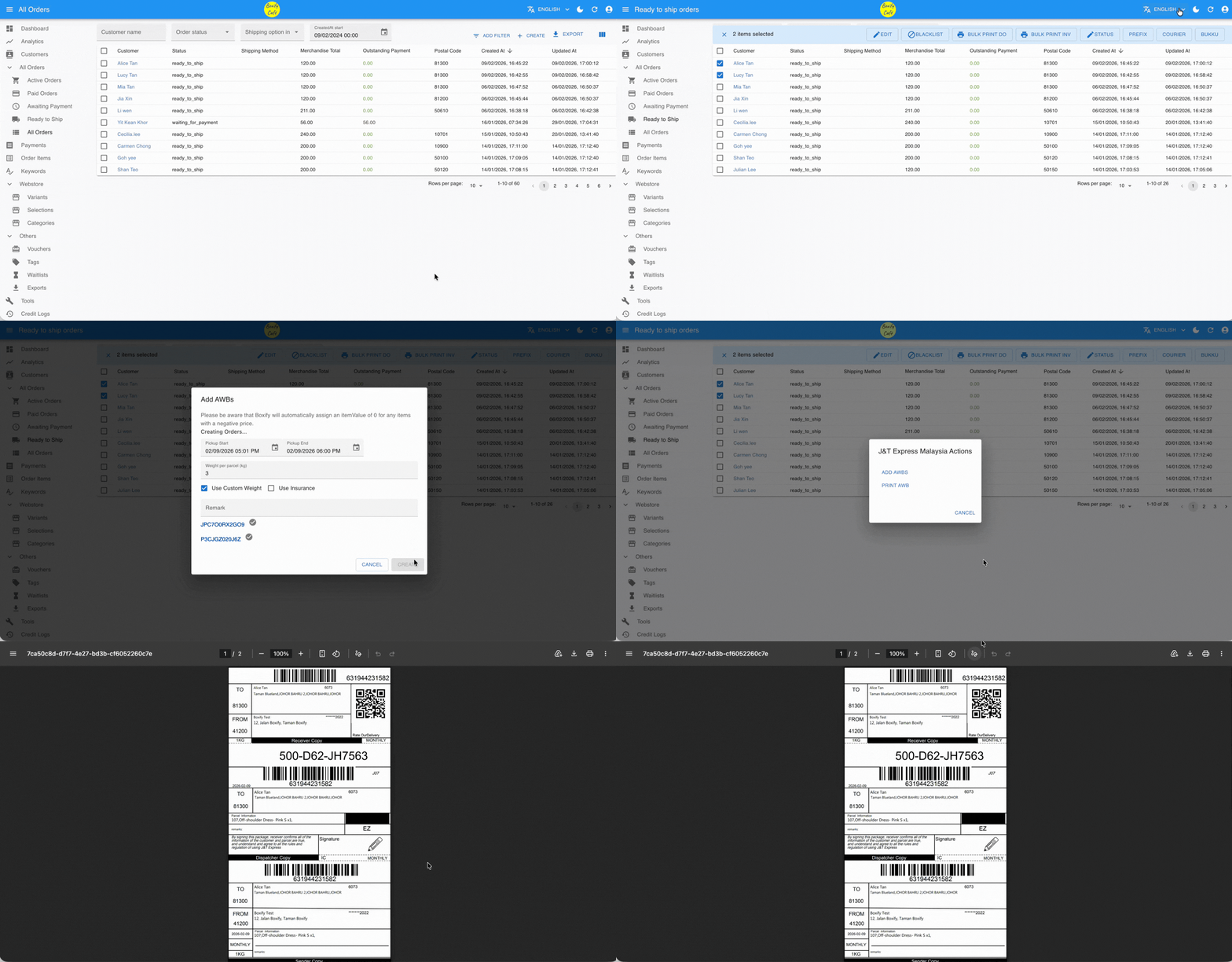
- Click Parameters and fill in all required fields.
- PP_PM — Prepaid (sender pays), monthly settlement.
- PP_CASH — Prepaid (sender pays), cash settlement.
- CC_CASH — Collect on delivery (receiver pays), cash settlement.
- Toggle the switch to blue to enable the profile.
- Click Save Changes.
Create and print the airwaybill
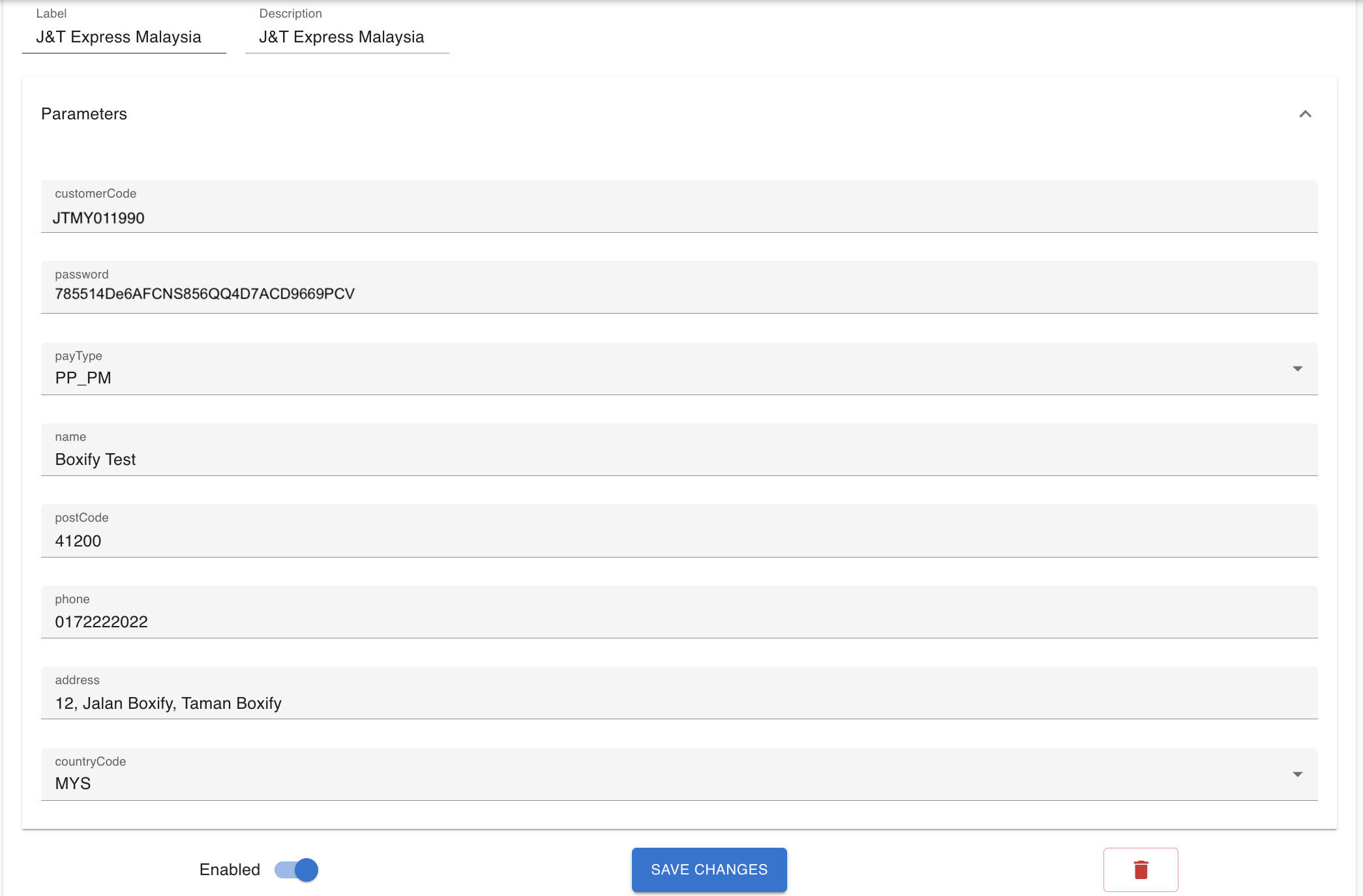
Section titled “Create and print the airwaybill”- Go to All Ready to Ship from the left menu.
- Select the orders you want to ship.
- Click Courier in the top right, then choose J&T.
- Click Add AWB, then review and confirm the pickup date and time.
- If you set item weight in Keywords, the system fills in the parcel weight automatically.
- Otherwise, enter the weight for each parcel manually and tick Use Custom Weight.
- Return to the J&T Express Malaysia Actions window and click Print AWB.
- Click Print All to print every label at once, or click Print next to each label to print individually.