
Comment Picker (Lucky Draw)
The Comment Picker lets you run a live lucky draw by randomly selecting winners from your viewers’ comments. It supports any keyword — including emoji and Chinese characters — and is case-insensitive by default.
How to start the Comment Picker
Section titled “How to start the Comment Picker”- Log in to Boxify after your live stream has started.
- Go to Tools in the left menu.
- Click Live window, then open the Comment Picker tab.
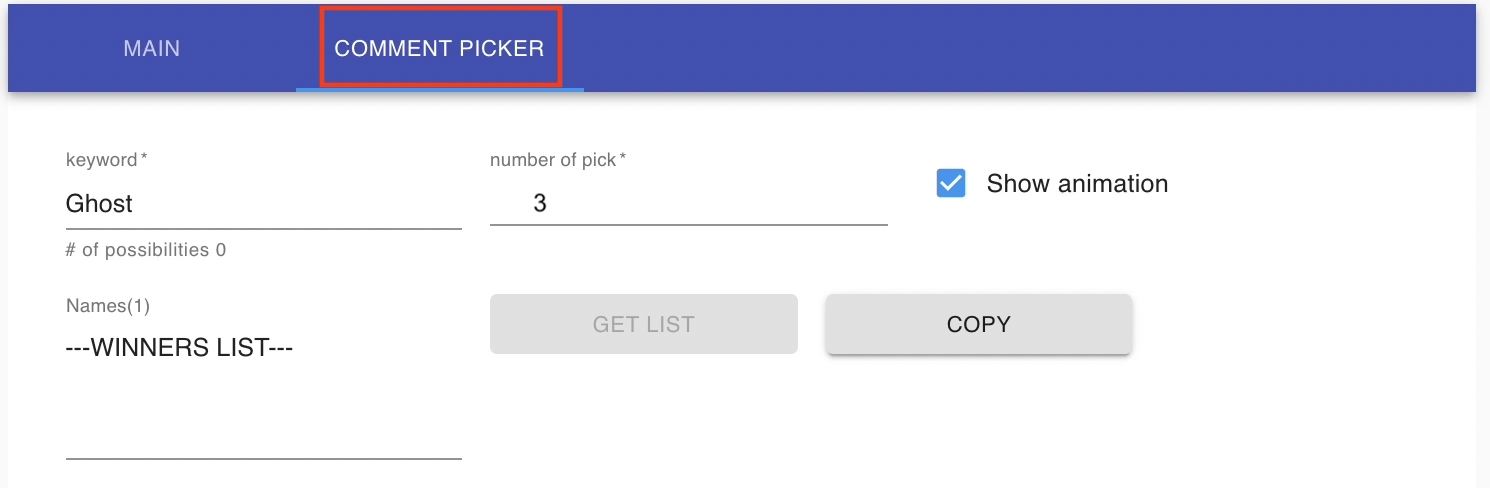
- Fill in the fields:
- keyword — the keyword customers comment to enter the draw. Boxify shows how many entries match.
- number of pick — how many winners to select.
- Exclude Blacklisted — leave blacklisted customers out of the draw.
- Show total candidate — display how many people entered.
- Click Preview, then Draw in the dialog to pick the winners.
- Click Copy to copy the winner names and paste them into a comment.
Turn a prize into an order
Section titled “Turn a prize into an order”After drawing, click Add as orderitem to create the prize as an order item for the winners. Fill in Prize, Price, and Quantity, then click Add.
Use Clear list to reset before the next draw.
See also: