
Payment Reconciliation
Reconciliation is the process of matching payments recorded in Boxify with the actual payments you received.
Accurate reconciliation keeps your revenue, collection status, and analytics reports correct.
Why payment reconciliation matters
Section titled “Why payment reconciliation matters”In Boxify, the following all depend on correct payment statuses:
- Revenue reporting
- Collection status
- Analytics (number of payments, revenue graph)
If a payment is not properly reconciled and confirmed, the system will not count it as paid — even if you have already matched it against your bank records manually.
Key principle: Reconciliation does not equal Paid
Section titled “Key principle: Reconciliation does not equal Paid”Reconciling a payment alone does not tell the system the payment is complete.
To mark a payment as properly received, you must do both of the following:
- Reconcile the payment amount in Boxify.
- Toggle the item status to Paid.
Note on payment methods
Section titled “Note on payment methods”| Payment method | What you must do |
|---|---|
| Payment Gateway | Reconciliation and item status updates may happen automatically. |
| Offline Bank Transfer | You must manually reconcile and toggle the item status to Paid. |
(See: Payment Gateway vs Offline Payment Guide)
How to reconcile a payment
Section titled “How to reconcile a payment”There are two ways to reconcile a payment in Boxify:
- From the Order Page
- From the Payments menu
Both methods do the same thing — they confirm that the payment in Boxify matches what you actually received.
Method 1: Reconcile from the Order Page
Section titled “Method 1: Reconcile from the Order Page”Use this method when you are reviewing one specific order.
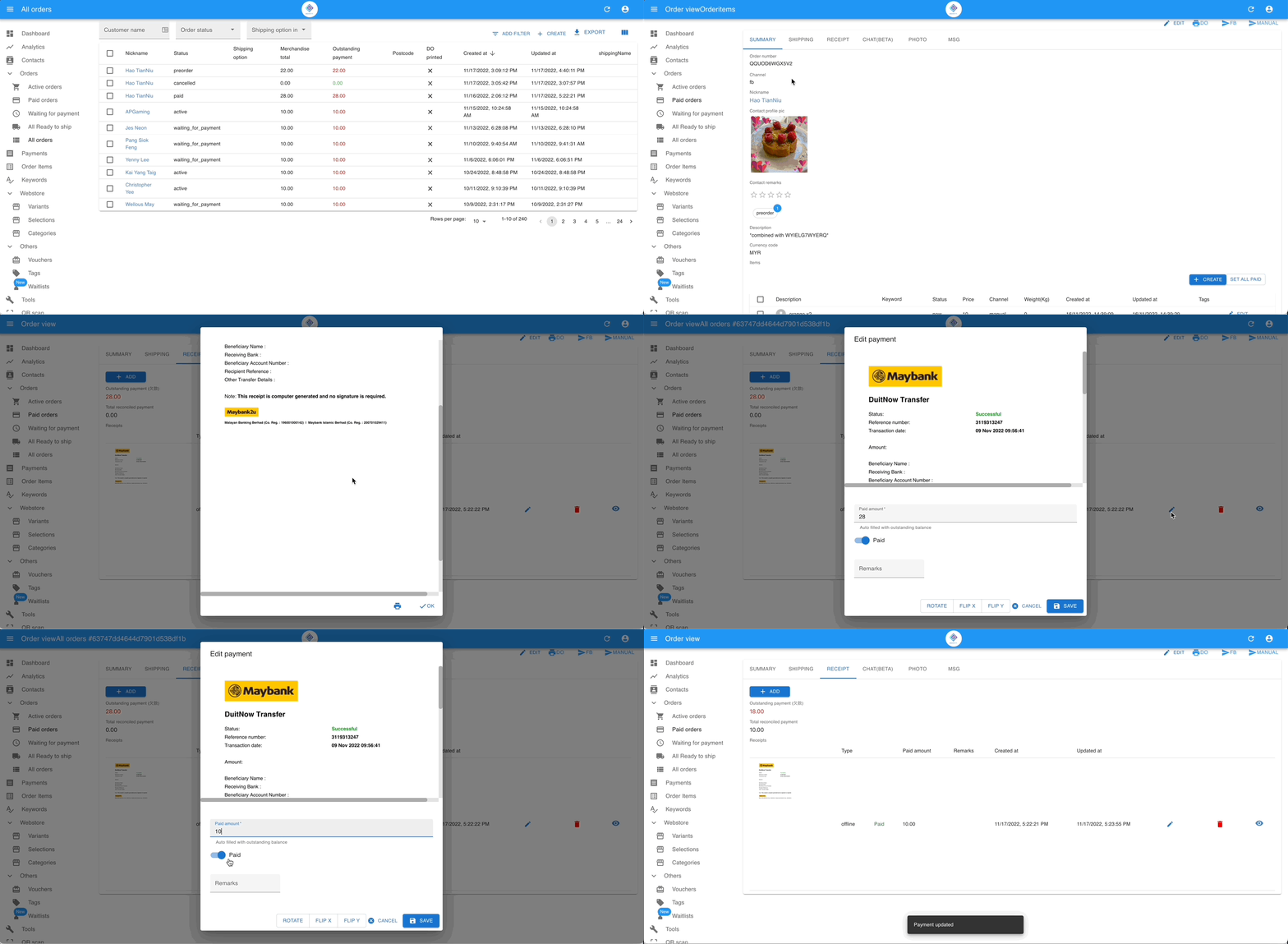
- Go to Orders from the left menu.
- Open the specific order and click the RECEIPT tab.
- Check the payment amount against your bank record or receipt.
- Toggle Item Status to Paid and click Save.
Method 2: Reconcile from the Payments menu
Section titled “Method 2: Reconcile from the Payments menu”Use this method when you want to review multiple payments at once.
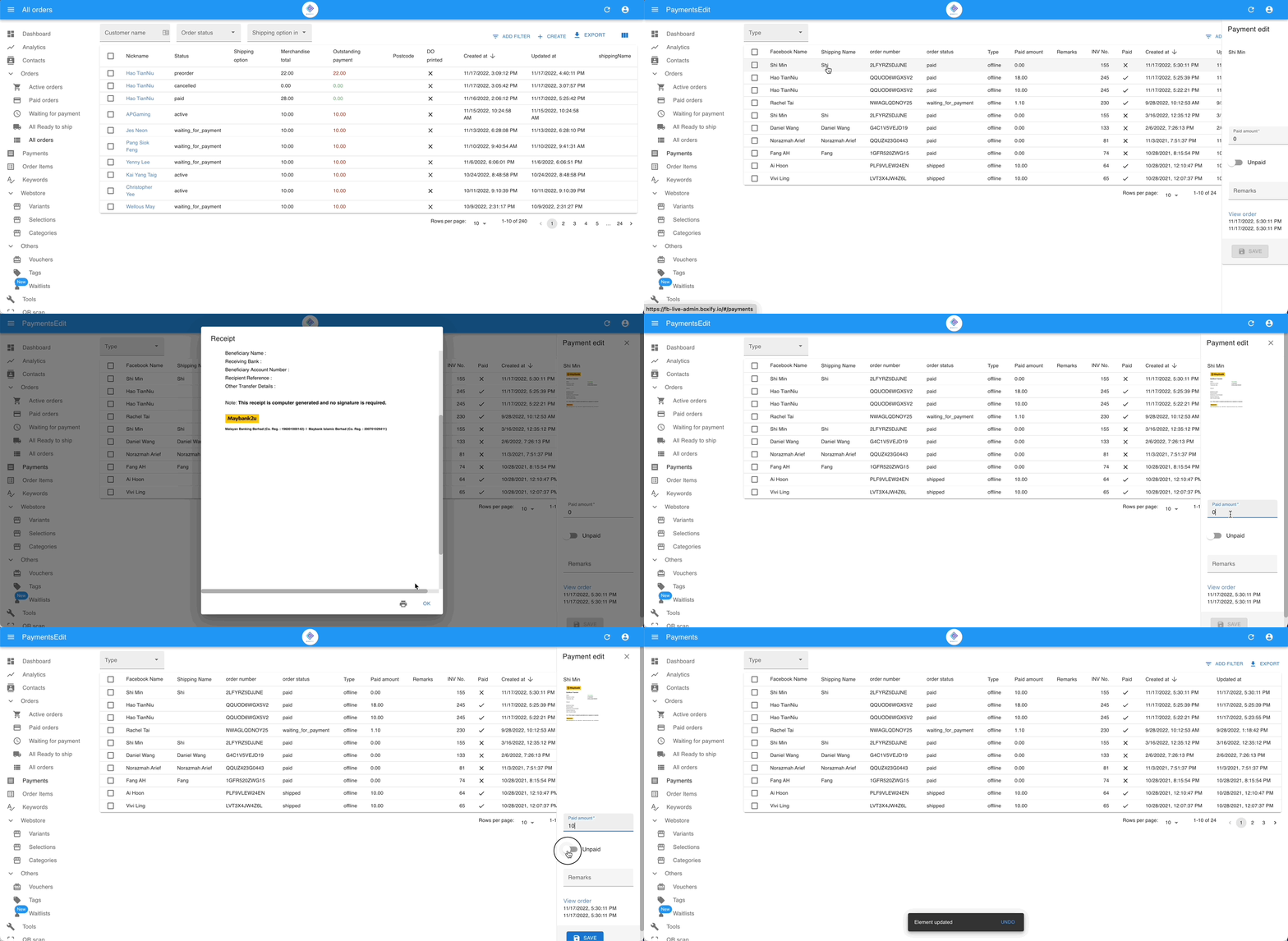
- Go to Payments.
- Find the transaction you want to reconcile.
- Confirm the payment amount matches your bank record.
- Enter the amount and toggle to Paid.
- Add a remark if needed for this payment record.
This method is useful when:
- You are reviewing uploaded receipts.
- You are reconciling multiple bank transfers.
Which method should I use?
Section titled “Which method should I use?”| Situation | Recommended method |
|---|---|
| Checking one specific order | Order Page |
| Reviewing multiple payments | Payments menu |
| Handling bank transfers with receipts | Payments menu |
| Quick manual confirmation | Order Page |
Both methods update the same system record.
What happens after reconciliation
Section titled “What happens after reconciliation”Once payment is reconciled and item status is set to Paid:
- The order moves closer to fulfilment.
- It is recognised as Revenue once the order status becomes Ready to Ship or Shipped.
- Analytics and reports update accordingly.
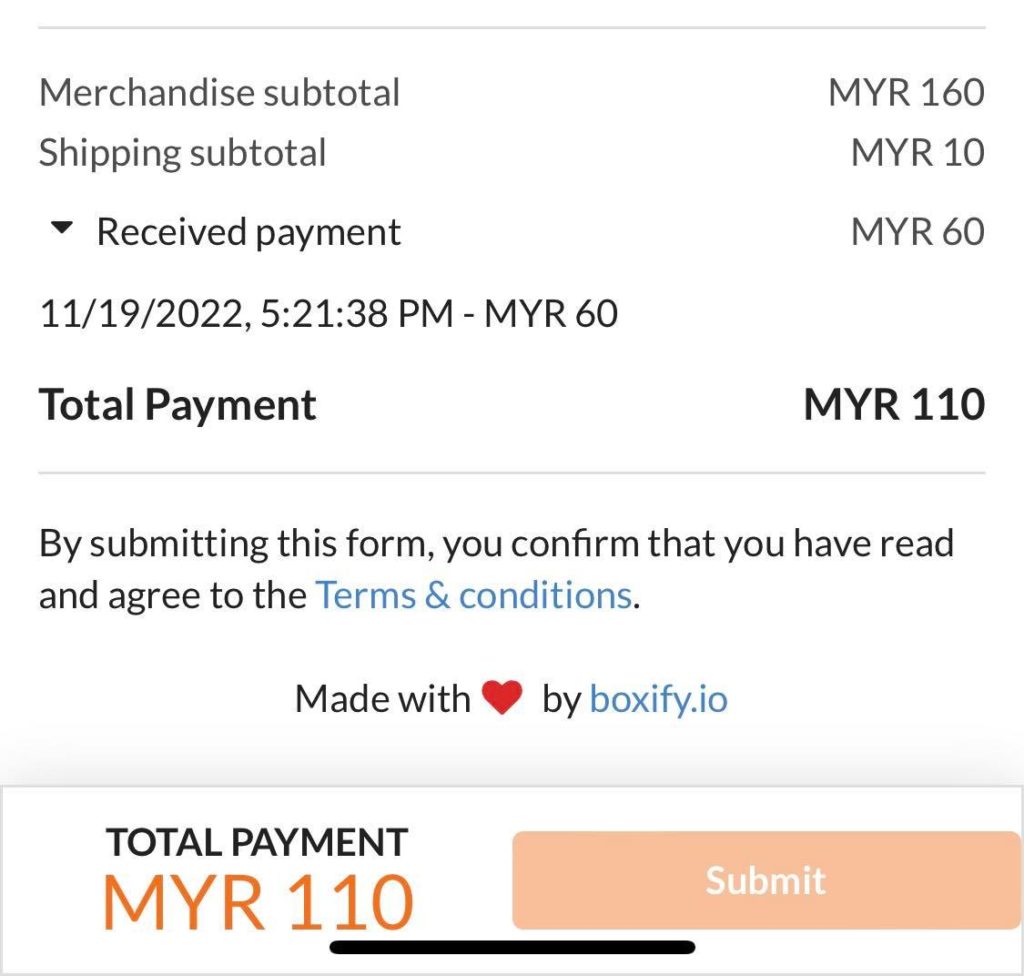
Customer’s view of payment reconciliation in the shopping cart
Section titled “Customer’s view of payment reconciliation in the shopping cart”Total Payment = Merchandise subtotal + Shipping subtotal – Received payment.
See also: