
Bulk Activate / Deactivate Keywords
Use this feature to turn many keywords on or off at the same time. This is useful when you want to stop accepting orders after a live session without switching each keyword off one by one.
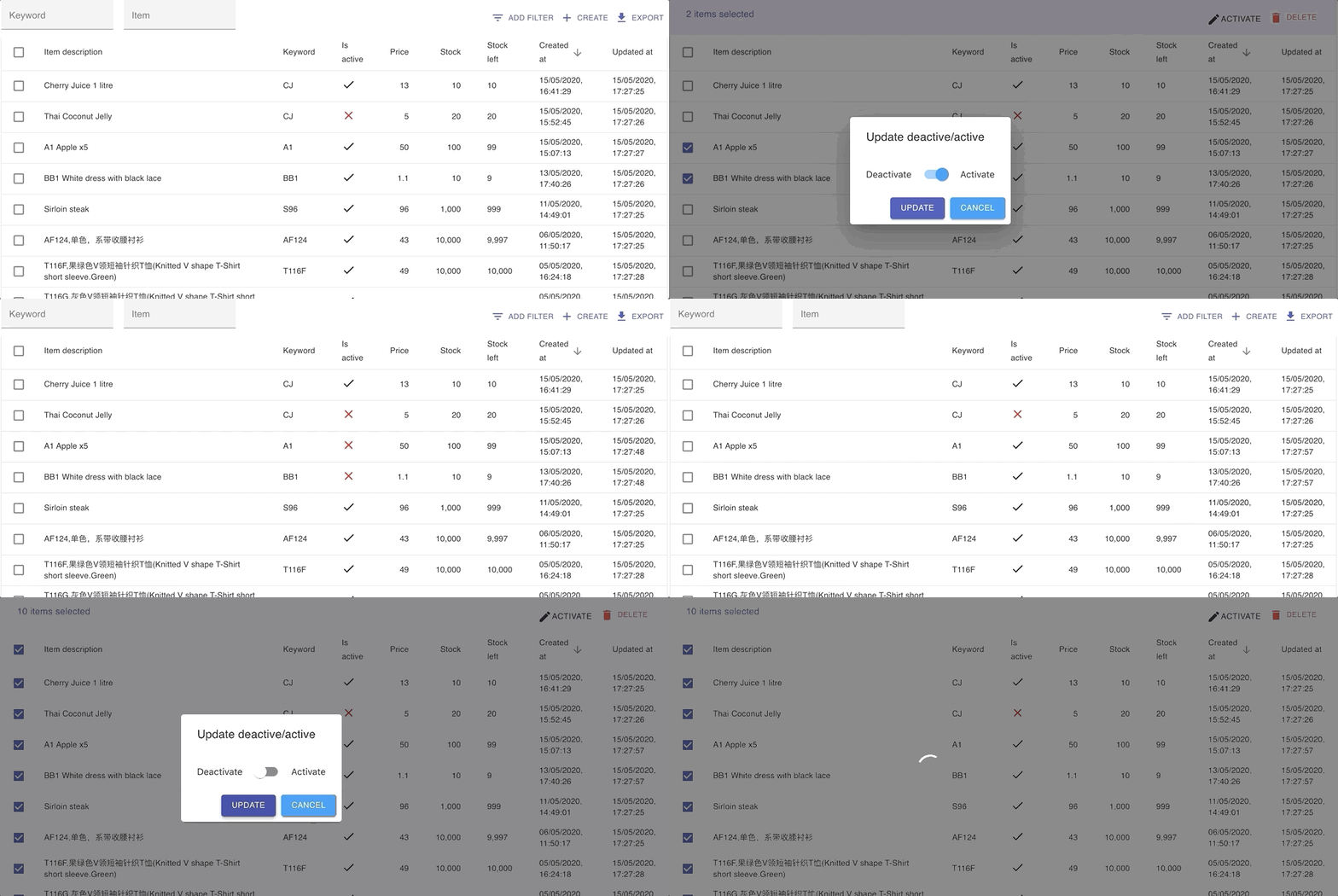
- Go to KEYWORDS.
- Use the filter to find the keywords you want to change.
- Select the keywords, then click Activate in the top right.
- Choose Active to turn them on, or Deactivate to turn them off.
Activating keywords:
Deactivating keywords:
See also: