
Send Payment Links
A payment link opens the customer’s shopping cart, where they pay and enter their shipping details. You can send it one order at a time, send it to every unpaid order at once, or let customers fetch it themselves.
The 24-hour rule
Section titled “The 24-hour rule”Facebook only lets you message a customer within 24 hours of their last message to your page. This is the single biggest reason payment links fail to arrive.
When a customer messages your page first, they open a 24-hour window, and Boxify can deliver their payment link normally. See the Facebook Messenger policy for details.
Send one payment link
Section titled “Send one payment link”- Open the order.
- Click the FB button in the top right.
- Click SEND.
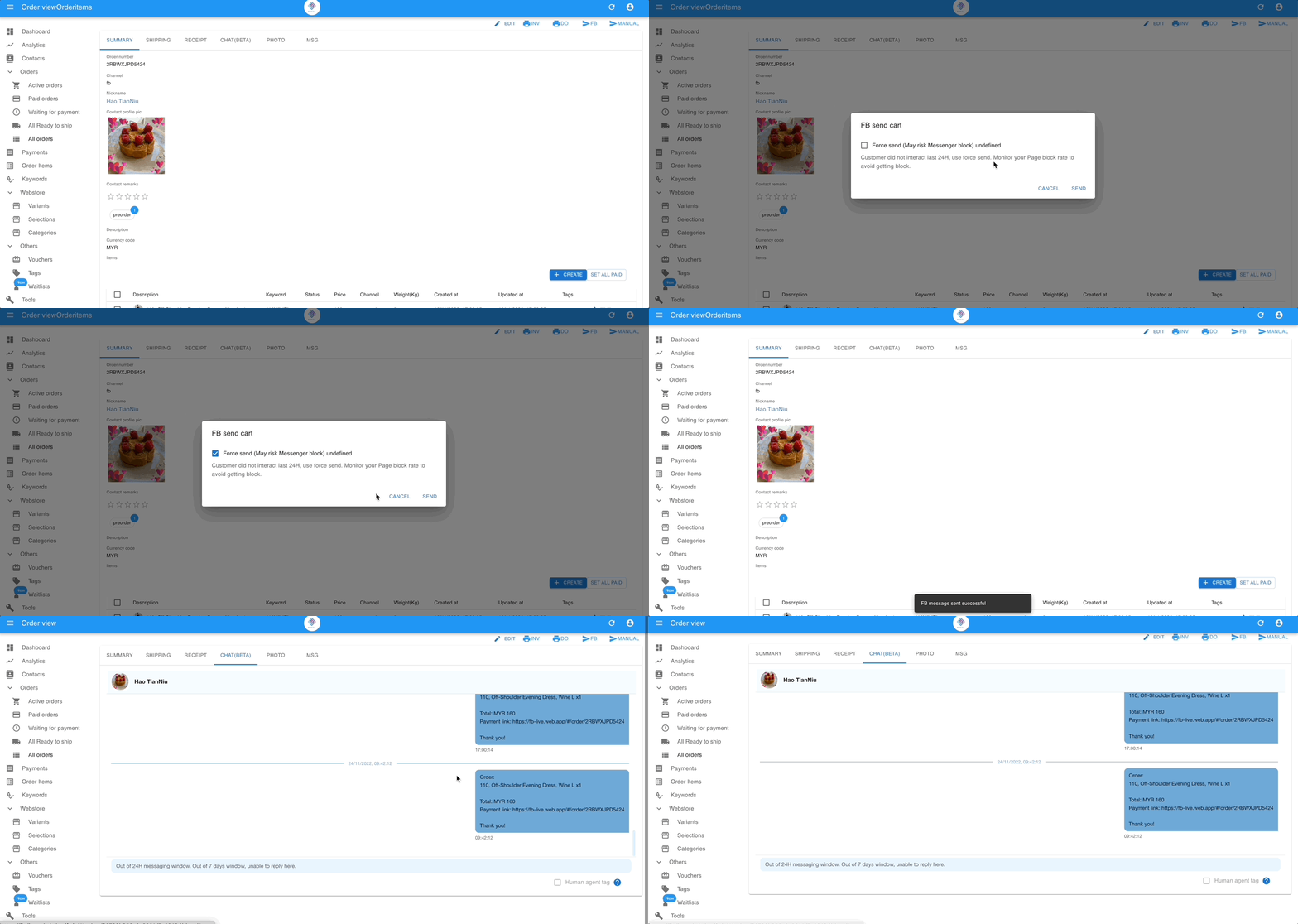
At the Active step, the stage bar also has a Send cart to customer button (shown only when the customer can be messaged). Sending the cart moves the order to Waiting for payment.
If you cannot find the FB button, either the order is an offline order (no customer linked) or the customer has not yet messaged your page. For an offline order, copy the link and send it yourself. Otherwise, see Troubleshooting FB Messaging.
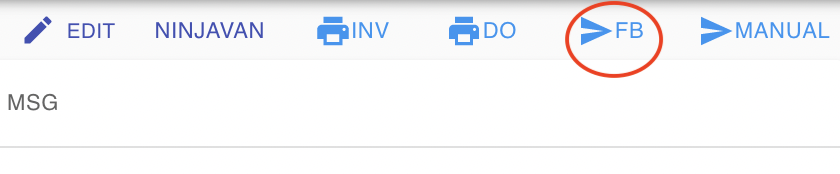
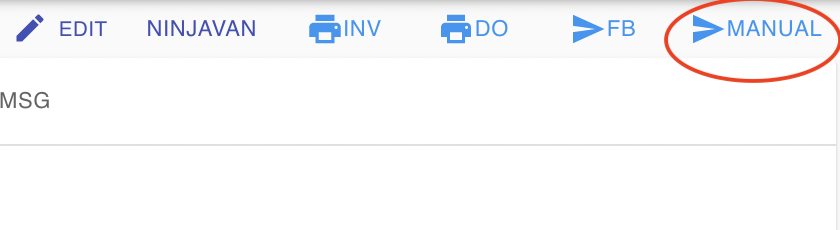
If the customer has strong privacy settings, the button is unavailable. Copy the link manually instead — see Copy the link and send it yourself.
What the FB button does
Section titled “What the FB button does”Click FB to open the FB send cart dialog, then click Send. Boxify first sends a standard message with the cart link. If Facebook refuses it because the customer has not messaged your page within the last 24 hours, Boxify automatically falls back to a Utility Message. Tick Text only if the customer cannot see the message in the app. There is no separate Force Send button. See Facebook Utility Messages.
Send payment links in bulk with Mass FB send
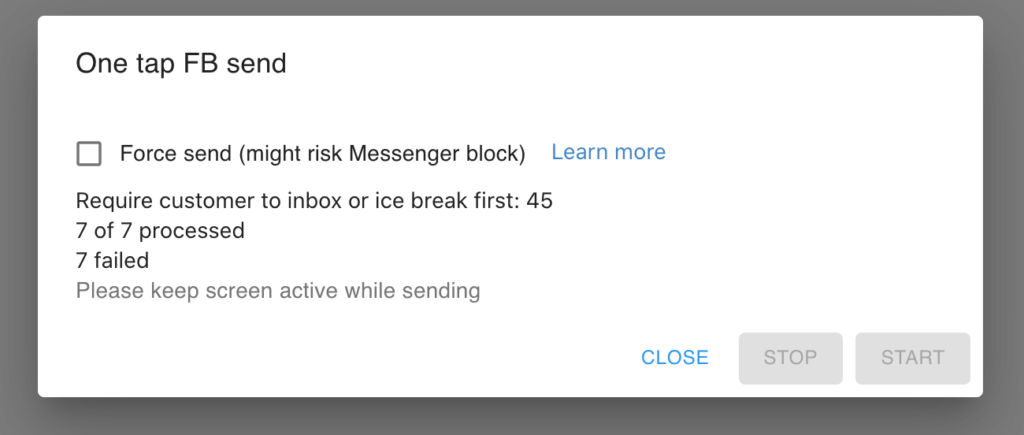
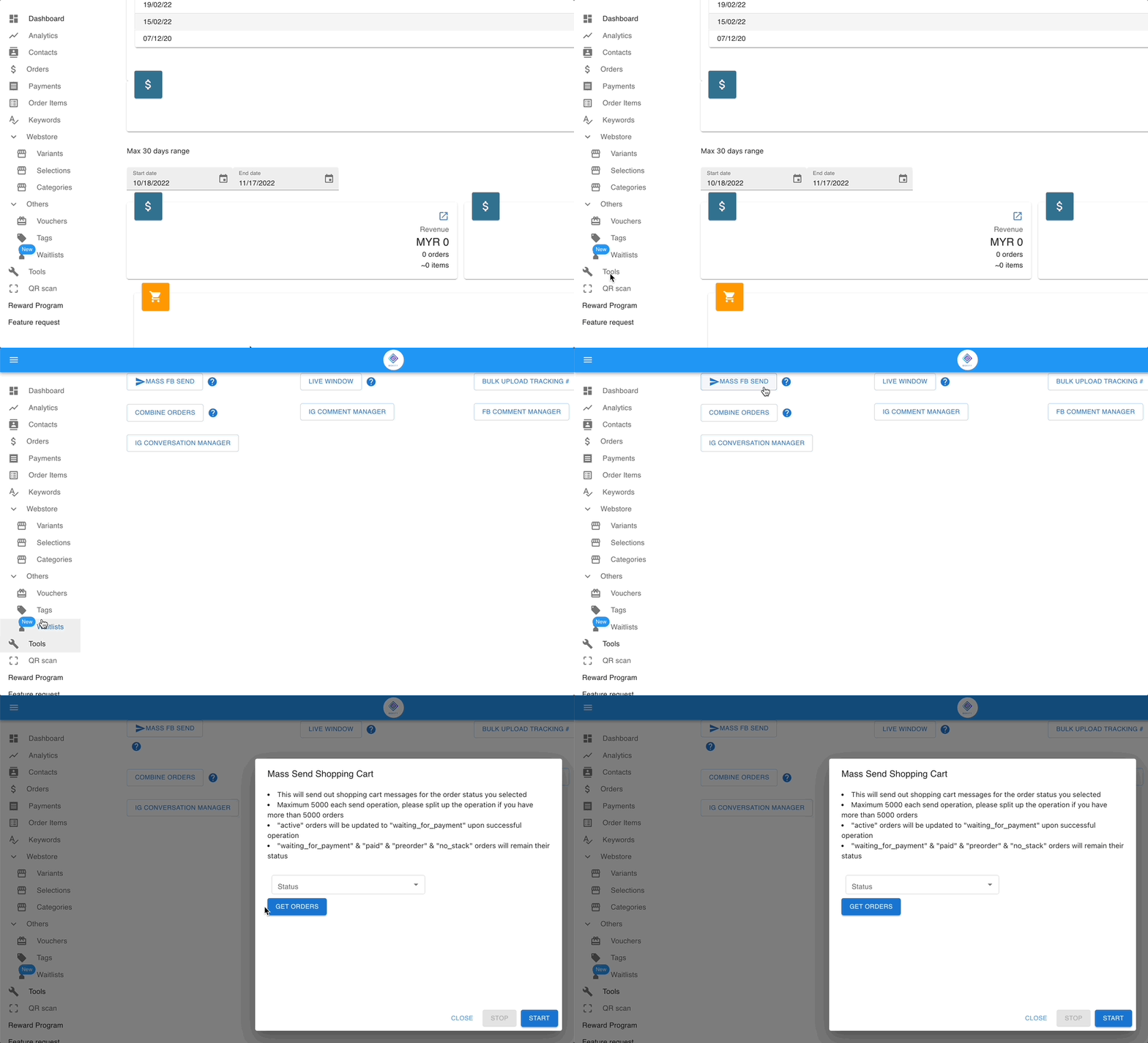
Section titled “Send payment links in bulk with Mass FB send”Mass FB send sends payment links to many customers in one action.
- Go to Tools in the left menu.
- Click Mass FB send.
Copy the link and send it yourself
Section titled “Copy the link and send it yourself”Use this when the FB button is unavailable.
- Open the order and go to the MSG tab.
- Copy the message.
- Paste it into Messenger, WhatsApp or wherever you talk to the customer, and send it yourself.

Let customers fetch their own link
Section titled “Let customers fetch their own link”This is the most reliable option, because the customer messaging you opens a fresh 24-hour window.
- Tap the My Shopping Cart button in the order notification in Messenger.
- Type
cartin your page’s Messenger. - Use the persistent menu you set up in Messenger, so customers can check their cart anytime.

See also: