
Conversation Manager
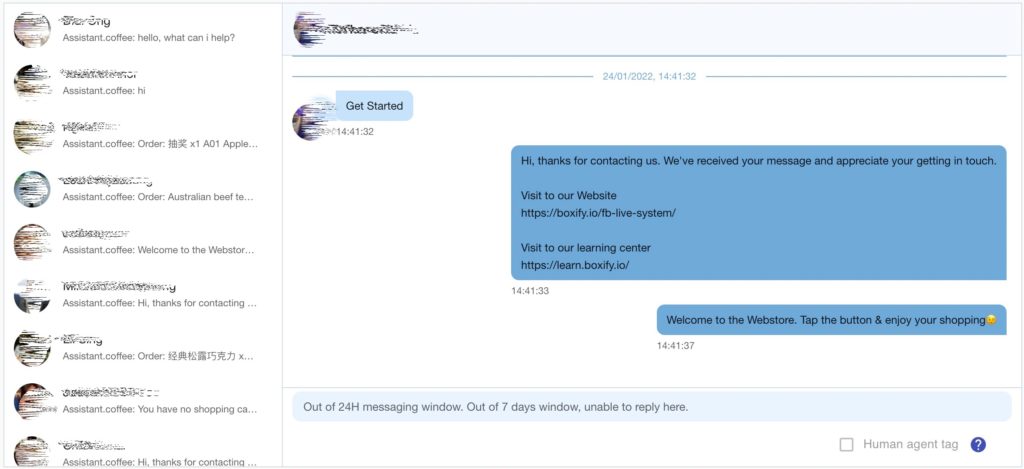
Conversation Manager gives you a single place to read and reply to customer messages, so you do not miss anyone when message volume spikes. There is one for each channel: Facebook Messenger and Instagram Direct.
Open Conversation Manager
Section titled “Open Conversation Manager”- Log in to your Boxify dashboard.
- Go to Tools.
- Click FB conversation manager for Facebook Messenger, or IG conversation manager for Instagram Direct.
When it is most useful
Section titled “When it is most useful”- You are running a live session on Facebook or Instagram.
- You launch a limited-stock product.
- You run a flash sale or promotion.
- Many customers are messaging at the same time.
It also lets you keep up with customers who have not placed an order in Boxify yet, so they never appear in your order list.
How it supports order collection
Section titled “How it supports order collection”If Message Capture is enabled:
- A customer sends a keyword by Messenger or Instagram DM.
- Boxify creates the order automatically when the keyword and stock conditions are met.
- The payment link and cart are sent back to the customer in the same conversation.
Conversation Manager lets you watch all of that in one view.
Best practices
Section titled “Best practices”- Ask customers to message you directly to start an order.
- Reply within the 24-hour messaging window the platform allows.
- Avoid copy-pasting the same message repeatedly — it can be flagged as spam.
- Keep your tone natural and conversational.
- Watch message volume closely during peak sessions.
See also: