
Order Statuses
Every order in Boxify has one status. The status tells you where the order is in the fulfilment process, and whether the order can still stack — that is, keep collecting new items from the same customer instead of creating a separate order each time.
Order page
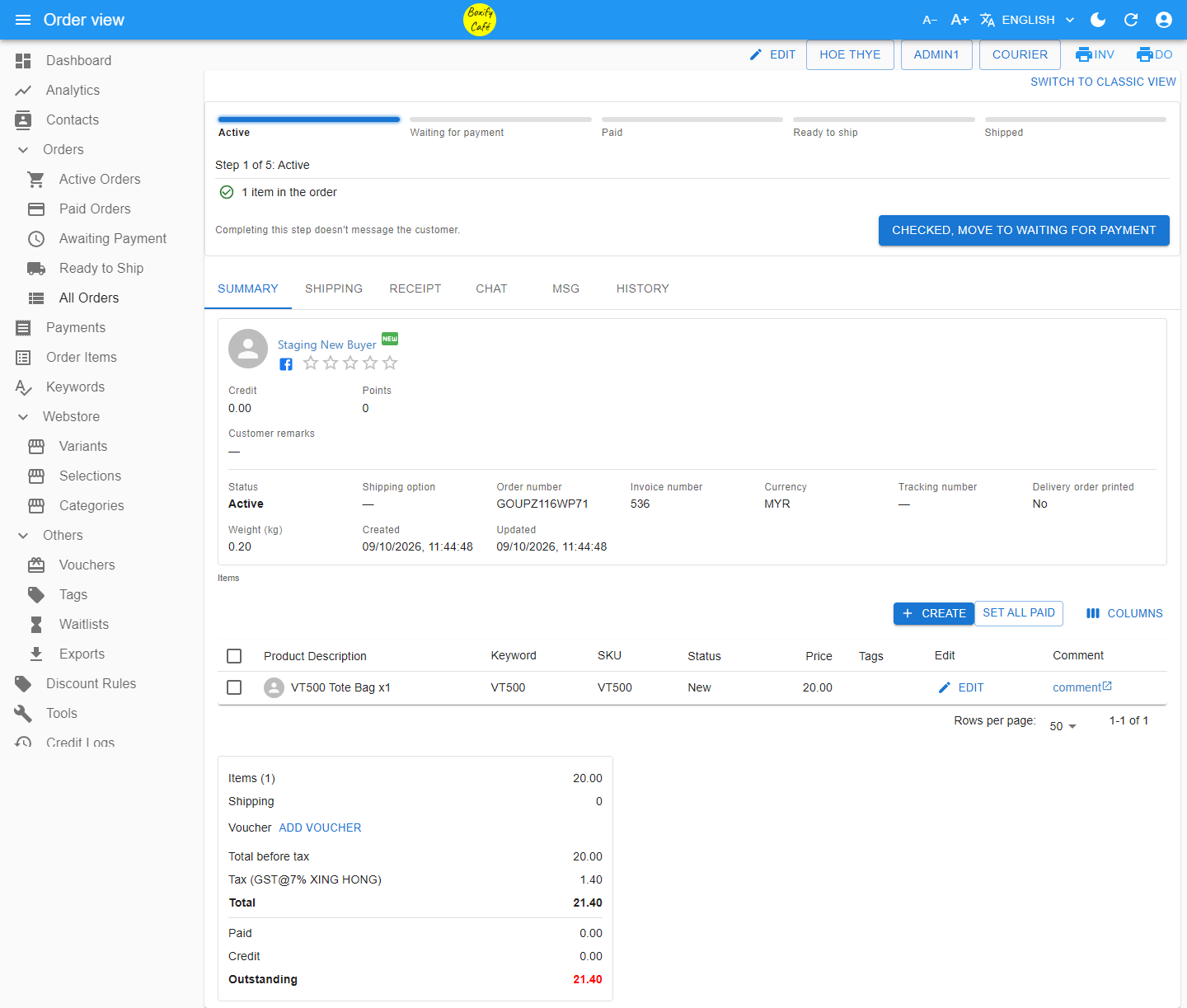
Section titled “Order page”Open an order to see its stage bar at the top: Active → Waiting for payment → Paid → Ready to ship → Shipped. It shows a checklist and a button to move the order to the next stage.
Below the stage bar are the tabs SUMMARY, SHIPPING, RECEIPT, CHAT, MSG, and HISTORY. Click Switch to classic view at the top right, then click Switch in the confirmation dialog, to go back to the older layout. Your choice is saved in this browser on this computer only.
Quick reference
Section titled “Quick reference”| Status | Can it stack? | What it means |
|---|---|---|
| Active | Yes | New order. The customer has not opened their shopping cart link yet. |
| Waiting for Payment | Yes | The payment link has been sent to the customer. |
| Paid | Yes | The customer submitted either shipping details or a payment proof. Waiting for you to verify it. |
| On Hold | Yes | You are holding the order for a special reason. |
| Ready to Ship | No | Payment verified. Queued for packing. |
| Shipped | No | Collected by the courier. |
| Locked | No | Frozen until you resolve an issue. |
| Preorder | No | Held until stock arrives. |
| No Stack | No | Kept separate from the customer’s other orders. |
| Cancelled | No | All items cancelled and returned to stock. |
Stackable statuses
Section titled “Stackable statuses”Active
Section titled “Active”A new order starts with the status Active. This means the customer has not yet opened their shopping cart link.
Waiting for Payment
Section titled “Waiting for Payment”The status changes to Waiting for Payment once the system detects that the payment link has been sent to the customer.
| Payment type | When status changes to Paid |
|---|---|
| Offline payment | When the customer uploads a payment receipt or submits their shipping details. |
| Online payment | When the customer selects the Ship Later option in their shopping cart (used to accumulate multiple orders before shipping), or when the gateway payment does not match the amount owed, with any shipping option (a Preorder order returns to Preorder instead). See When the paid amount does not match. |
On Hold
Section titled “On Hold”Use On Hold for special situations. The customer can still complete payment (offline or online) and submit their shipping details. The status will change to Paid automatically once payment is detected, or to Ready to Ship for an online payment with a ship-now option.
Non-stackable statuses
Section titled “Non-stackable statuses”Ready to Ship
Section titled “Ready to Ship”An order with this status has been payment-verified and is queued for packing and shipment.
The system automatically sends a notification to the customer when the status changes to Ready to Ship.
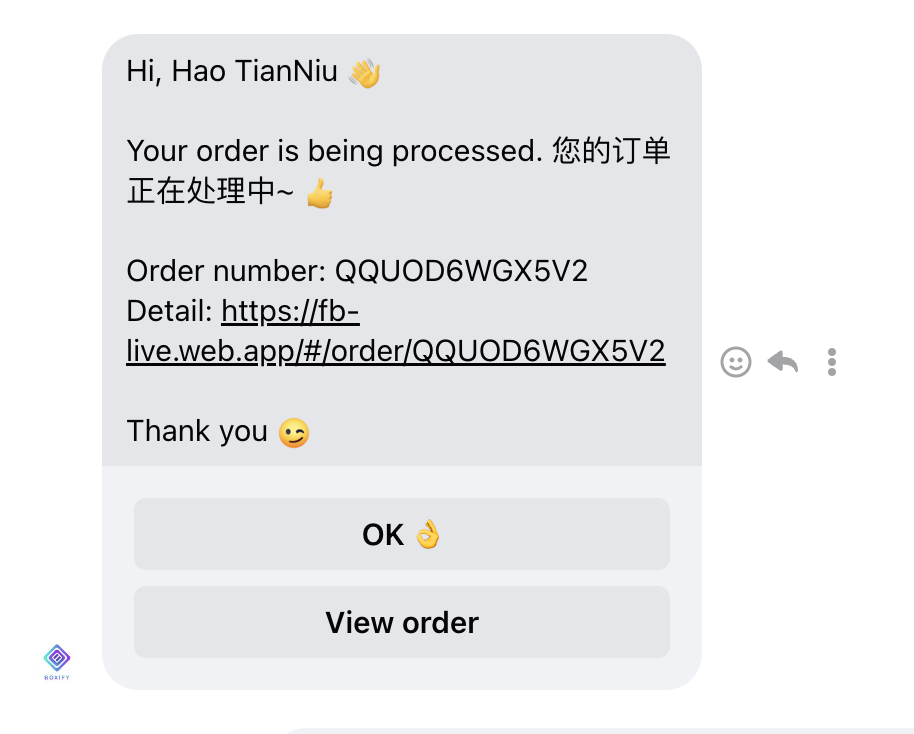
For online payments, the system sets the order to Ready to Ship automatically when the customer selects a shipping option such as “Ship now”, “WM”, or “EM” and payment is verified with the full amount owed. For the exceptions, see When the paid amount does not match.
Shipped
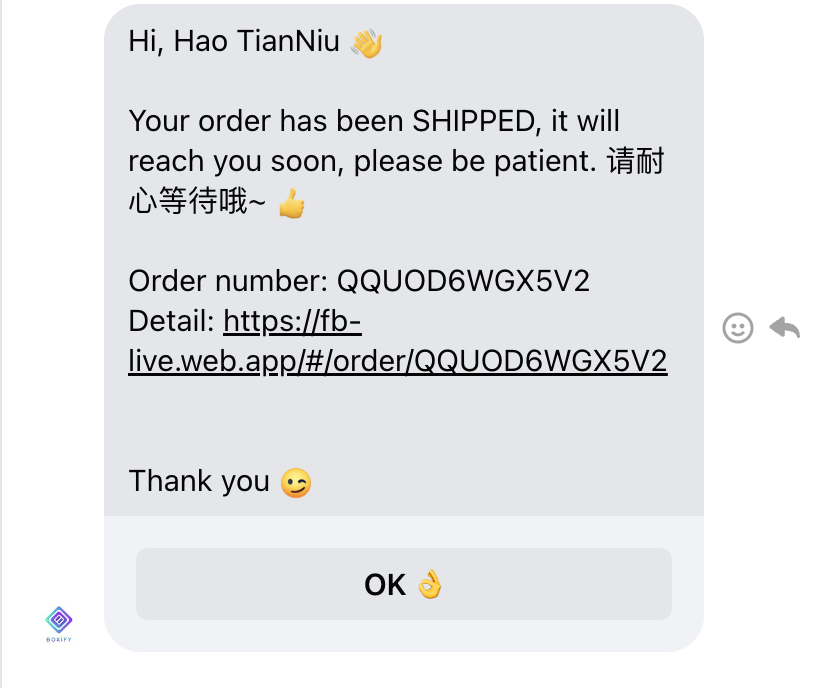
Section titled “Shipped”An order with this status has been collected by the courier.
The system automatically sends a shipped notification to the customer.
Locked
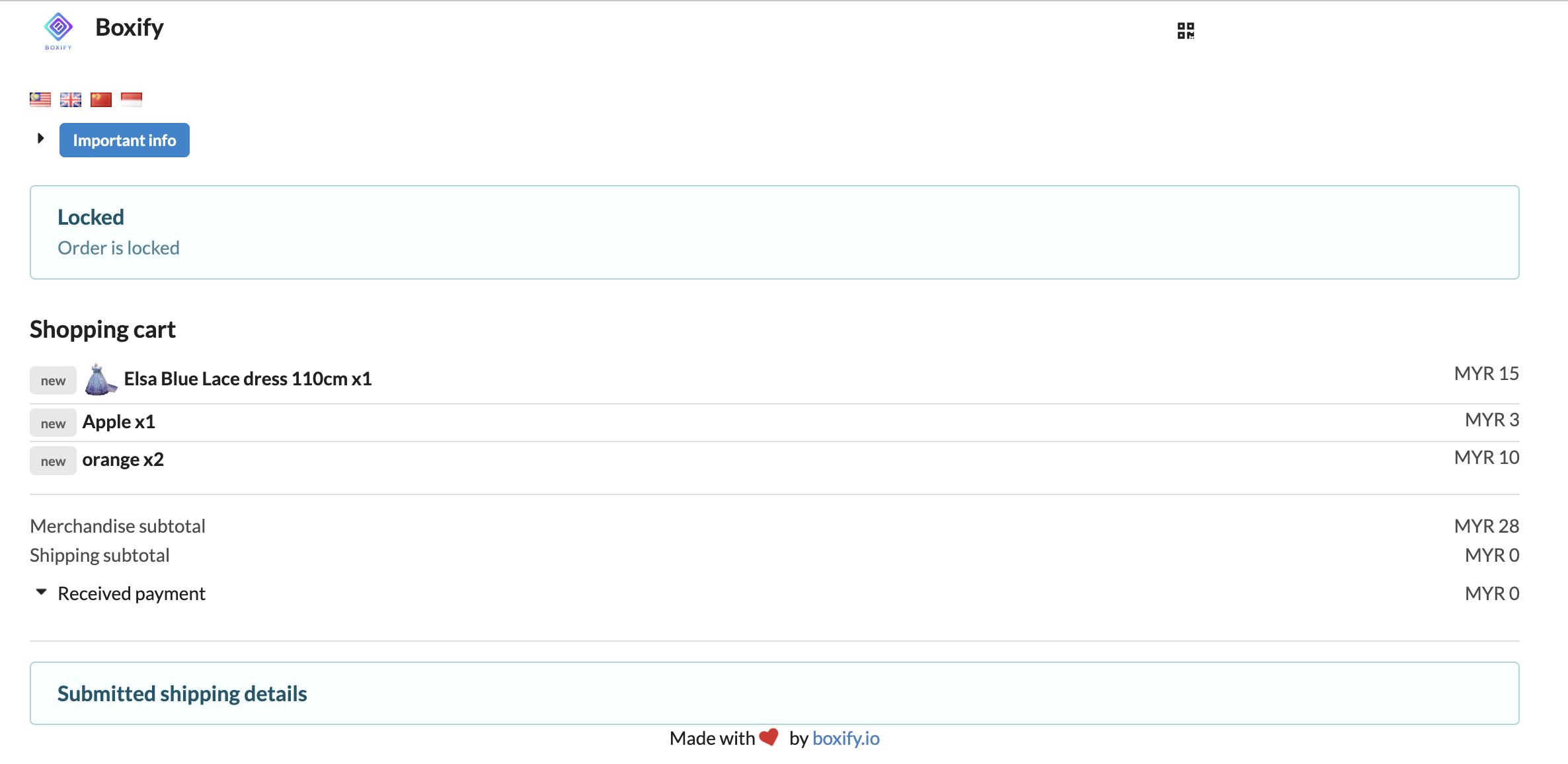
Section titled “Locked”Use this status when you need to put an order on hold until an issue is resolved.
While an order is locked, the customer cannot upload a receipt or submit their shopping cart. The order stays locked until you change it to another status.
Preorder
Section titled “Preorder”Use this status to hold preorder items until stock arrives.
The customer can still complete payment — either offline or online — and fill in all details to submit their cart. The status stays as Preorder even after the system detects a payment. You can also use this status for other purposes when needed.
No Stack
Section titled “No Stack”An order with this status is not stacked with other orders.
The customer can still complete payment — either offline or online — and fill in all details to submit their cart. Once the system detects a payment, the status updates to Paid, and the order becomes stackable. An online payment with a ship-now option moves it to Ready to Ship instead.
Cancelled
Section titled “Cancelled”Changing an order status to Cancelled cancels all items in that order.
Order item statuses
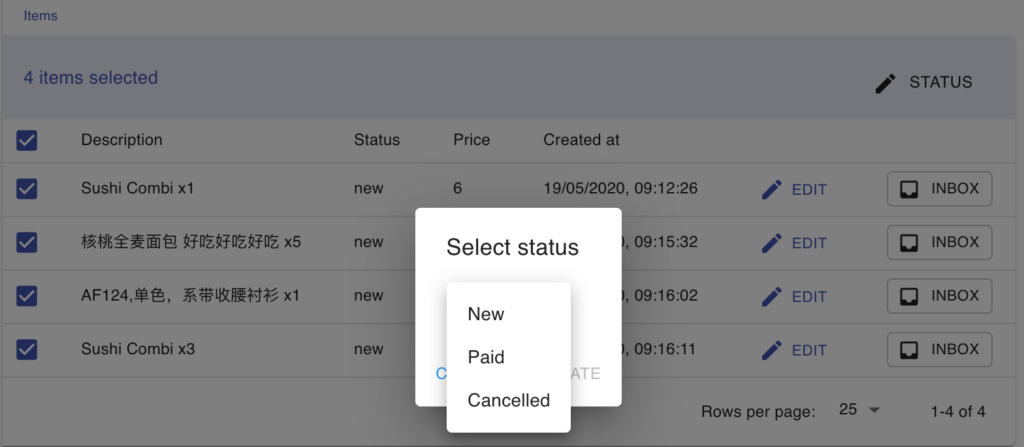
Section titled “Order item statuses”Each item inside an order has its own status, separate from the order status. Item statuses help you track what has been paid, what is still pending, and what has been cancelled.
| Status | Meaning |
|---|---|
| New | The item was just added to the order. |
| Paid | The item has been paid. A paid item cannot be removed from the shopping cart by the customer. |
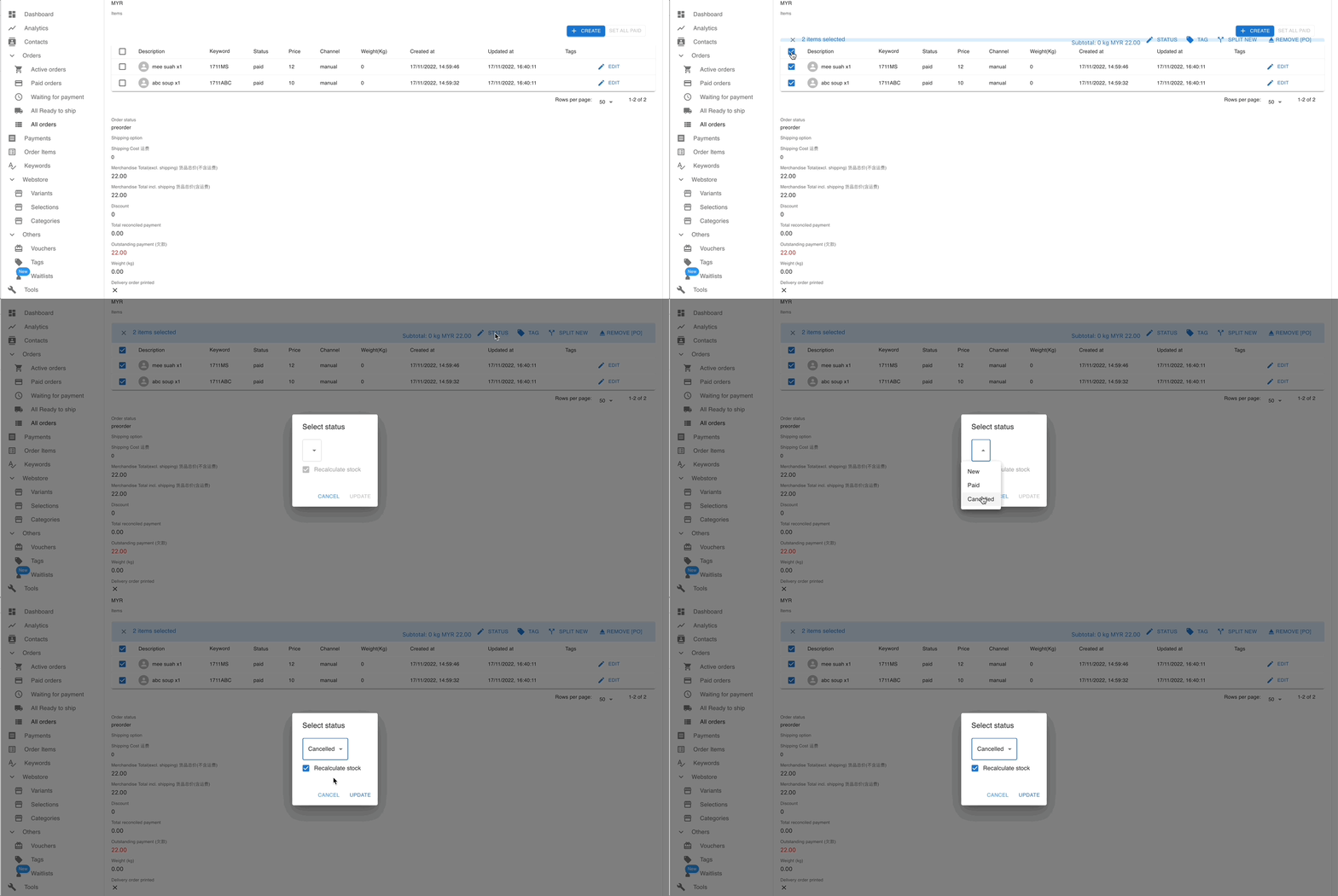
| Cancelled | The item has been cancelled. Tick Recalculate stock when cancelling to return the item’s quantity to your available stock. |
Mark all items as paid
Section titled “Mark all items as paid”- Open the order and scroll to the Items table on the Summary tab.
- Click Set all paid to mark every item in the order as paid at once.
- In the “Set these items to paid?” dialog, click Set paid to finish.
Statuses used during online payment
Section titled “Statuses used during online payment”Orders paid through a Payment Gateway also pass through Waiting for Online Payment. The system sets it — you cannot set it yourself — and you can still filter by it in All Orders. Older orders may still show Payment mismatch, which the current system no longer sets. See Orders with Payment Gateway for what happens when the paid amount does not match the amount owed.
See also: