
Bulk Upload Keywords
Use bulk upload to add or update many keywords at once using a spreadsheet file (CSV format).
Create new keywords
Section titled “Create new keywords”- Go to TOOLS › BULK UPLOAD KEYWORDS and click GET SAMPLE CSV to download the template file.
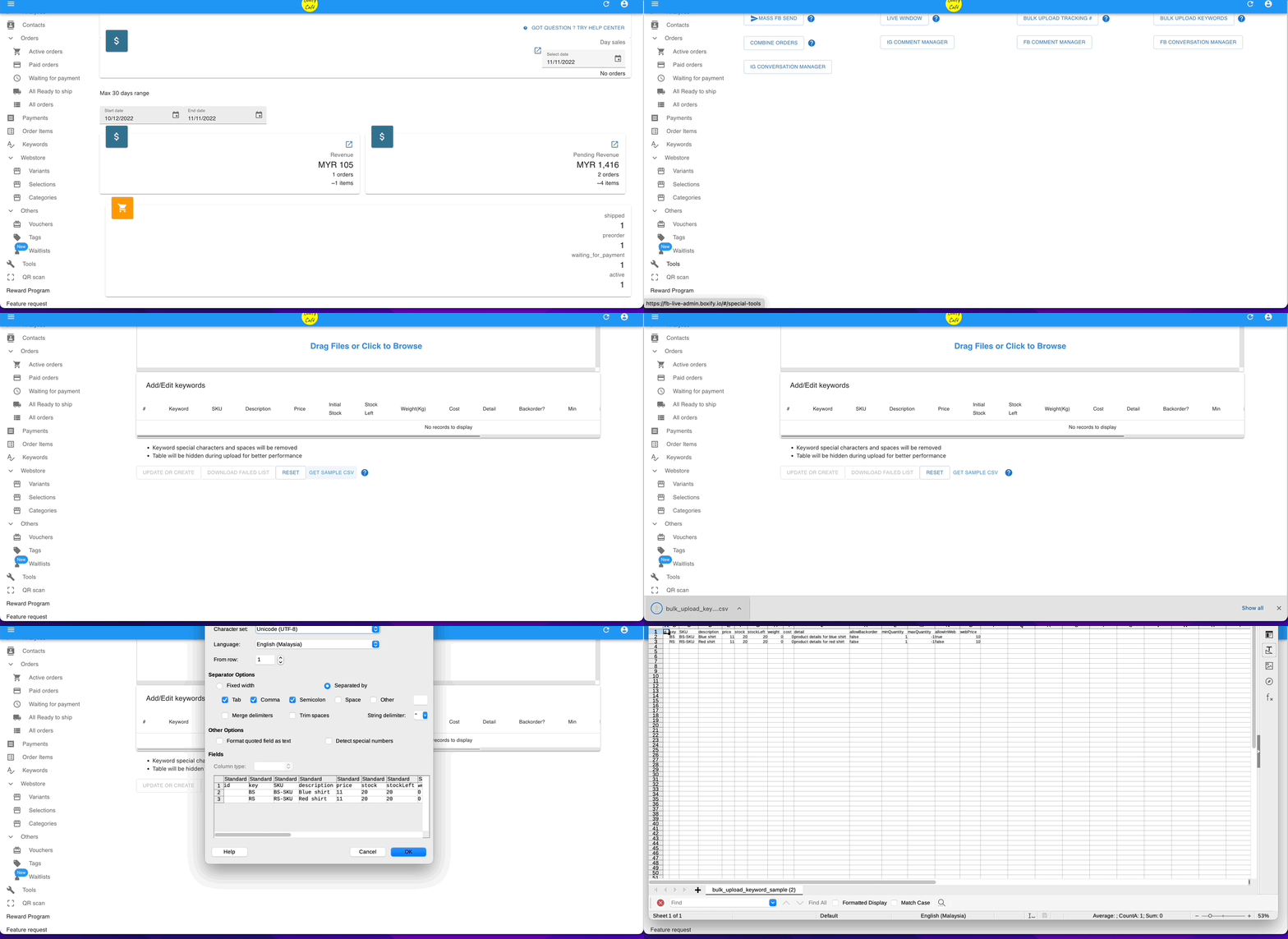
- Open the file, fill in your product details, and save it as CSV. Leave the id column blank for new keywords.
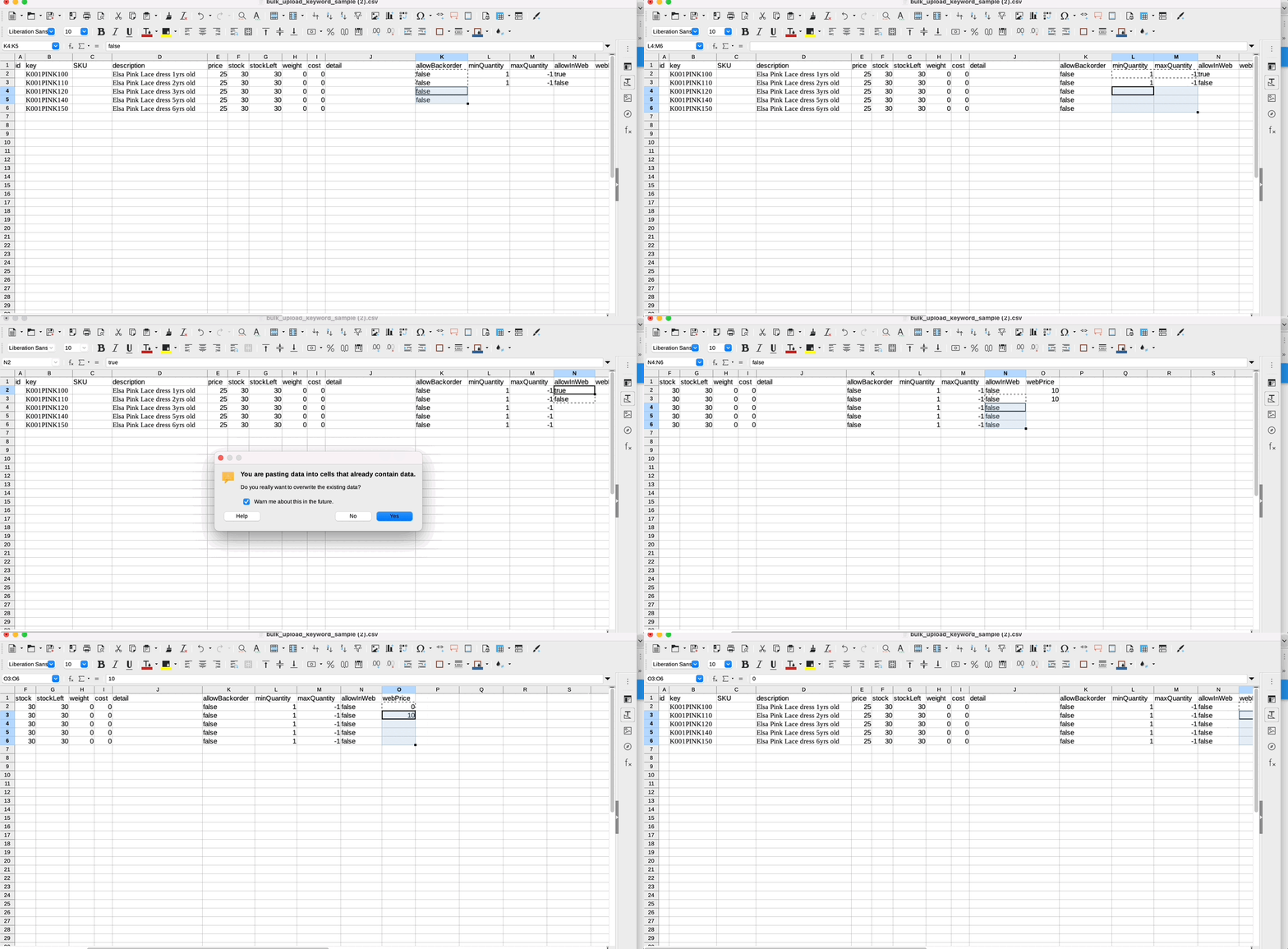
- Drag the saved file into the upload area and click UPDATE OR CREATE.
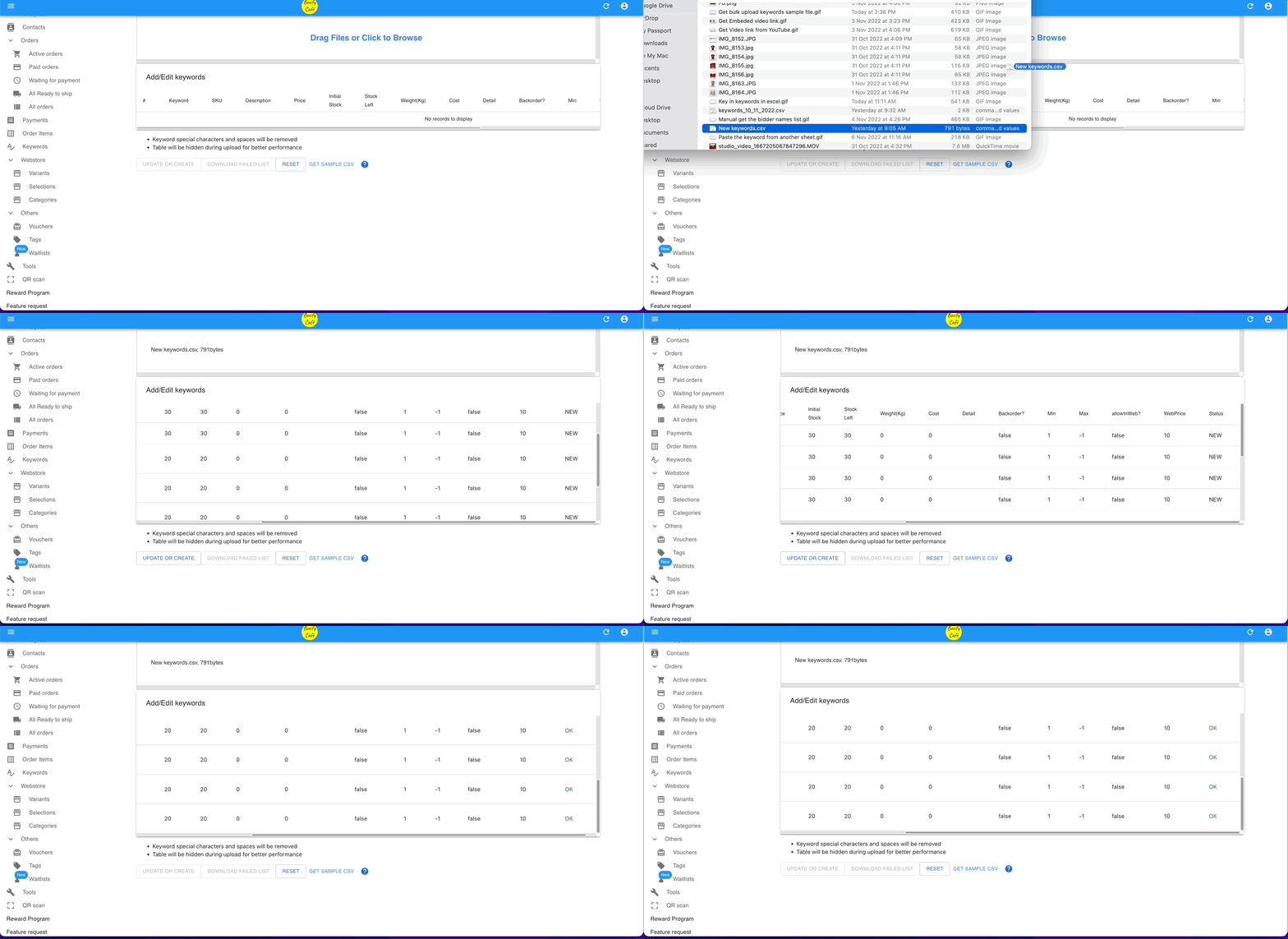
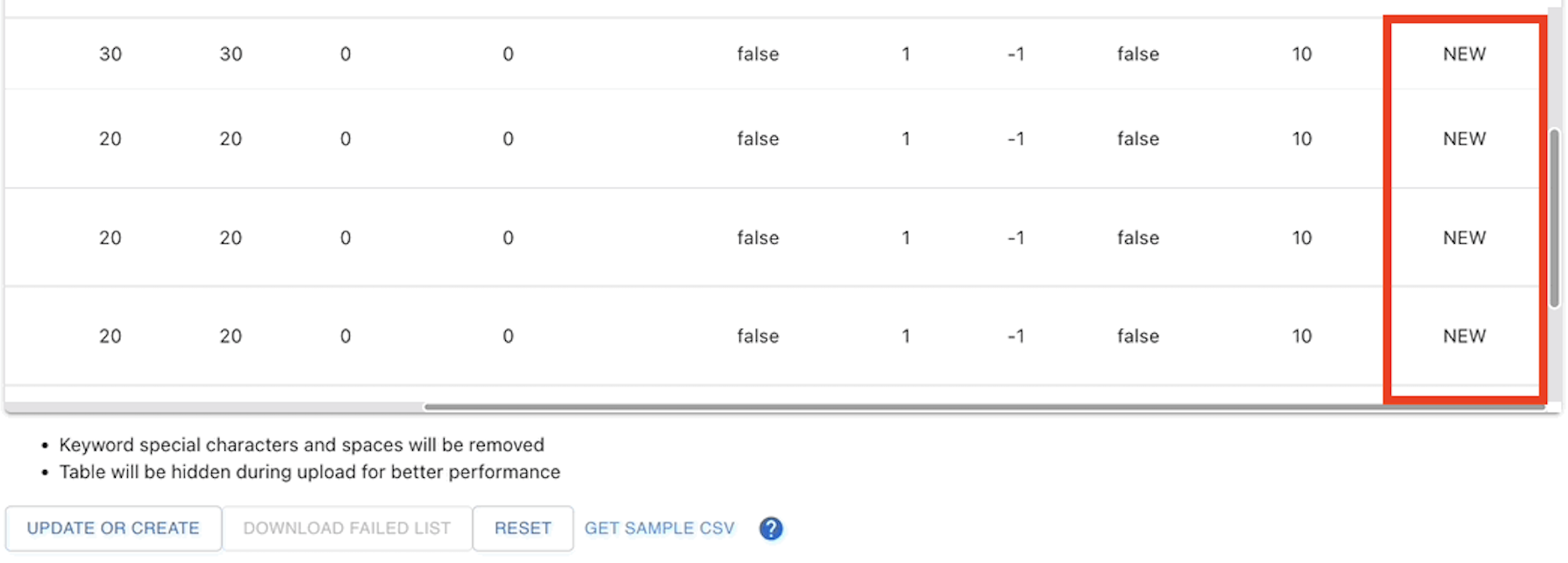
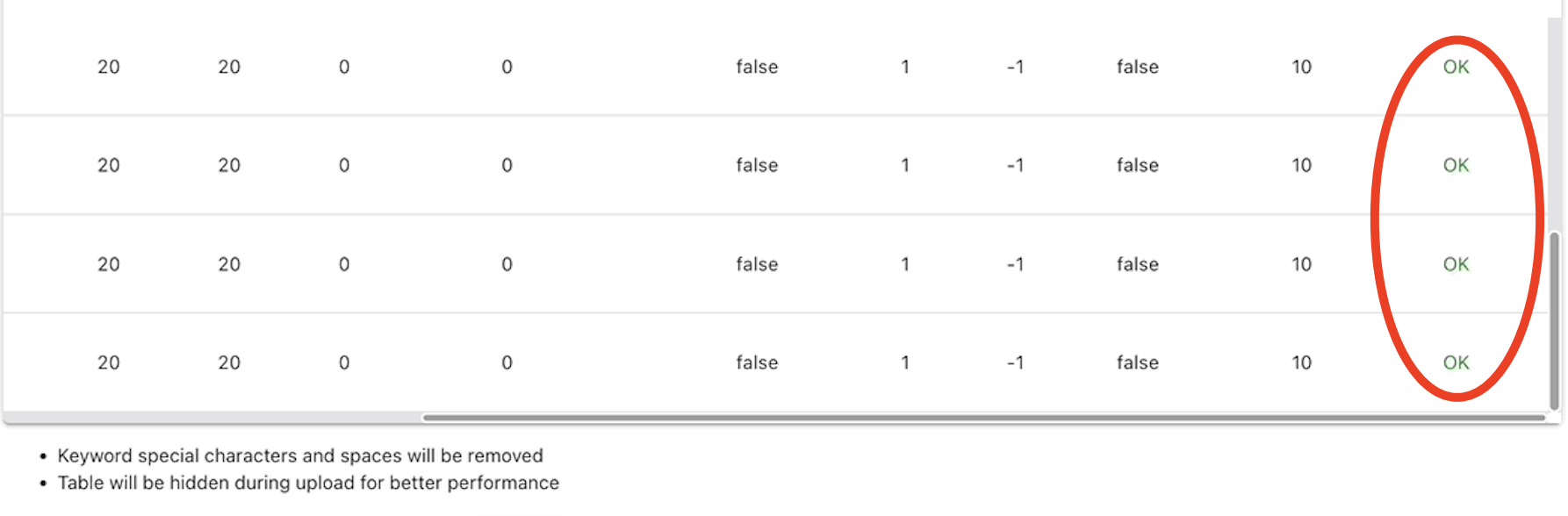
After uploading, check the status column:
| Status | Meaning |
|---|---|
| NEW | The keyword was added successfully. |
| OK | The keyword was uploaded without errors. |
Update existing keywords
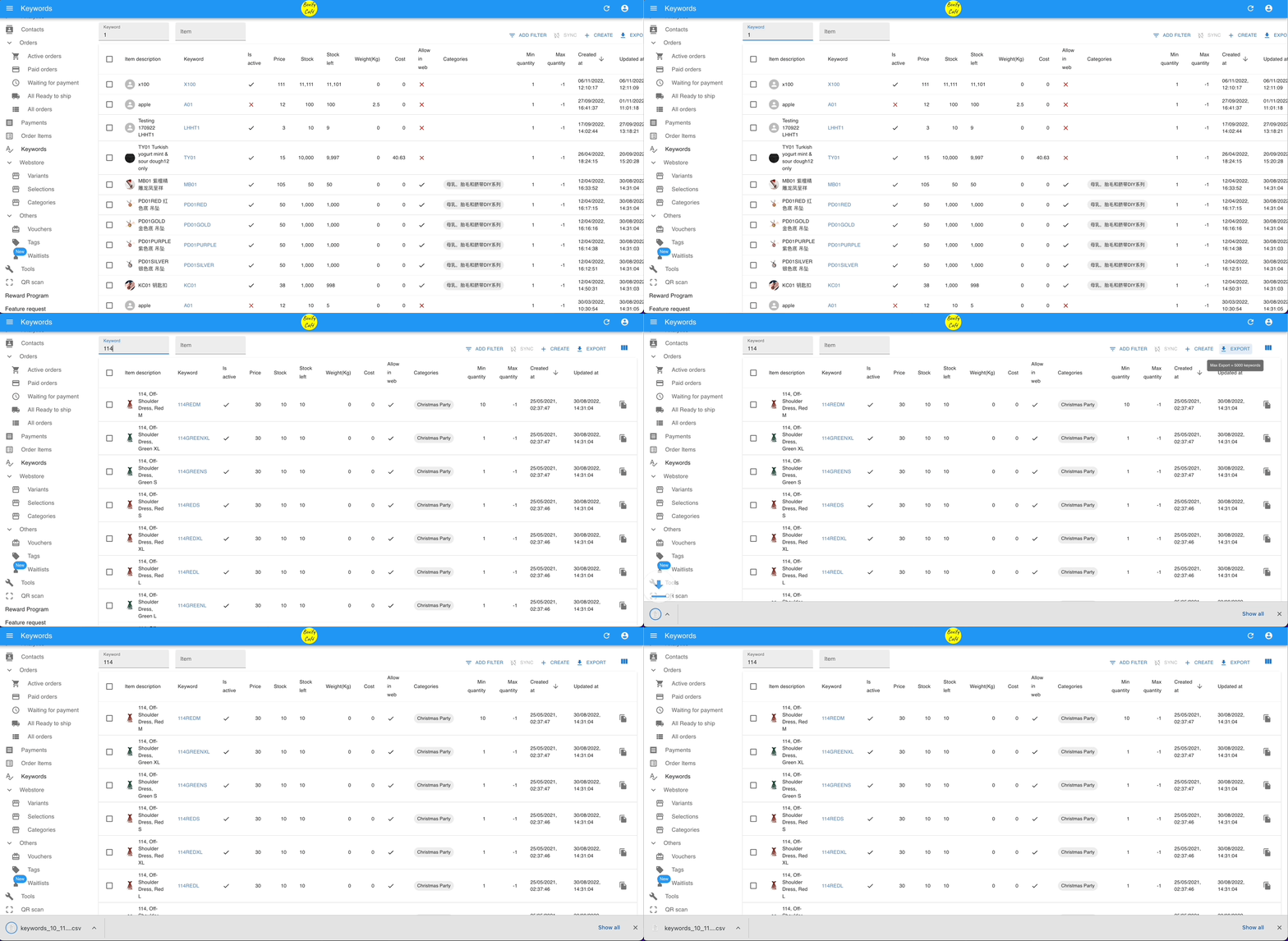
Section titled “Update existing keywords”- Go to KEYWORDS, filter to find the keywords you want to edit, then click Export in the top right.
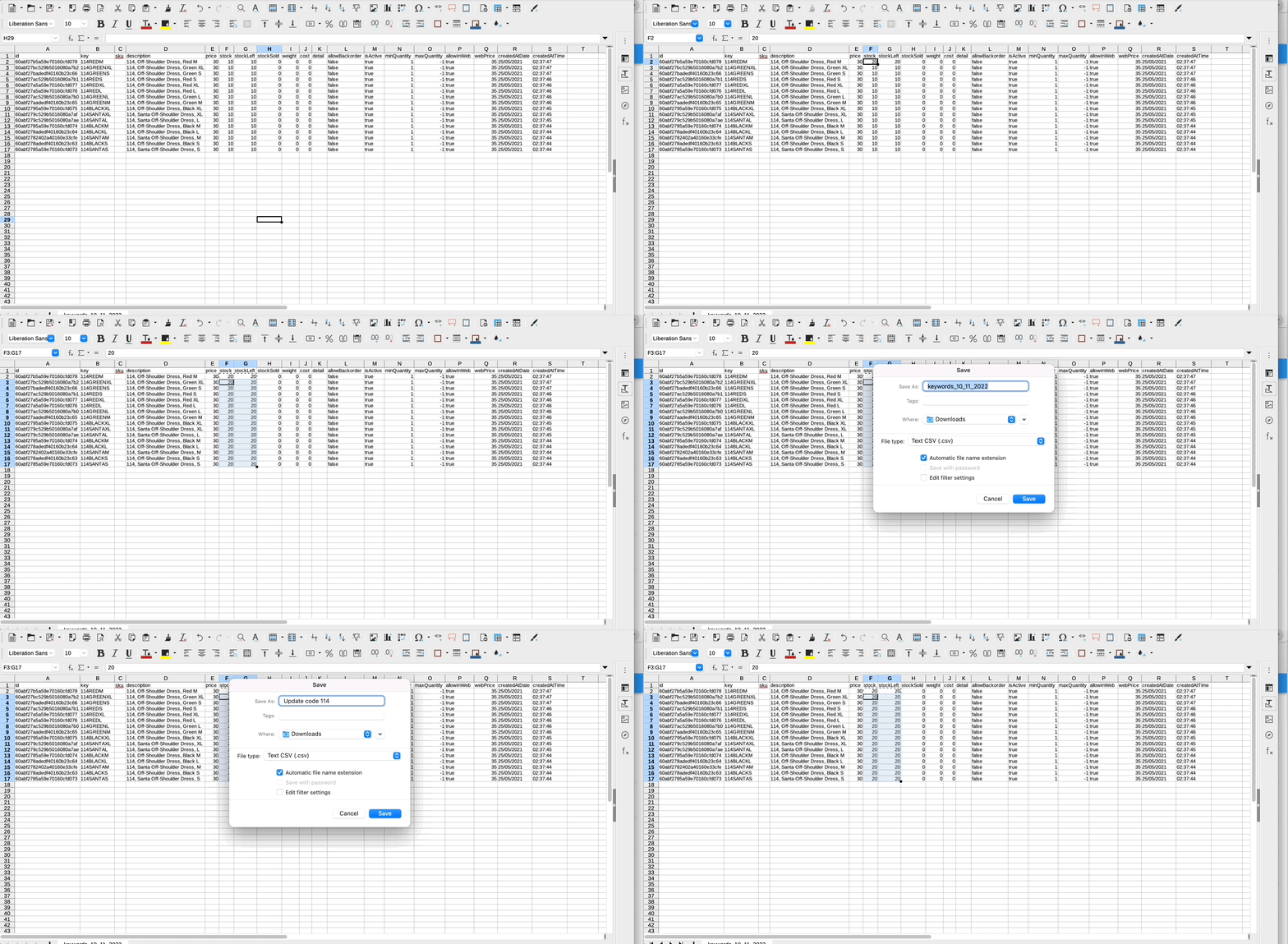
- Open the exported file and make your changes. Keep the id column as-is — Boxify uses it to match each row to the correct keyword.
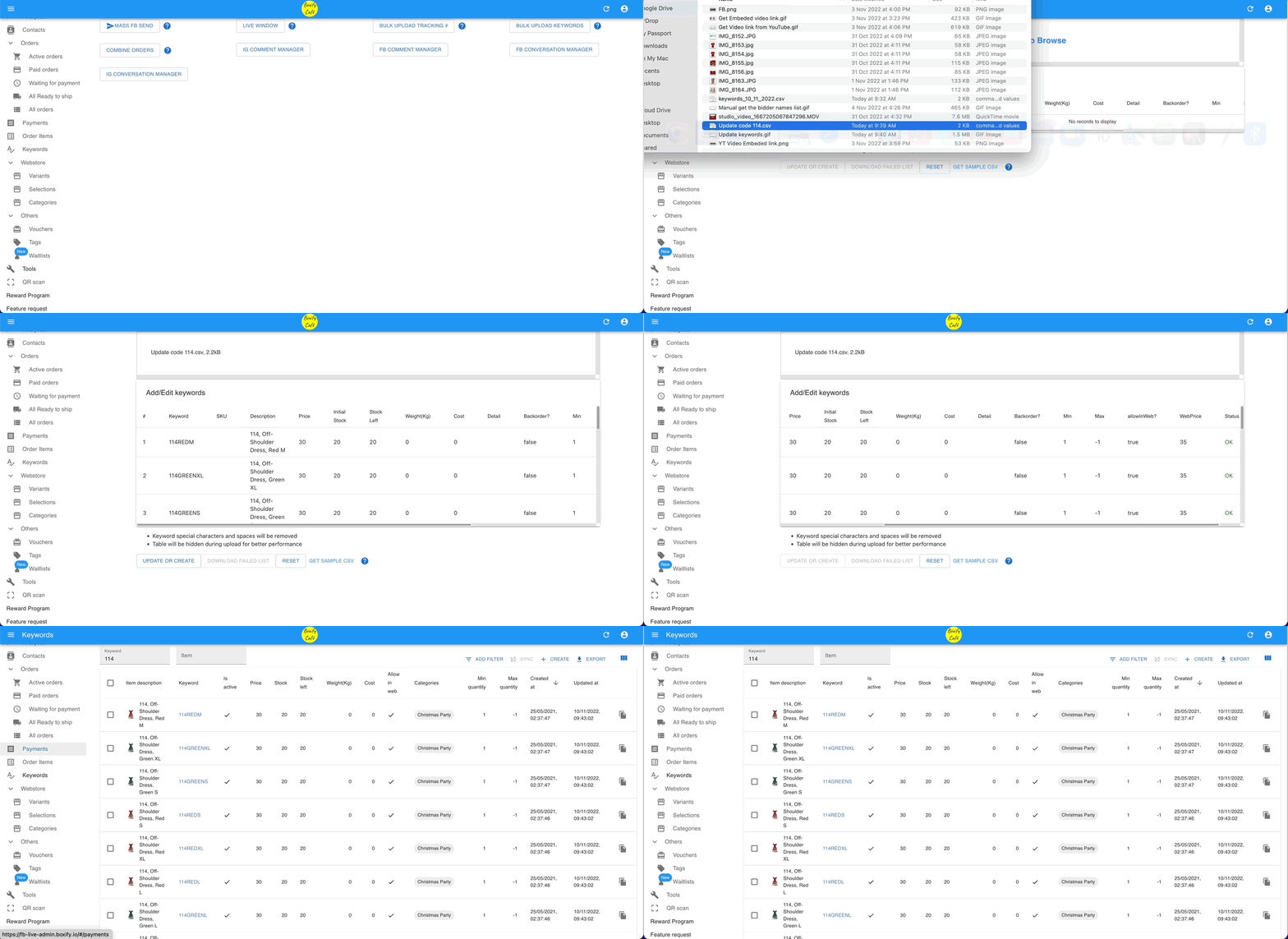
- Go to TOOLS › BULK UPLOAD KEYWORDS, drag the updated file in, and click the update button.
See also: