
About Webstore
Boxify Webstore lets your customers browse and buy your products any time — not just during a live stream.
Customers can reach your webstore through your Facebook page’s Shop button, through Messenger, or from inside their shopping cart.
Why use Webstore
Section titled “Why use Webstore”- Customers can buy after your live stream ends, whenever it suits them.
- Items from the live stream and webstore are combined into one checkout and one bill.
- A product carousel inside the shopping cart shows customers more items they can add.
How to start your webstore
Section titled “How to start your webstore”-
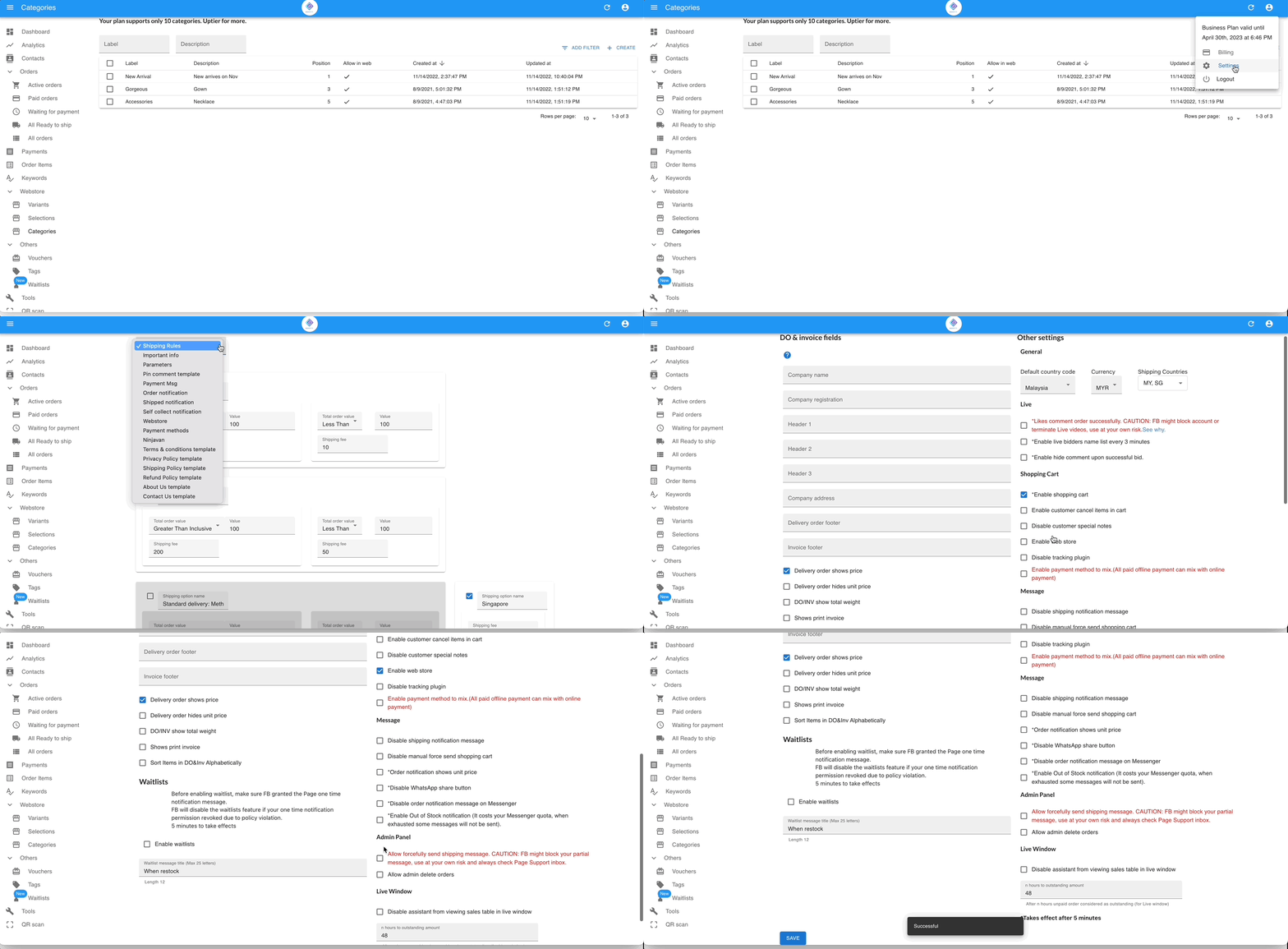
Go to Settings › General › Parameters and tick Enable Webstore under the *Shopping Cart section.
To show items that are out of stock, also tick Enable Display of Out-of-Stock Products in Webstore just below it.
-
Go to Webstore › Categories and create at least one product category. Your webstore will not display without a category.
-
Optionally, create variants and selections — individual options like “Red” or “Size L”, grouped into menus like “Color” or “Size” — to help customers browse more easily.
-
Connect your webstore to Facebook so customers can find it from your page, Messenger, or shopping cart.
The Product Carousel in the Shopping Cart
Section titled “The Product Carousel in the Shopping Cart”A product carousel headed You might like these appears inside the shopping cart. Customers can browse and add products directly from the cart before checking out, or tap View more to open your full webstore.

- Products are sorted by the most recently updated, with the newest appearing first.
- Products with zero stock are not shown in the carousel.