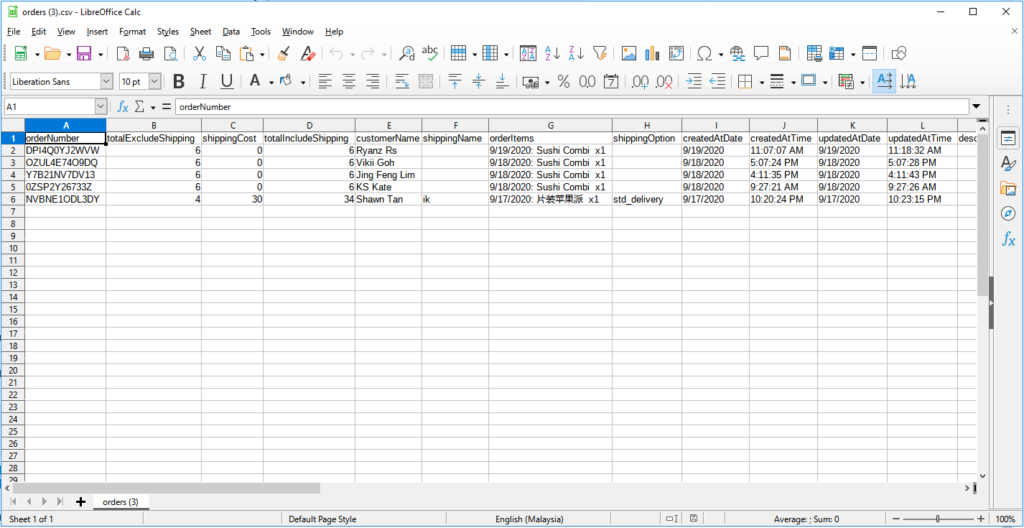
Download and Set Up LibreOffice
If Microsoft Excel shows an error or cannot display Chinese characters in your Boxify export, use LibreOffice instead. LibreOffice is free and handles these files correctly.
-
Go to https://www.libreoffice.org/.
-
Click Download and choose Download LibreOffice.

-
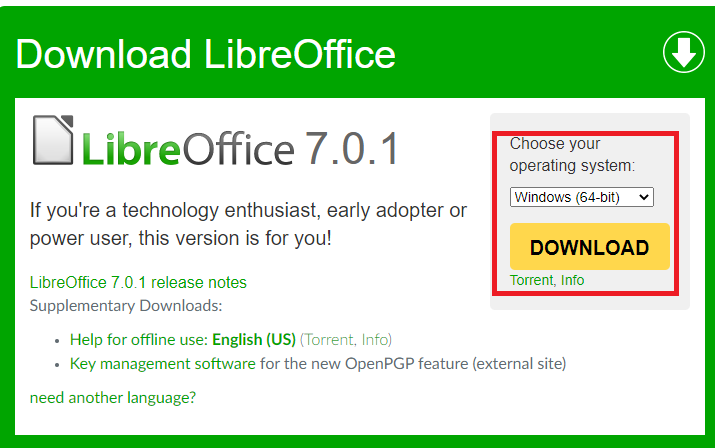
Choose your computer’s operating system and click the download button.
-
Run the installer file after it downloads.
-
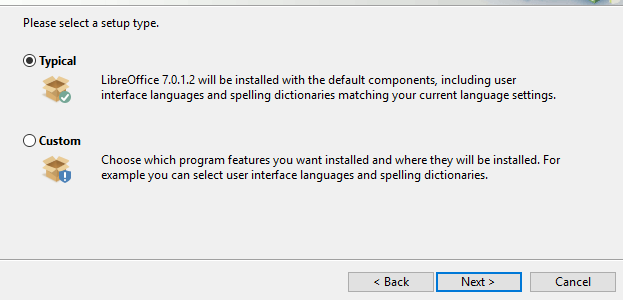
Select Typical when the installer asks which type of installation you want.
-
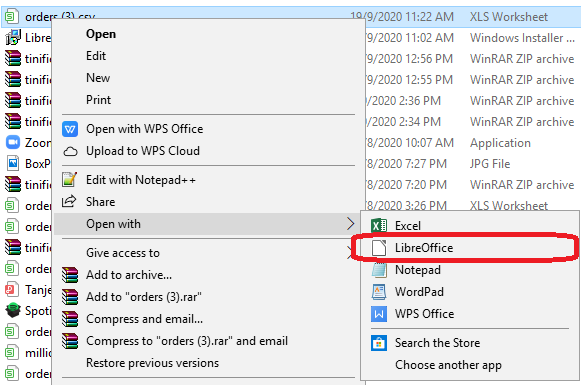
Right-click the Excel file you downloaded from Boxify, then choose Open With › LibreOffice Calc.
-
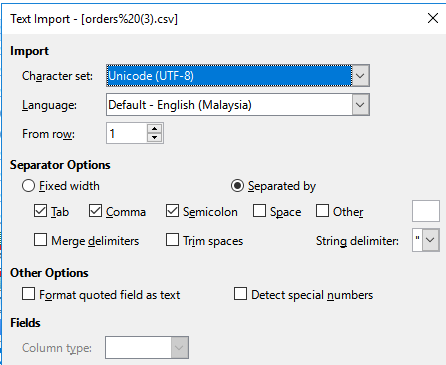
Match the settings shown in the screenshot below when the import dialog appears.
-
Click OK to open the file.