
Set Up Online Payment Methods in Boxify
This article shows you how to connect an online payment gateway to Boxify so customers can pay instantly at checkout.
Boxify supports two payment gateways: Hitpay and Billplz.
Supported payment gateways
Section titled “Supported payment gateways”Hitpay (Recommended)
Section titled “Hitpay (Recommended)”Available for: Malaysia and Singapore merchants.
- Hitpay pricing
- Register for Malaysia: Sign up — Hitpay Malaysia
- Register for Singapore: Sign up — Hitpay Singapore
Hitpay supports both Malaysia and Singapore, has a clear dashboard, and a responsive support team. It is the recommended option if you are new to online payments.
Billplz
Section titled “Billplz”Available for: Malaysia merchants only.
- Billplz pricing
- Register: Sign up — Billplz
Both gateways work fully with Boxify. Choose the one that suits your business, or the one you already have an account with.
Enable online payment in Boxify
Section titled “Enable online payment in Boxify”-
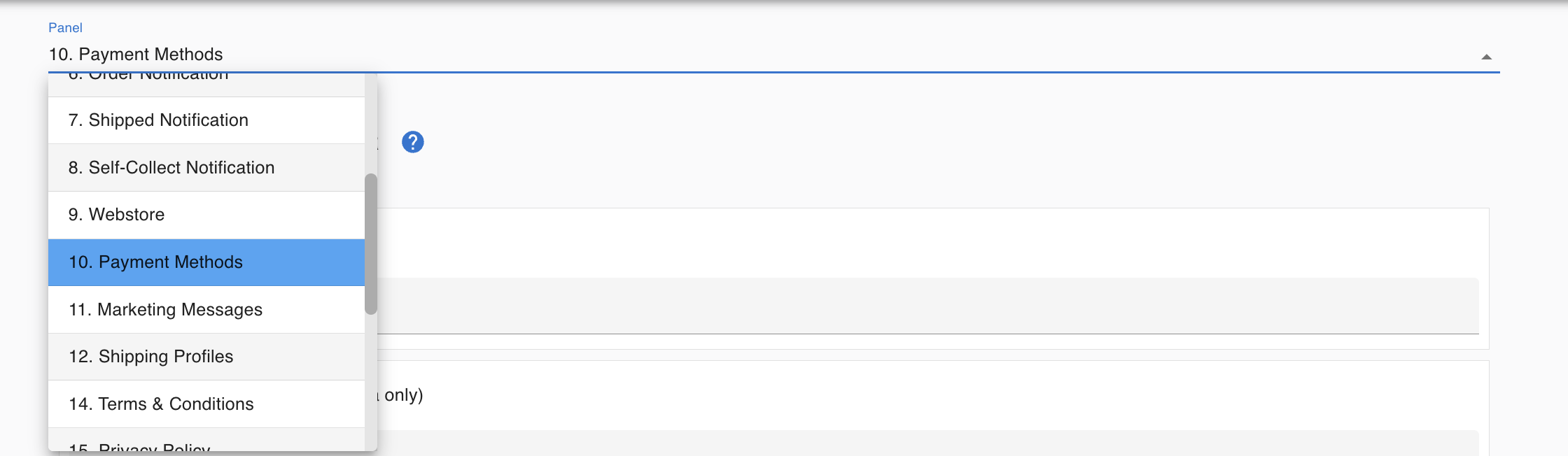
Go to Settings › Payments › Payment Methods.
-
Select your gateway — Hitpay or Billplz.
-
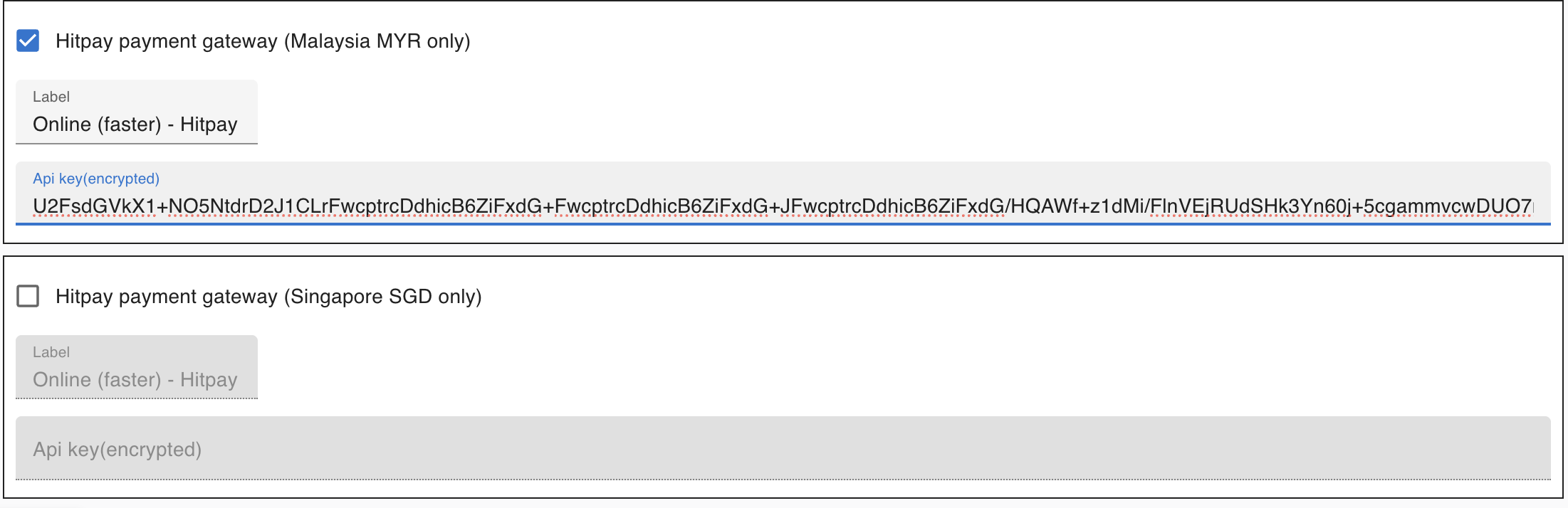
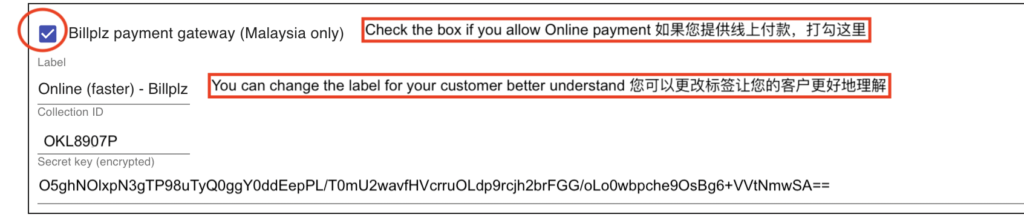
Enter your API Key and Secret Key from your gateway account.
-
Click Save.
Get your API Key from Hitpay
Section titled “Get your API Key from Hitpay”-
Log in to your Hitpay dashboard.
-
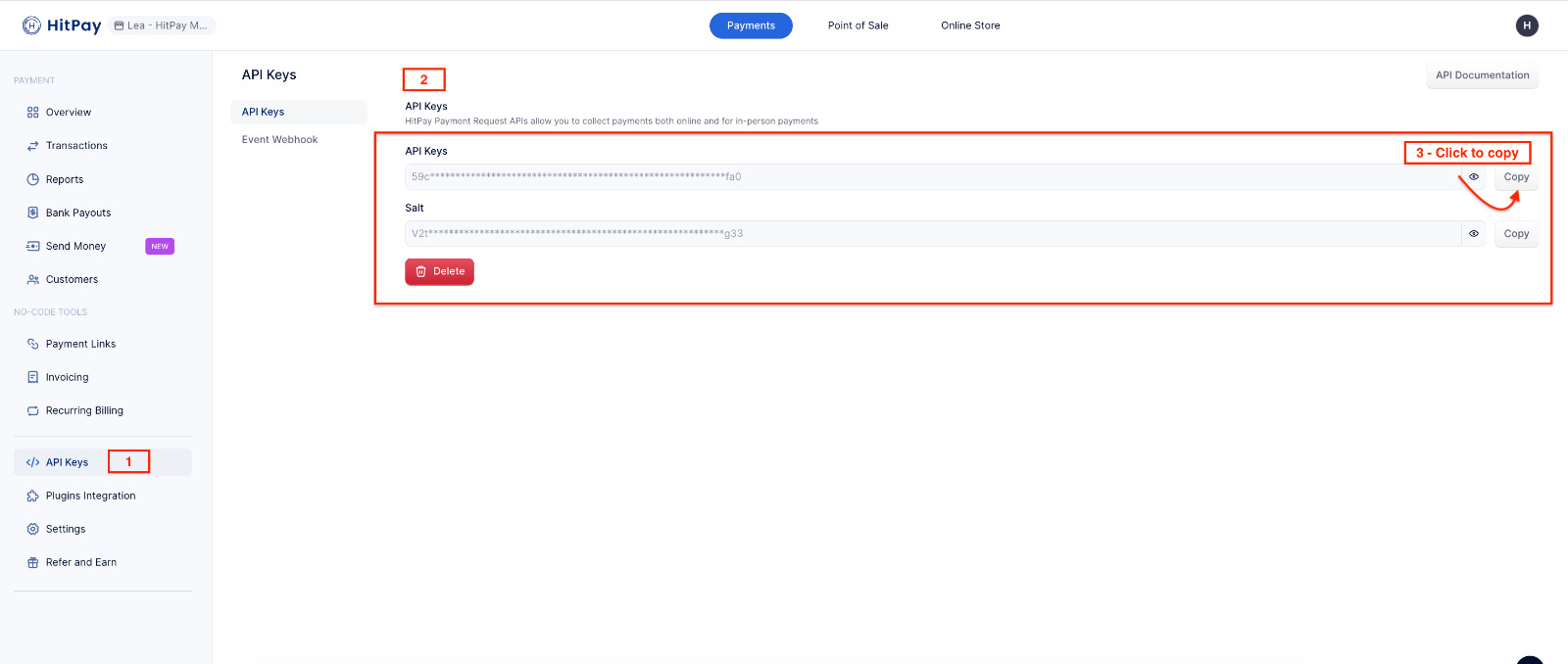
Go to Payment Gateway › API Settings.
-
Copy your API Key.
-
Paste it into Boxify.
Additional resources:
Get your Secret Key and Collection ID from Billplz
Section titled “Get your Secret Key and Collection ID from Billplz”-
Log in to your Billplz dashboard.
-
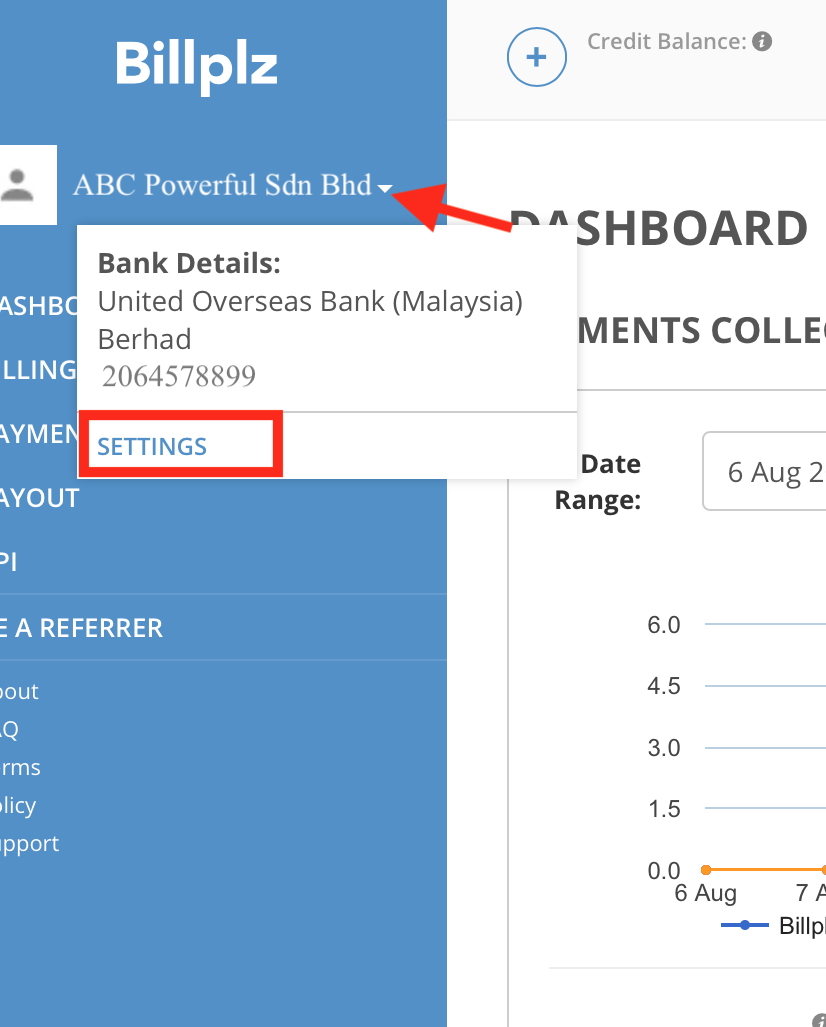
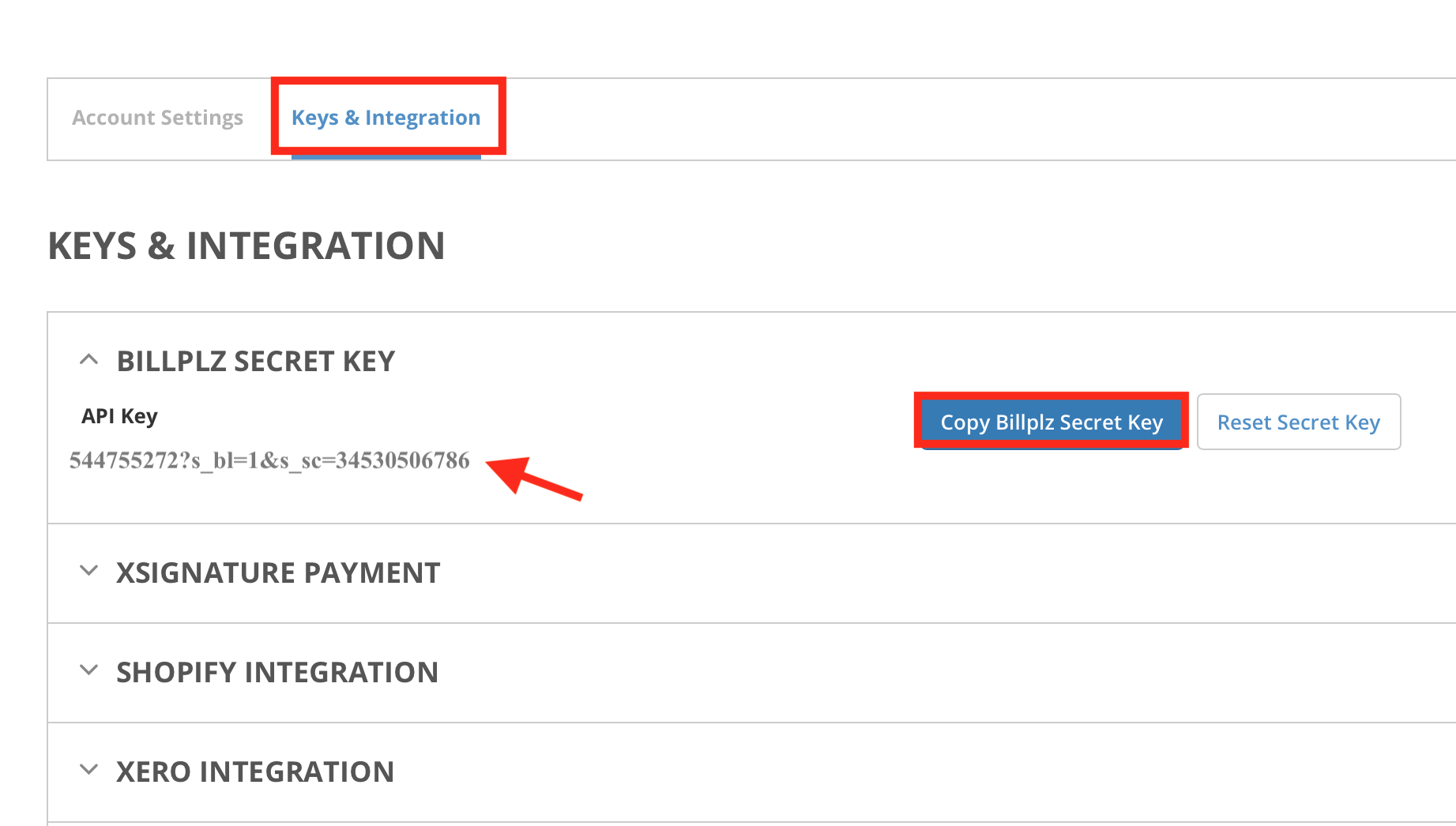
Go to Settings › Keys & Integration.
-
Copy your Secret Key.
-
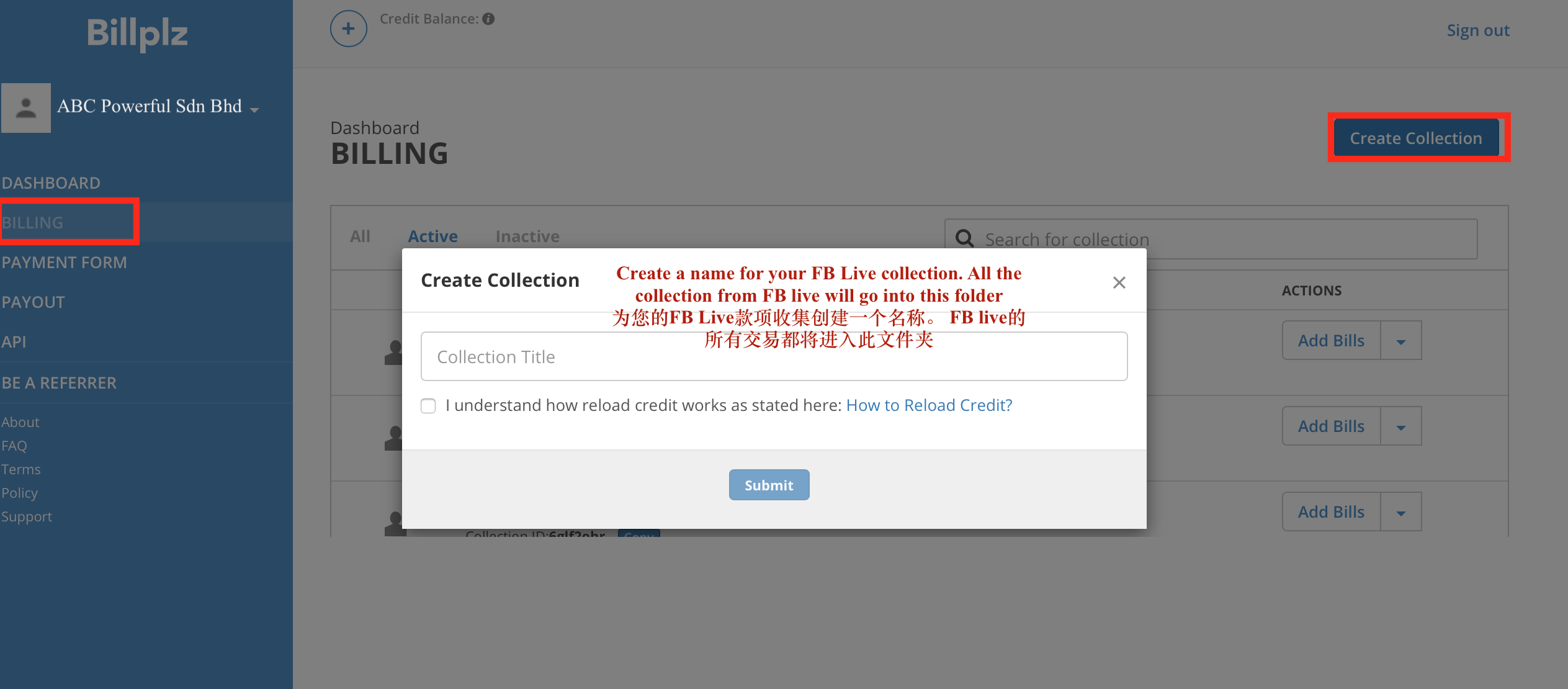
Go to Billing › Create Collections. Name the collection (for example, your Facebook Page name).
-
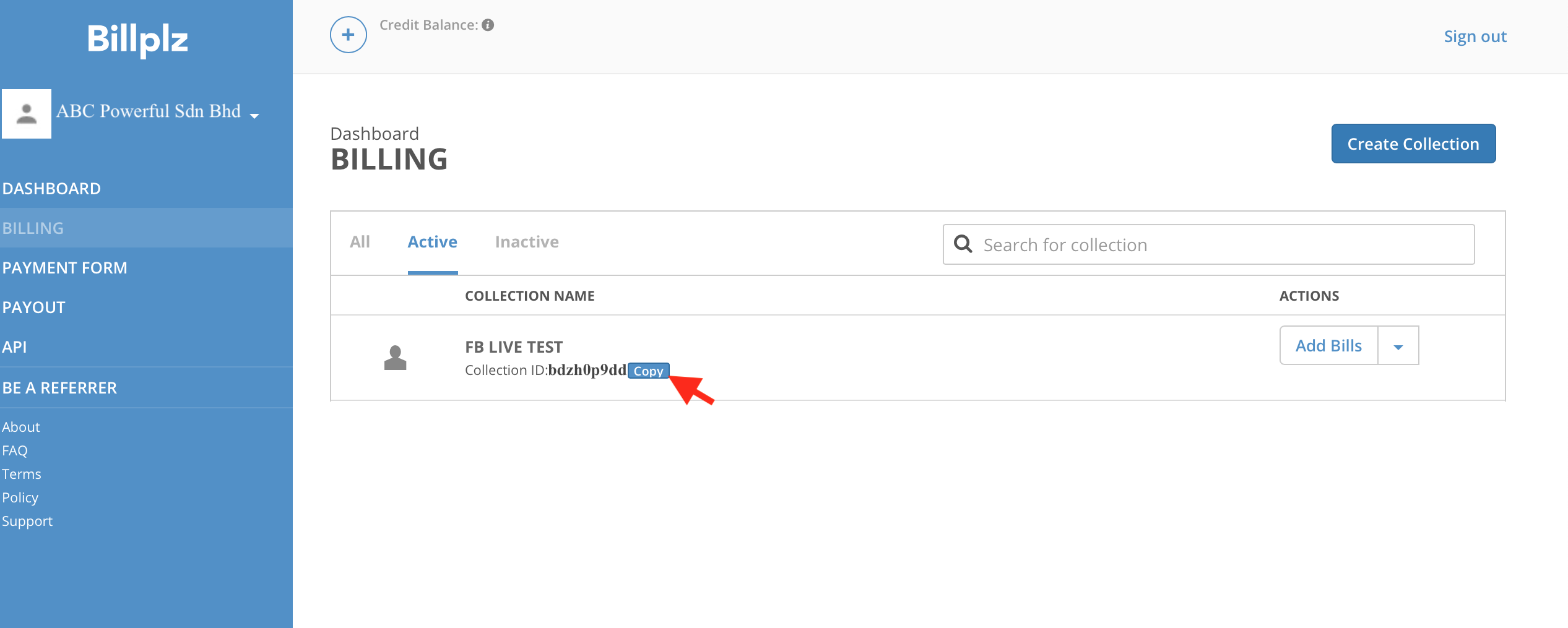
Copy the Collection ID.
-
Paste the Secret Key and Collection ID into Boxify.
How online payment works
Section titled “How online payment works”Once your gateway is connected:
- Customer selects online payment at checkout.
- Customer is redirected to the payment gateway to complete payment.
- On successful payment, the system automatically marks the item as Paid and updates the order status.
Important notes
Section titled “Important notes”Quick comparison
Section titled “Quick comparison”| Gateway | Malaysia | Singapore |
|---|---|---|
| Hitpay | Yes | Yes |
| Billplz | Yes | No |
See also: