
Use Waitlists as Event Notifications
Use the Waitlists feature to collect customers who want to be notified about an upcoming event, then send them a message before the event starts.
-
Create a keyword — for example,
FOLLOW— with a description like “Exciting offer tomorrow at 8.30 pm. Come join us!” Set Stock and Stock Left to0, then turn on Allow Backorder.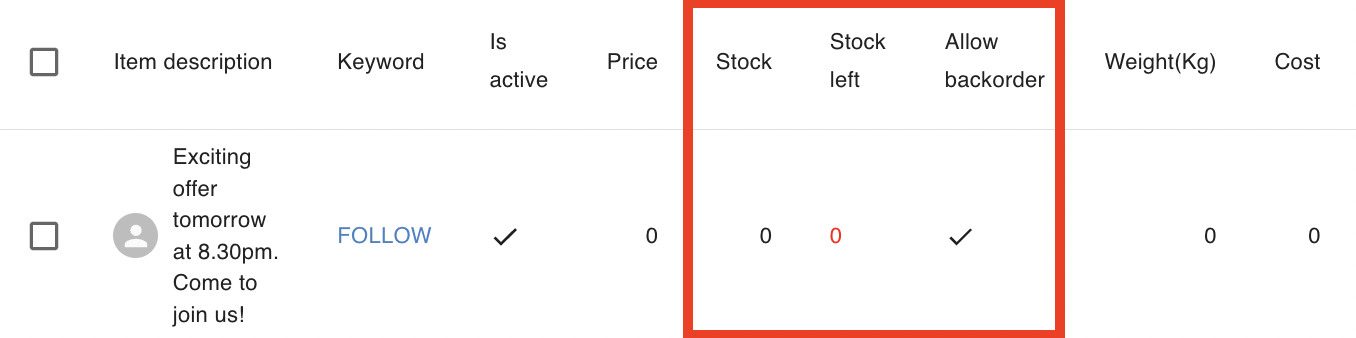
-
During a live session or on a Facebook post, customers comment
FOLLOW + 1. They receive a Messenger notification automatically. -
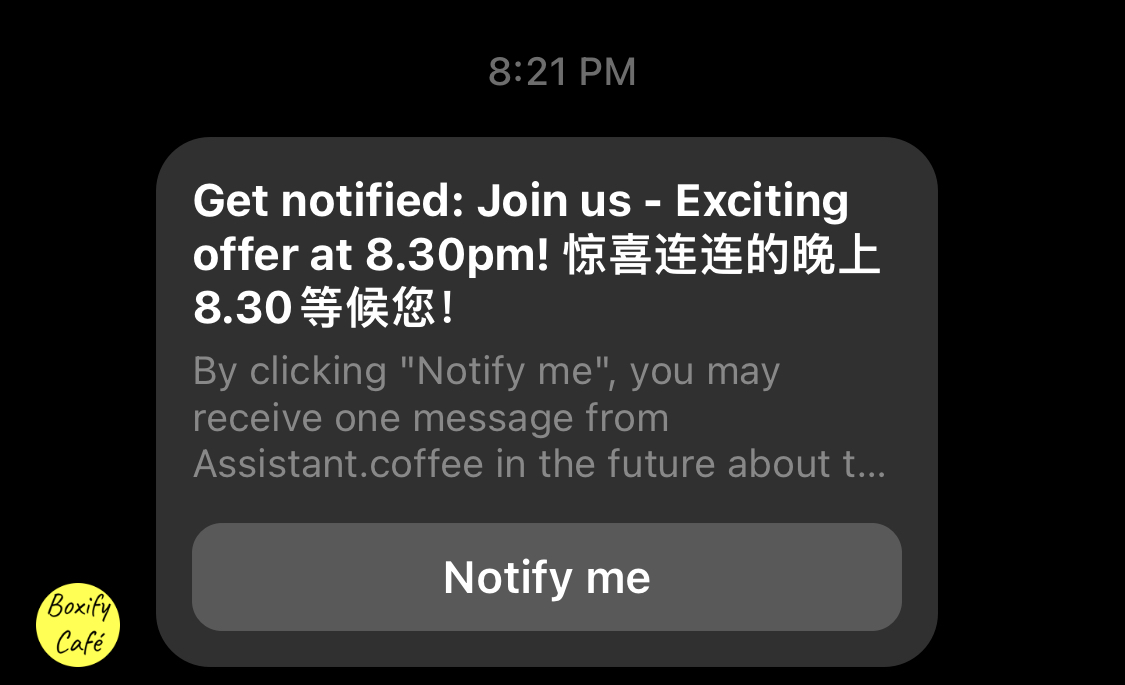
The customer taps Notify me on the notification. This gives you consent to send them an event reminder. Their name appears in the Waitlist inside Boxify.
-
About 30 minutes before the event starts, send the reminder. Go to Menu › Waitlists, select the customers, click the send button
 , type your message, then click Send.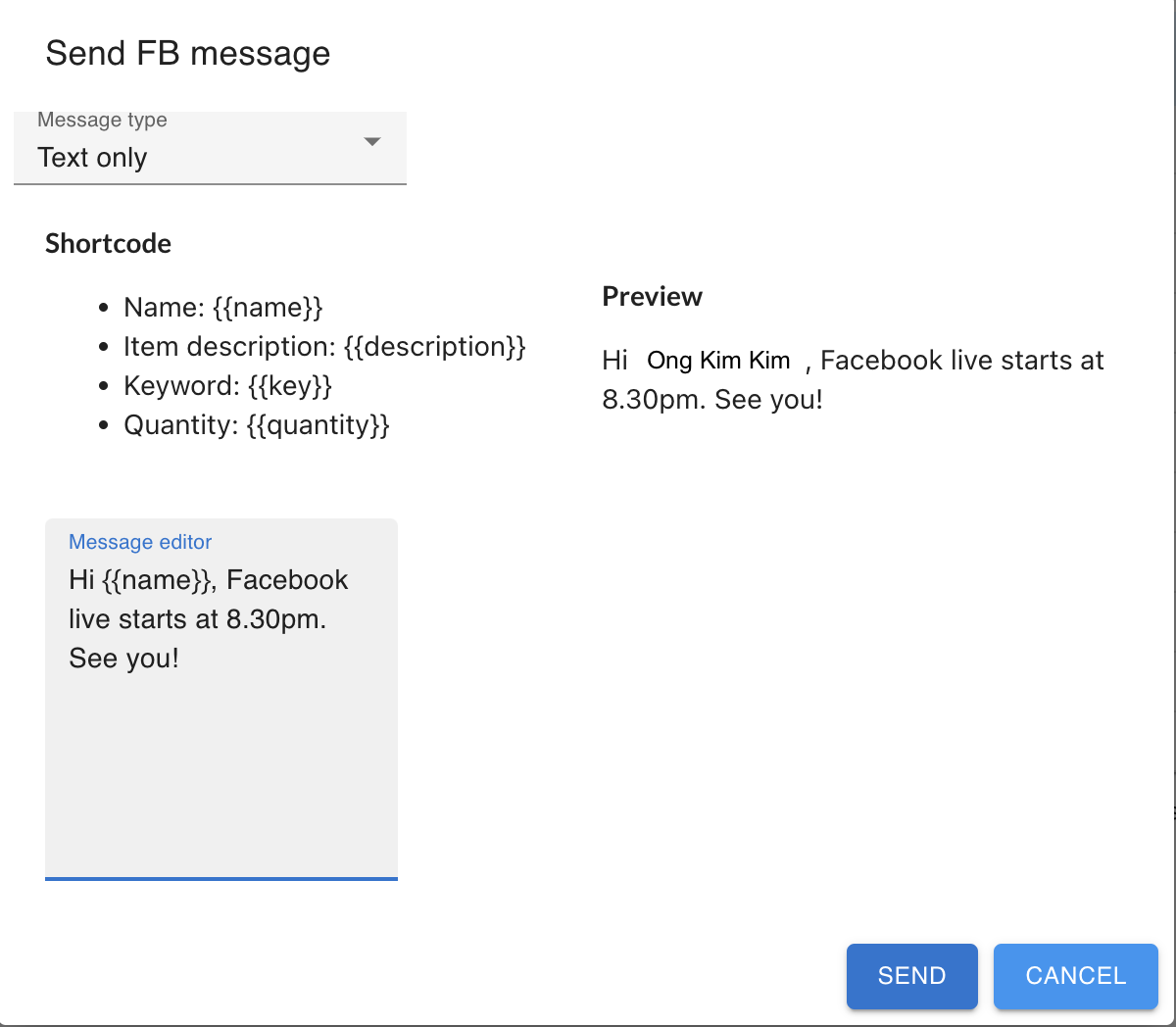
See also: