
Order Notification
The order notification is the automatic message Boxify sends to a customer as soon as their order is placed. It confirms the order was received and shows key order details.
When is the notification sent?
Section titled “When is the notification sent?”Boxify sends the notification as soon as a customer places an order successfully.
What does the notification include?
Section titled “What does the notification include?”By default, the notification shows:
- Customer name
- List of items ordered
- Quantity of each item
- Total amount
If you enable Order Notification Shows Unit Price, the notification will also show the unit price of each item.
If that setting is off, the notification shows item names, quantities, and the total amount only.
How to configure order notifications
Section titled “How to configure order notifications”- Go to Settings › Messaging › Order Notification.
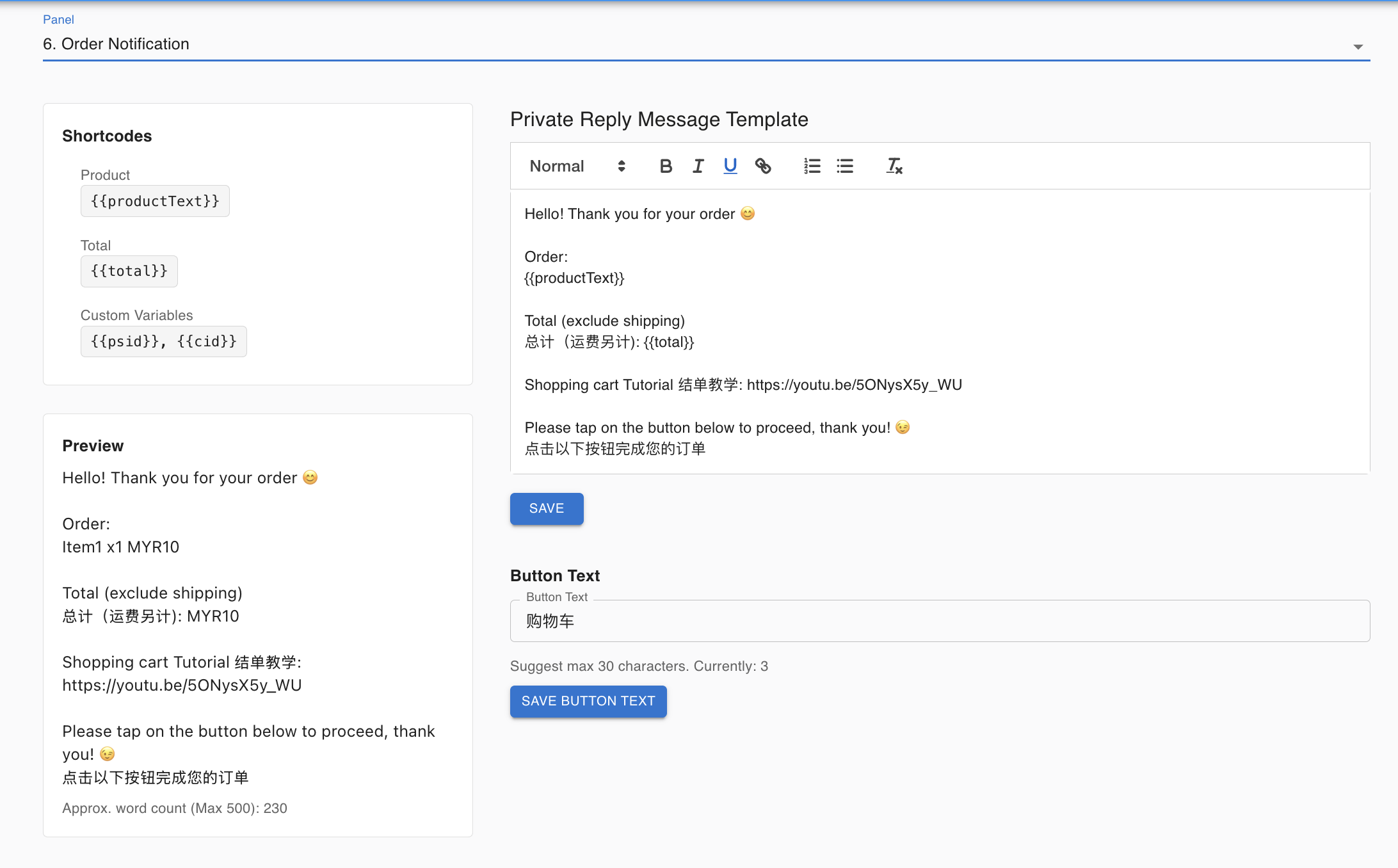
How to disable order notifications
Section titled “How to disable order notifications”- Go to Message Settings.
- Tick Disable Order Notification Message in Messenger.
See also: