
Add a Tracking Number to an Order
Use these steps to add a tracking number to one order at a time.
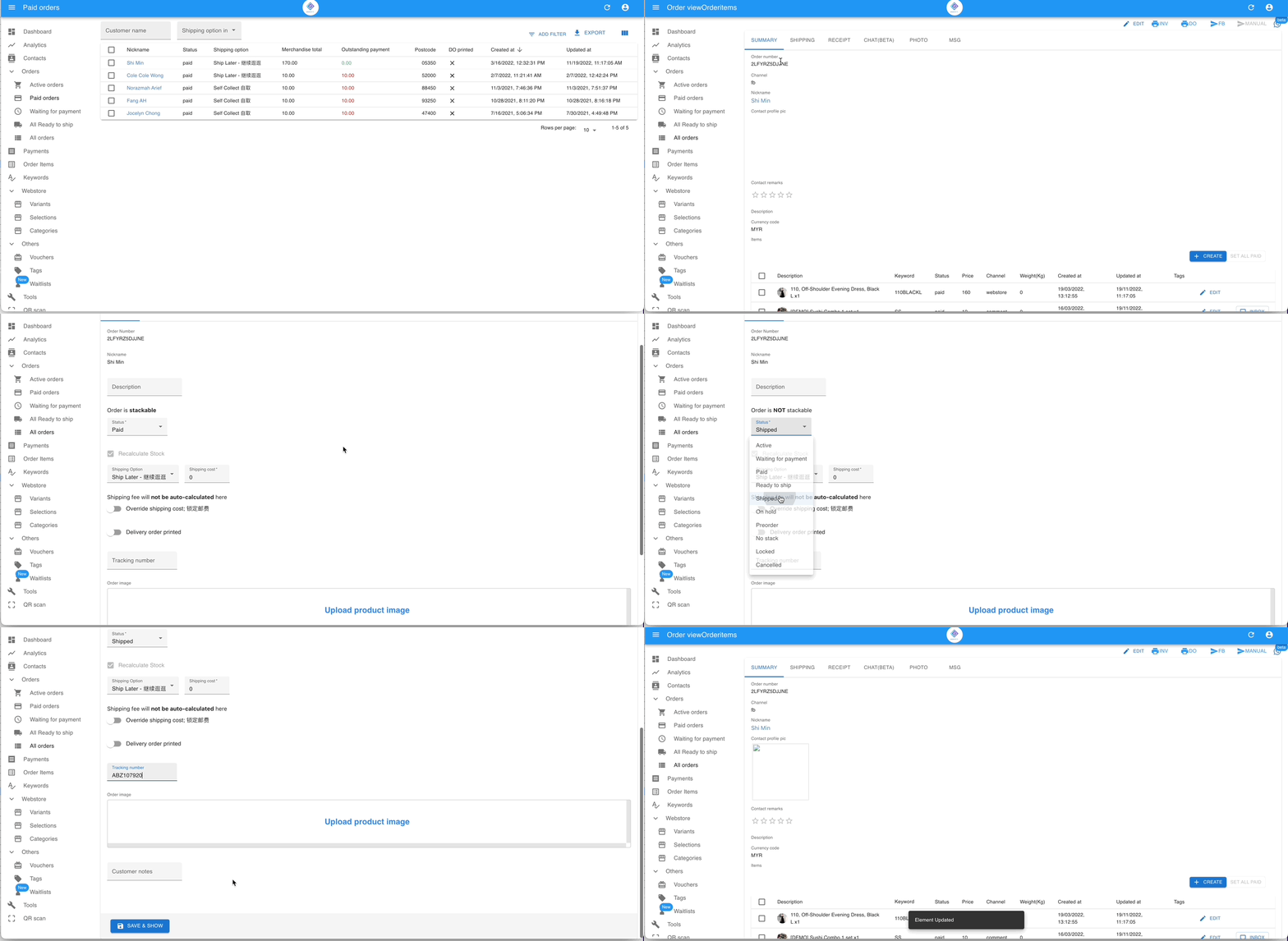
- Open the order, then click Edit in the top right.
- Scroll to the status section and change the status to Shipped.
- Scroll down to the Tracking number field, enter the tracking number, then click SAVE & SHOW or SAVE & LIST.
See also: