
Export Customer Info
You can export your customer data from Boxify as a file for record-keeping, follow-ups, or analysis.
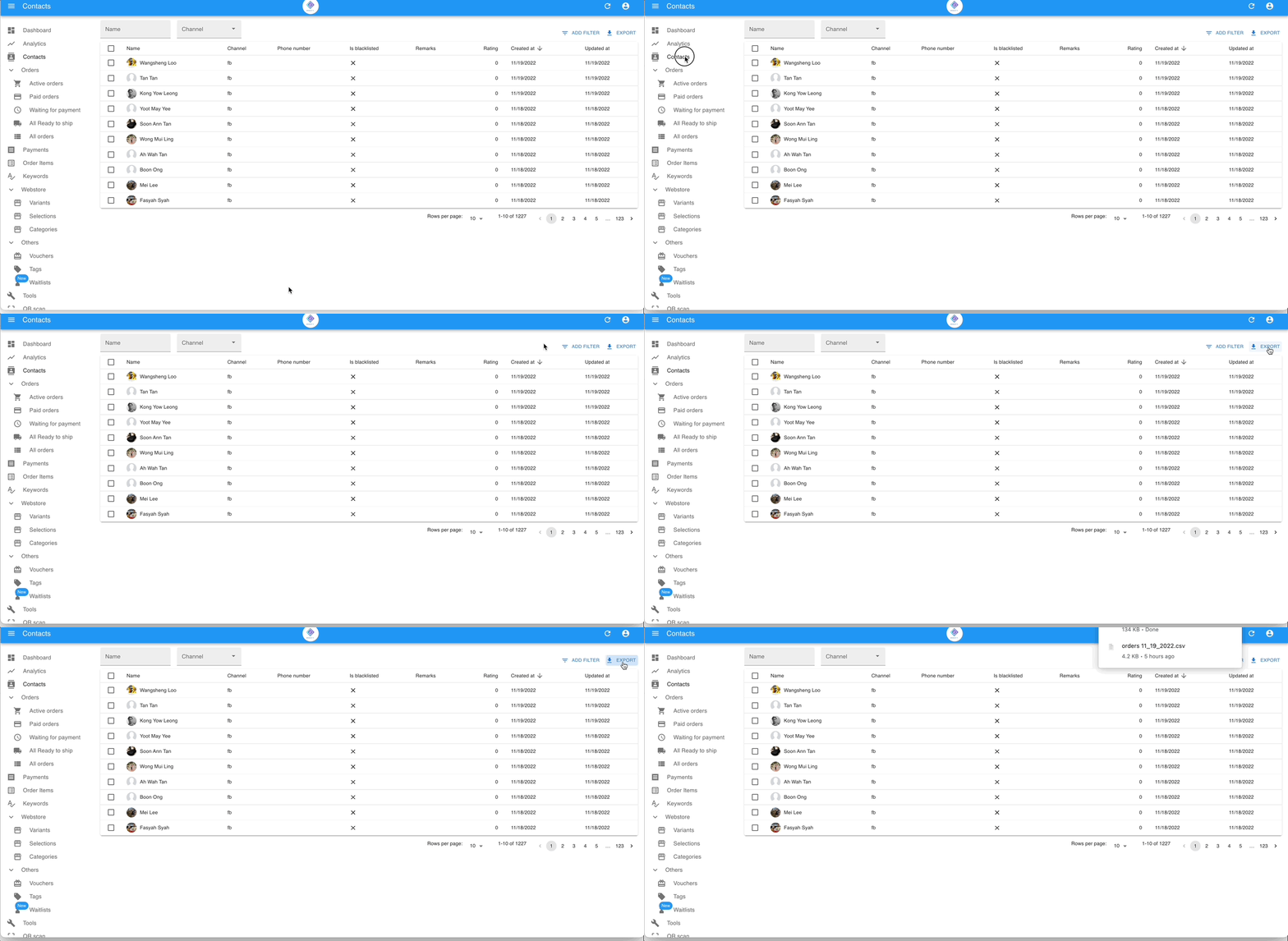
Export basic customer info
Section titled “Export basic customer info”- Go to Contacts.
- Click Export in the top right corner.
Export customer info with delivery addresses
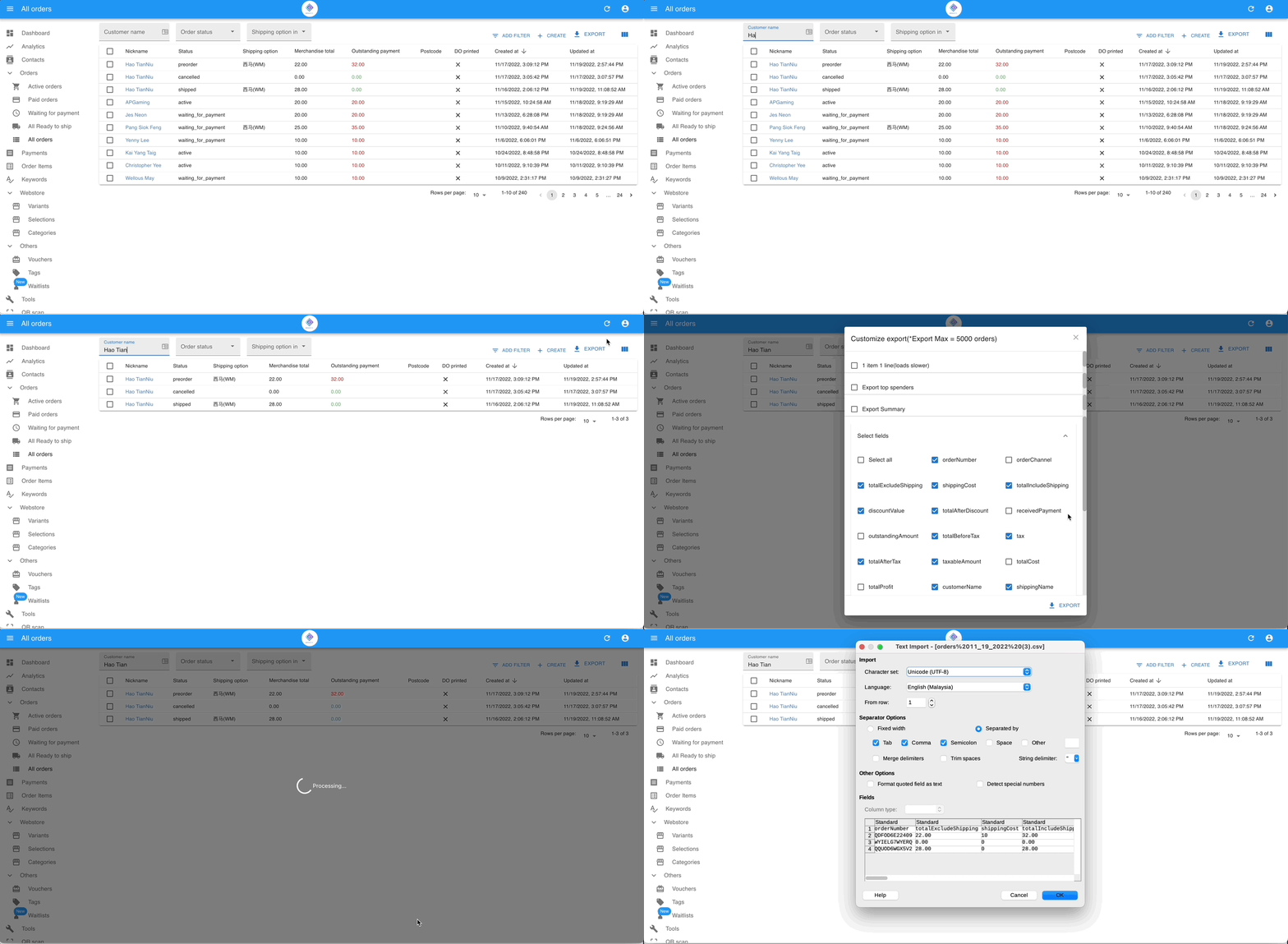
Section titled “Export customer info with delivery addresses”A customer can have multiple orders shipped to different addresses, so address data is stored at the order level, not the contact level. To include addresses in your export, follow these steps.
- Go to All Orders.
- Filter by the customer’s name.
- Click Export, then select Export Standard.
- Click Select field and choose the fields you want to include.
- Click Export.
See also: