
Add Boxify as an Ads Partner
To let Boxify run Facebook ads for you, add Boxify as a partner in your Facebook Business Portfolio and give it access to your ad account only.
You need Admin access to the Business Portfolio. Not sure? See Check Your Facebook Business Setup.
Boxify’s details (you’ll need these in Step 3):
- Partner name: Boxifyus
- Business ID:
2617447981850388
Step 1: Open the Partners page
Section titled “Step 1: Open the Partners page”- Go to https://business.facebook.com/settings
- If you manage more than one business, pick the business that owns your ad account.
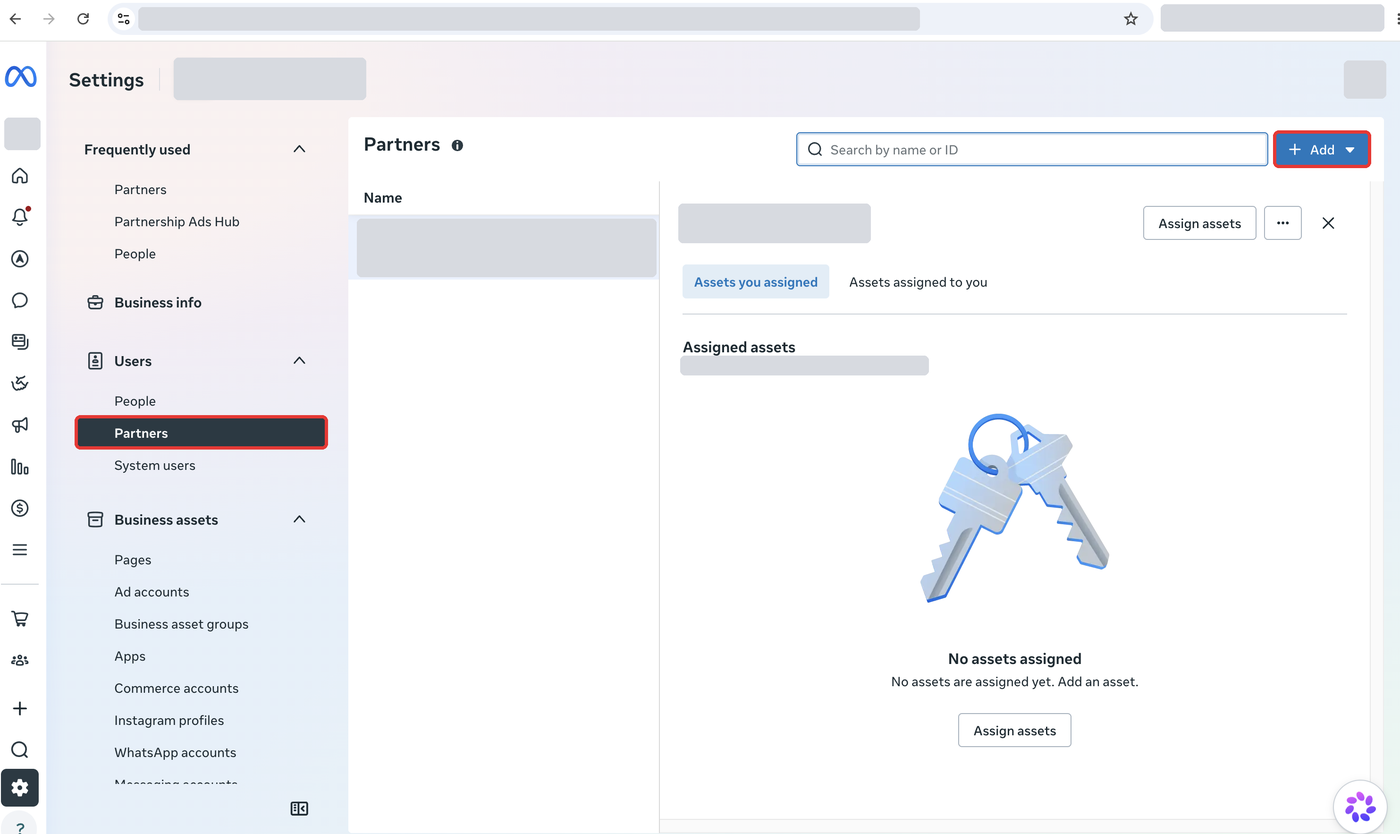
- In the left menu, under Users, click Partners.
- Click the blue Add button at the top right.
Step 2: Choose to give access
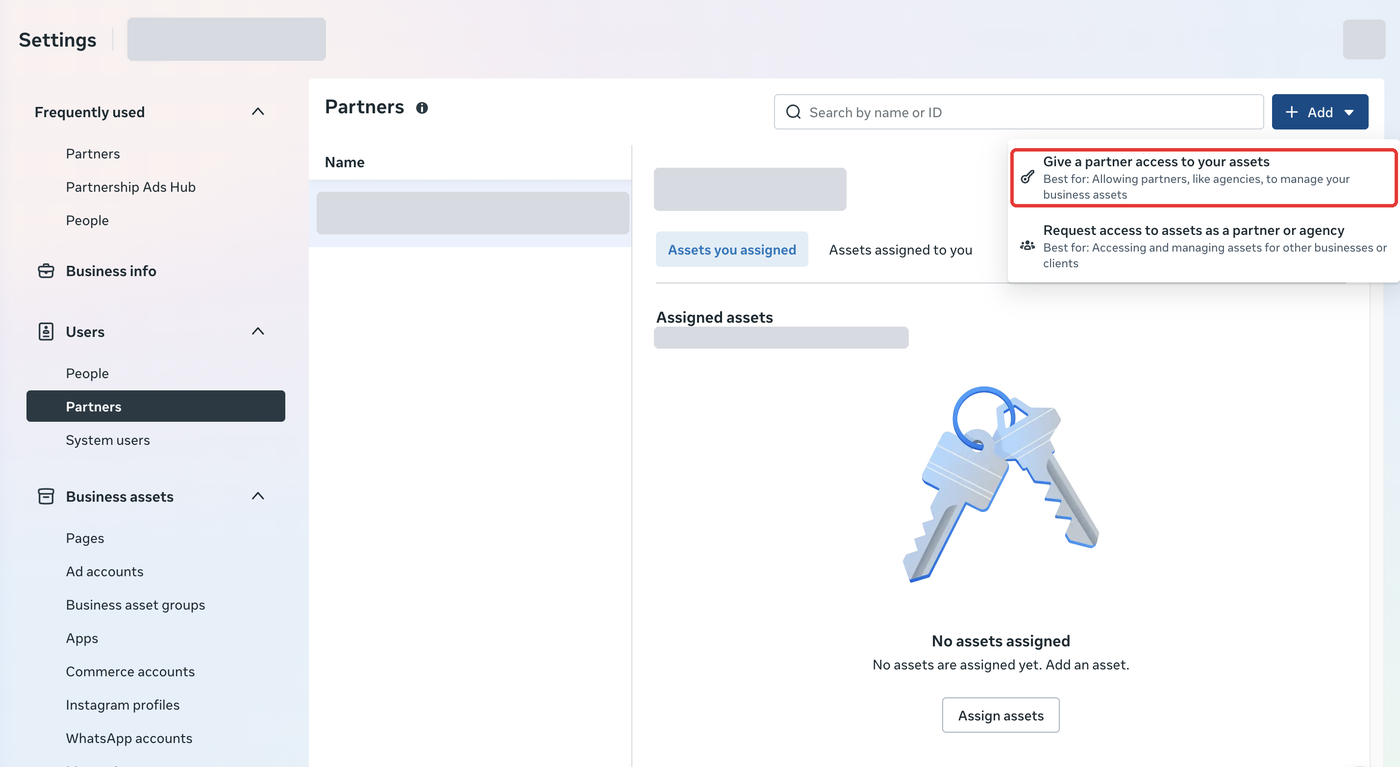
Section titled “Step 2: Choose to give access”Click Give a partner access to your assets.
Step 3: Enter Boxify’s Business ID
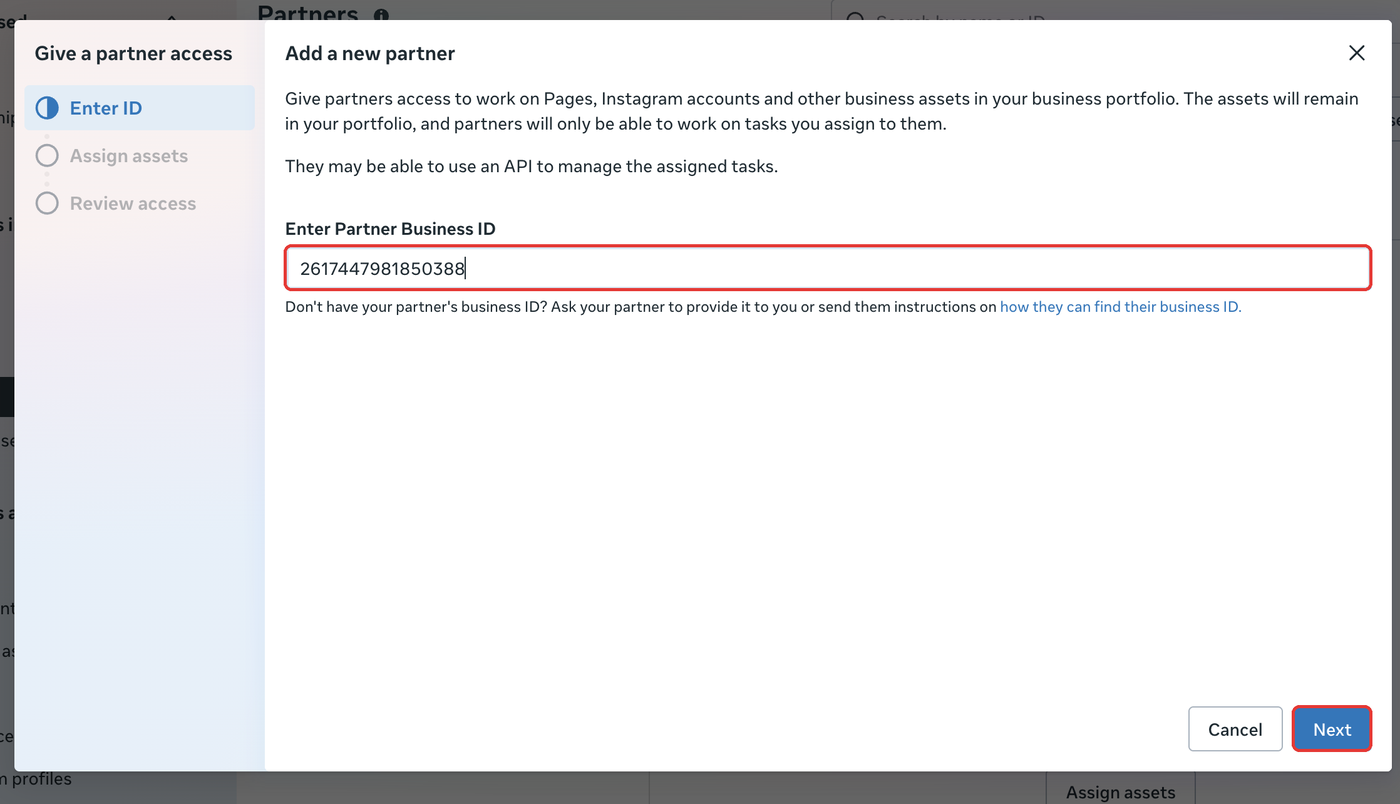
Section titled “Step 3: Enter Boxify’s Business ID”- In Enter Partner Business ID, type or paste
2617447981850388 - Click Next.
Step 4: Give full access to your ad account only
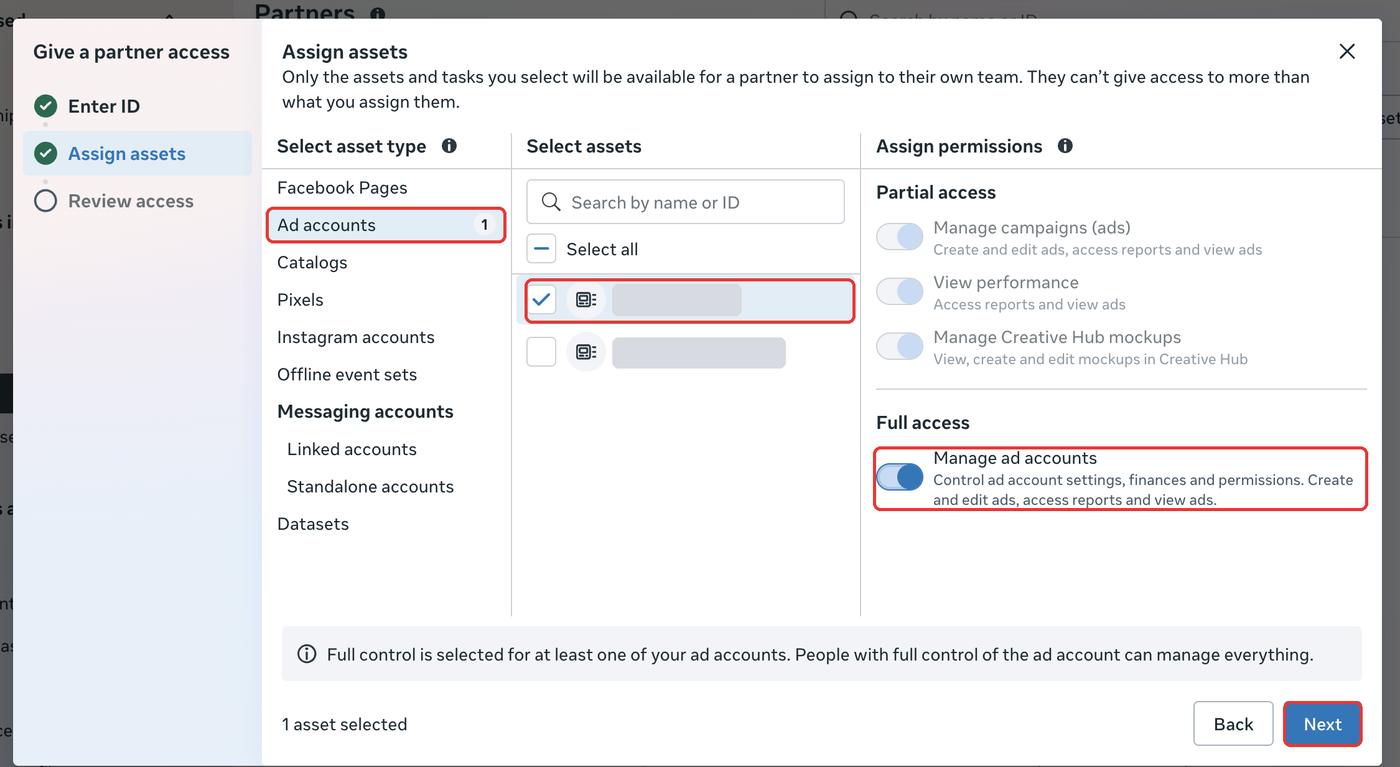
Section titled “Step 4: Give full access to your ad account only”- Under Select asset type, click Ad accounts.
- Under Select assets, tick the ad account you want Boxify to run ads on.
- Under Full access, turn on Manage ad accounts. The other switches turn on by themselves.
- Click Next.
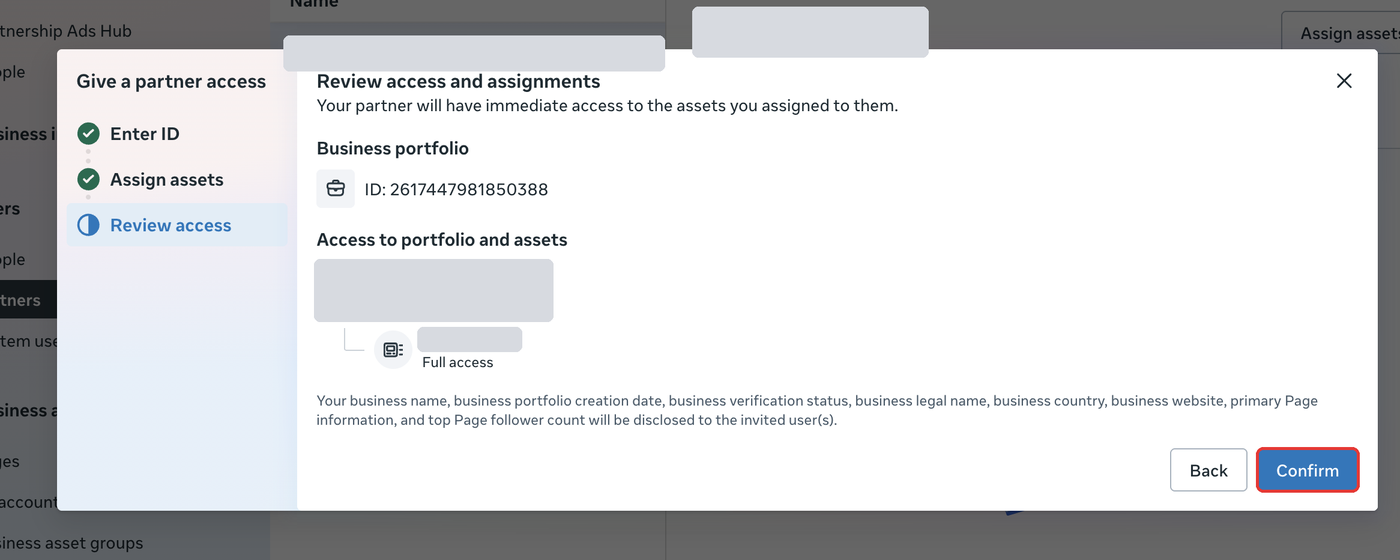
Step 5: Review and confirm
Section titled “Step 5: Review and confirm”- Check that the Business portfolio ID is
2617447981850388and your ad account shows Full access. - Click Confirm.
Step 6: Check that it worked
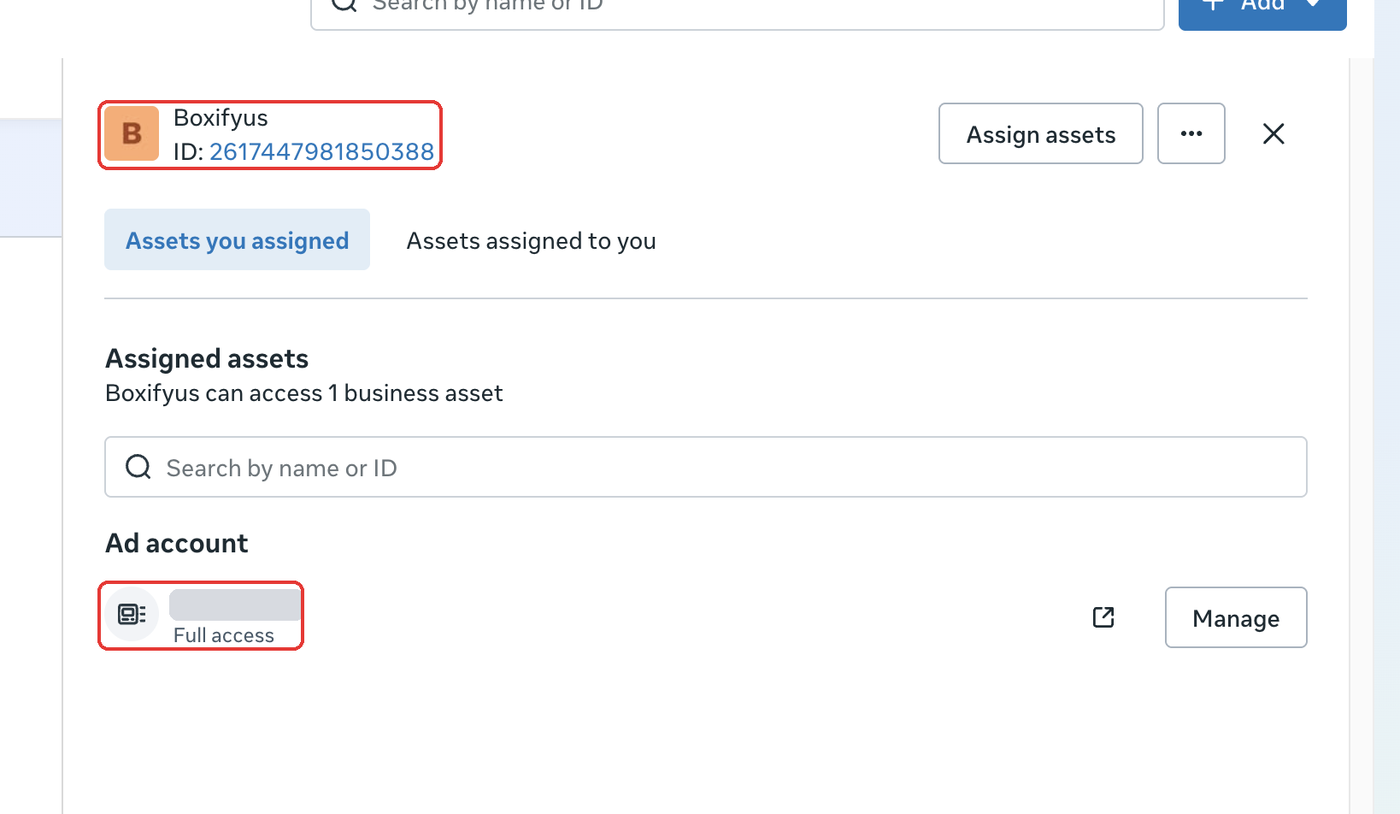
Section titled “Step 6: Check that it worked”Back on the Partners page, click Boxifyus. You should see:
- Boxifyus with ID
2617447981850388 - Your ad account under Ad account, marked Full access
Done. Let the Boxify team know so we can start setting up your ads.
Common questions
Section titled “Common questions”Can Boxify see my Page or customer messages? No. Boxify can only work on the ad account you picked in Step 4.
Can I remove Boxify’s access later? Yes. Go to Partners, click Boxifyus, click the ⋯ button, then remove the partner.
I don’t see the Partners menu or the Add button. You are probably not an Admin of this Business Portfolio. Ask the person who owns it to give you Admin access, or ask them to do these steps.