
Test Your Ordering Process in Boxify
Run a test order before your first live session to make sure everything is set up correctly. This lets you see exactly what your customers will experience.
Before you start
Section titled “Before you start”- Complete Installation and connect your Facebook page.
- Add at least one keyword. See Adding Keywords.
- Set up your shipping fee and payment method.
Steps to simulate an order
Section titled “Steps to simulate an order”-
From your personal Facebook account, comment a product keyword and quantity on any post on your page — for example, comment
SFCH+1.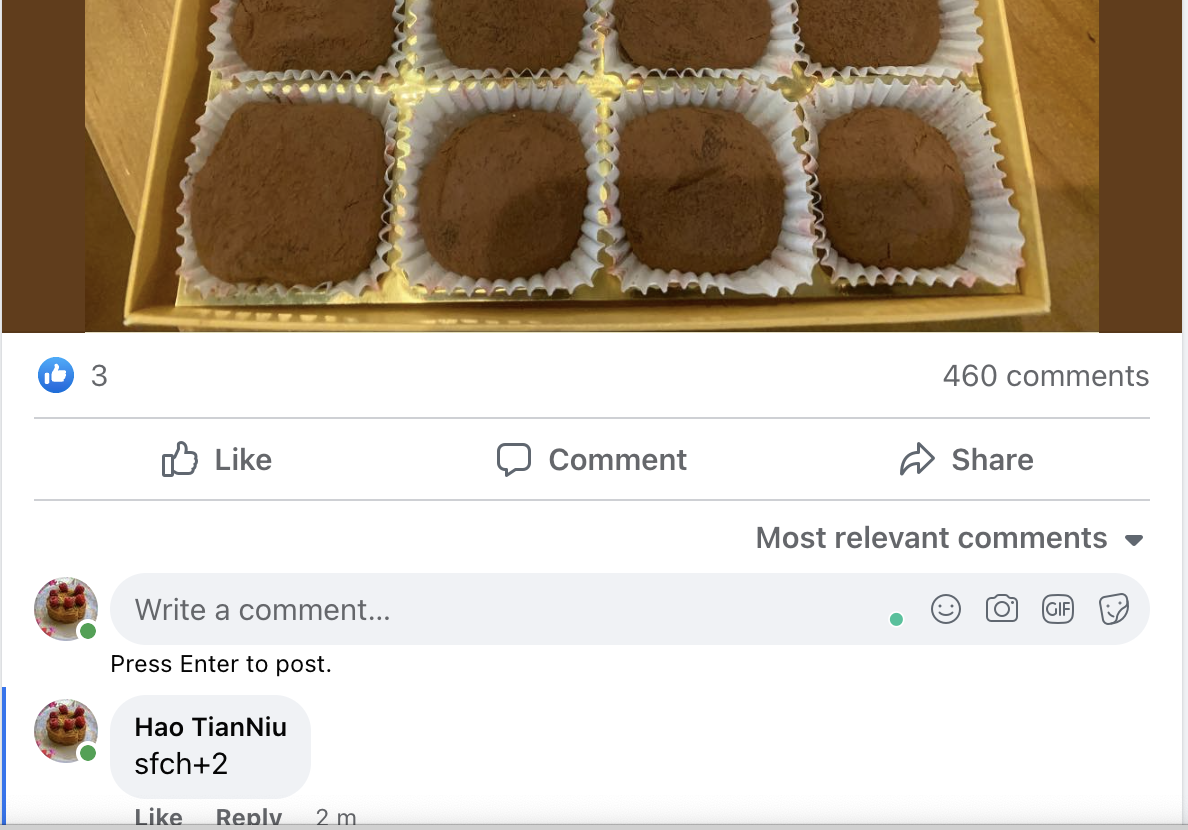
-
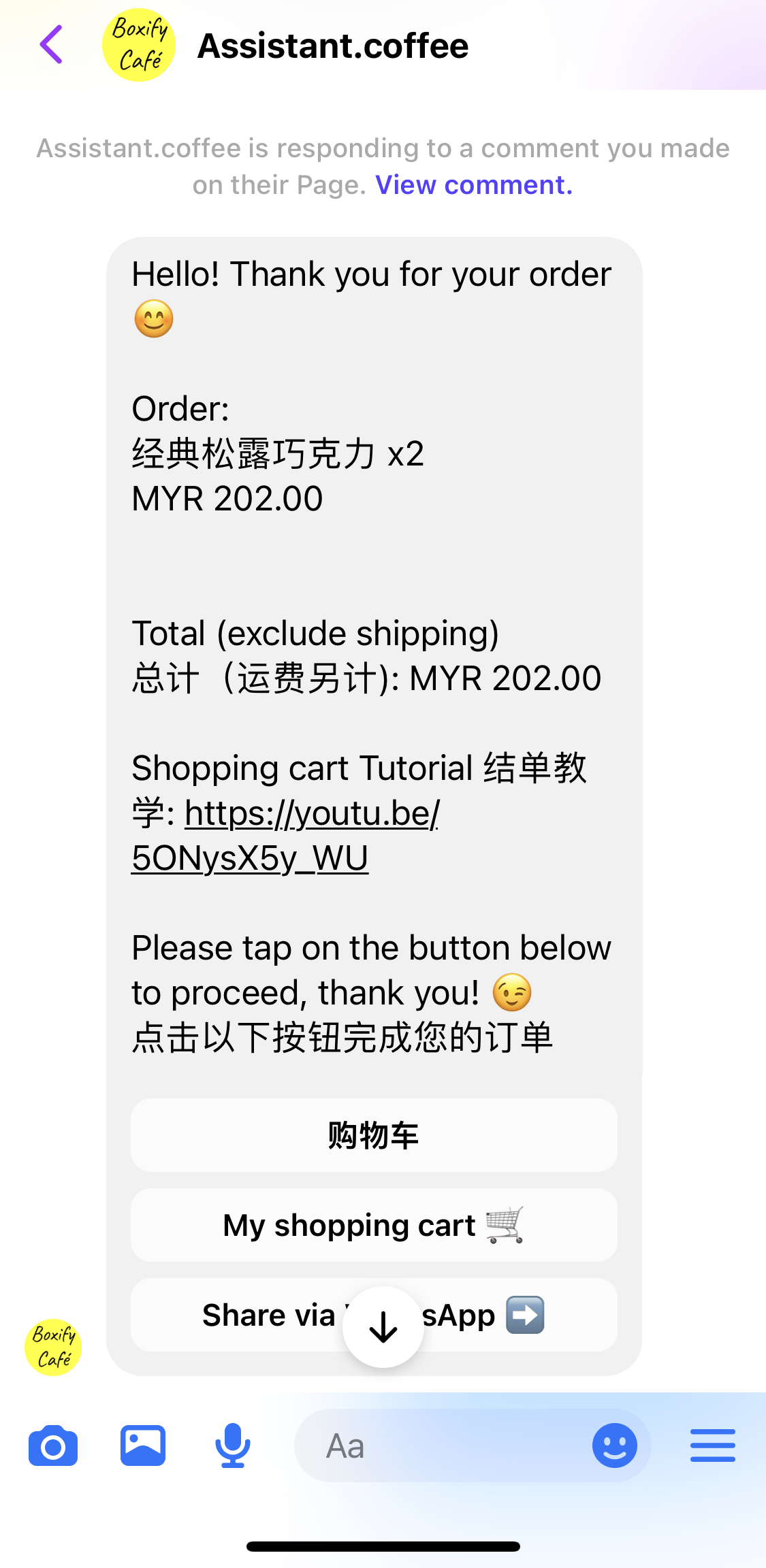
Boxify sends an order notification to your Messenger.
-
Tap My Shopping Cart in the message to view your cart.
-
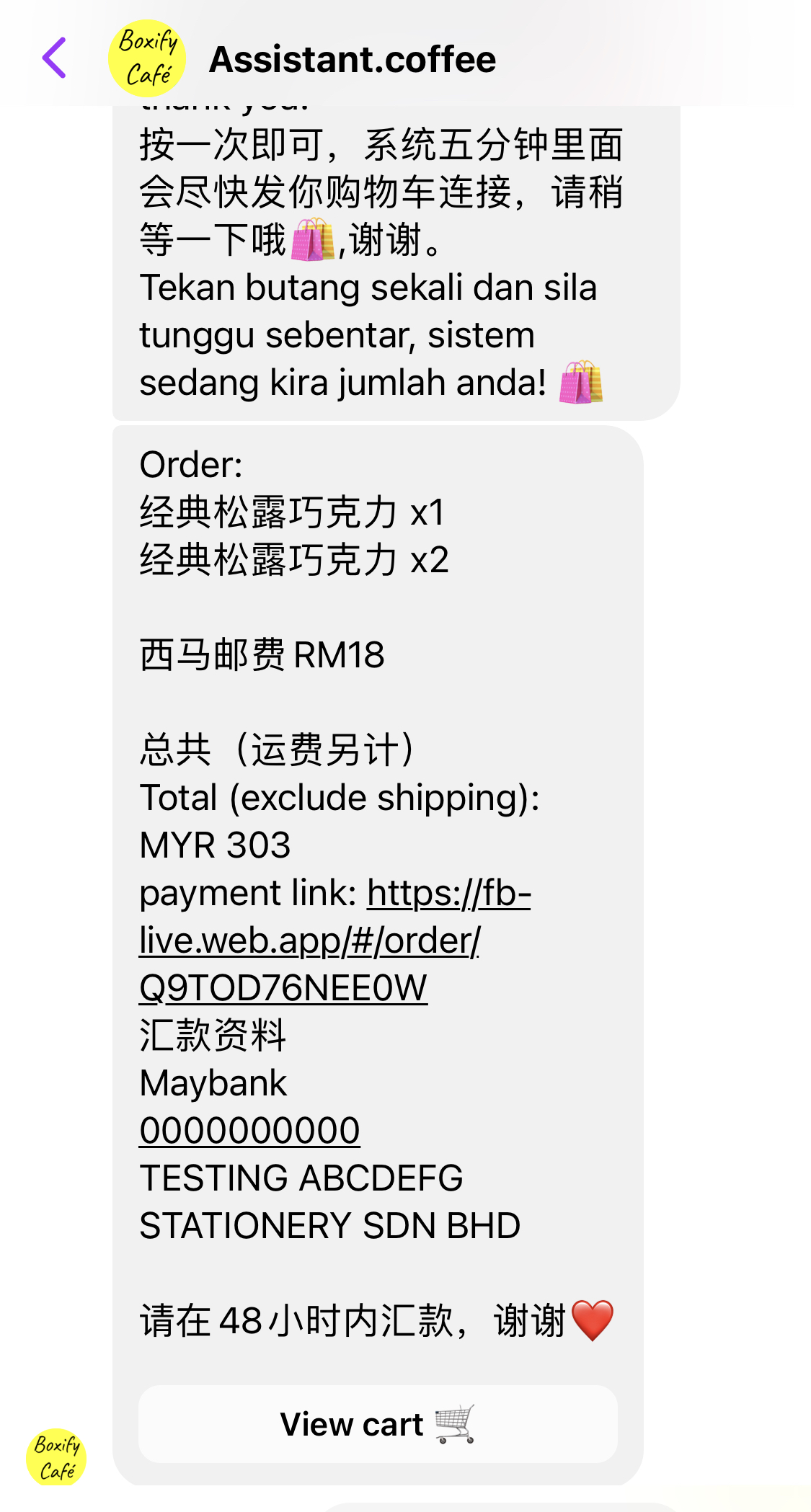
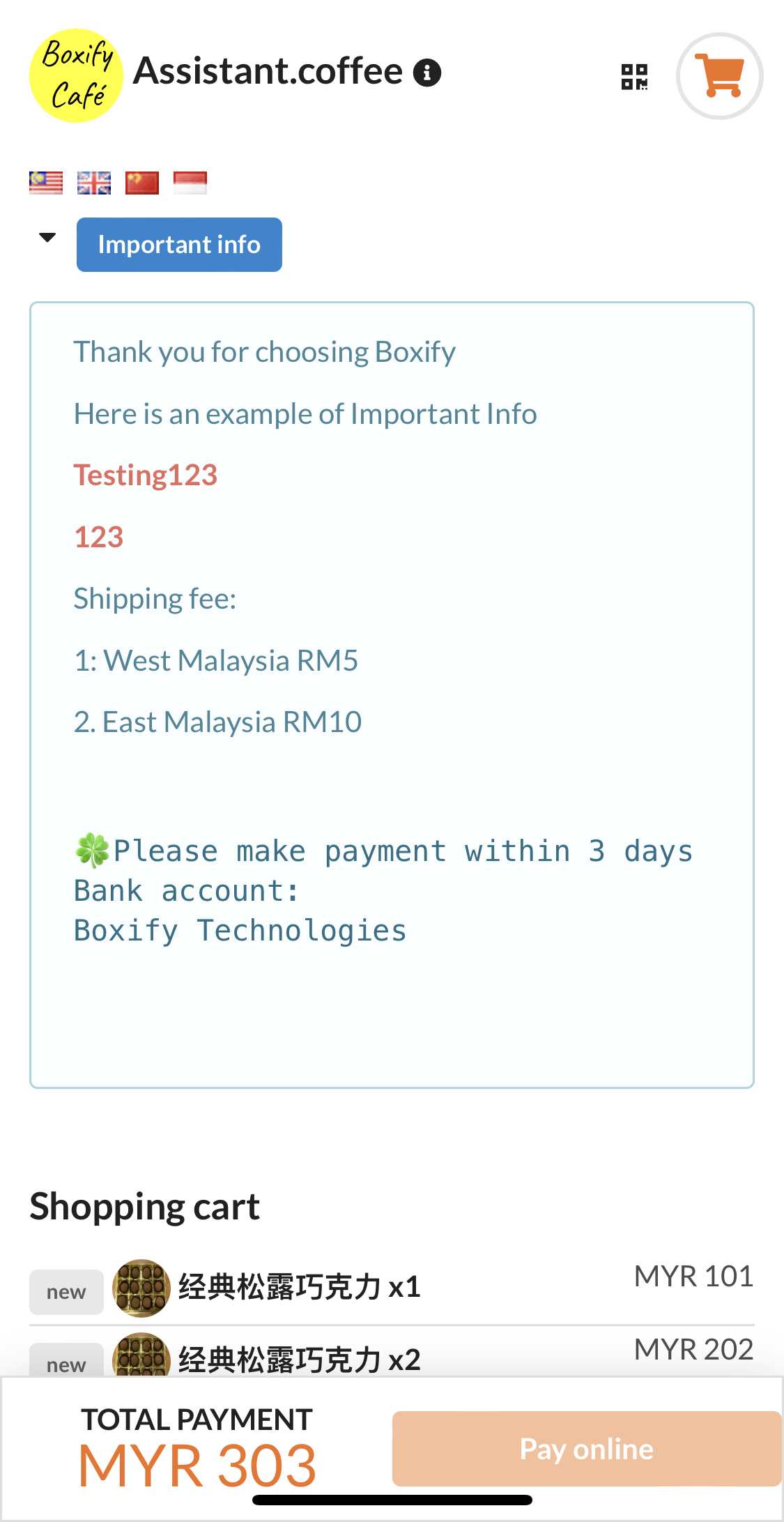
Tap View Cart or the payment link to open the order details. Check that the product name, quantity, and price all look correct.
-
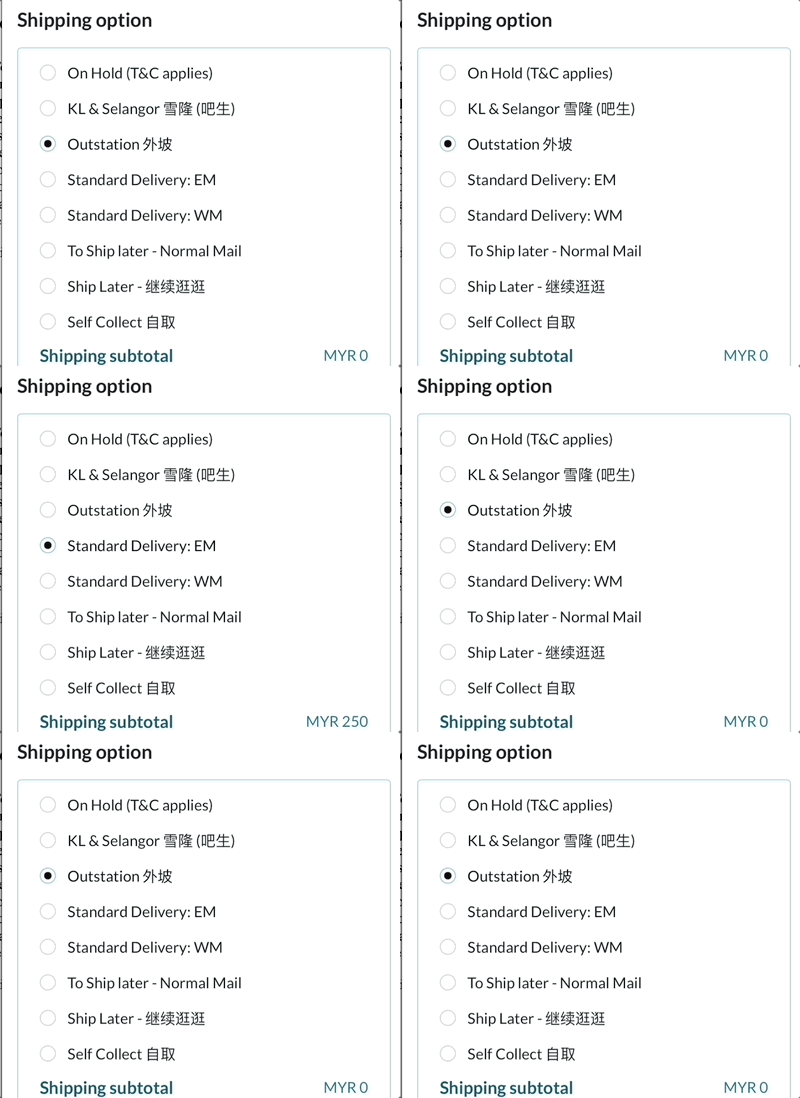
Scroll down to confirm that the shipping fee shown is correct.
-
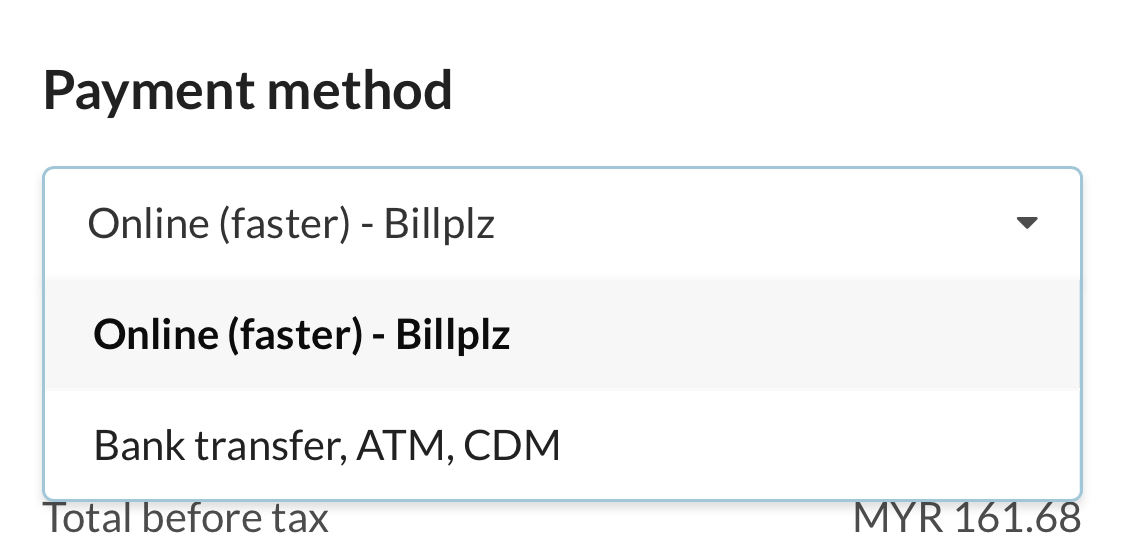
Check that your payment options — for example, bank transfer or cash on delivery — are displayed correctly.
-
Test the receipt upload by attaching a sample image.
-
Fill in the shipping address. Fields marked with an asterisk (*) are required.
-
Tap Submit to complete the test order.
See also: