
Setting Up Country Code, Currency, and Shipping Countries in Boxify
Set your country code, currency, and shipping countries before you create any product keywords or open your store. These settings make sure your prices and shipping options are correct for your customers.
How to configure these settings
Section titled “How to configure these settings”- Go to Profile › Settings › Parameters.
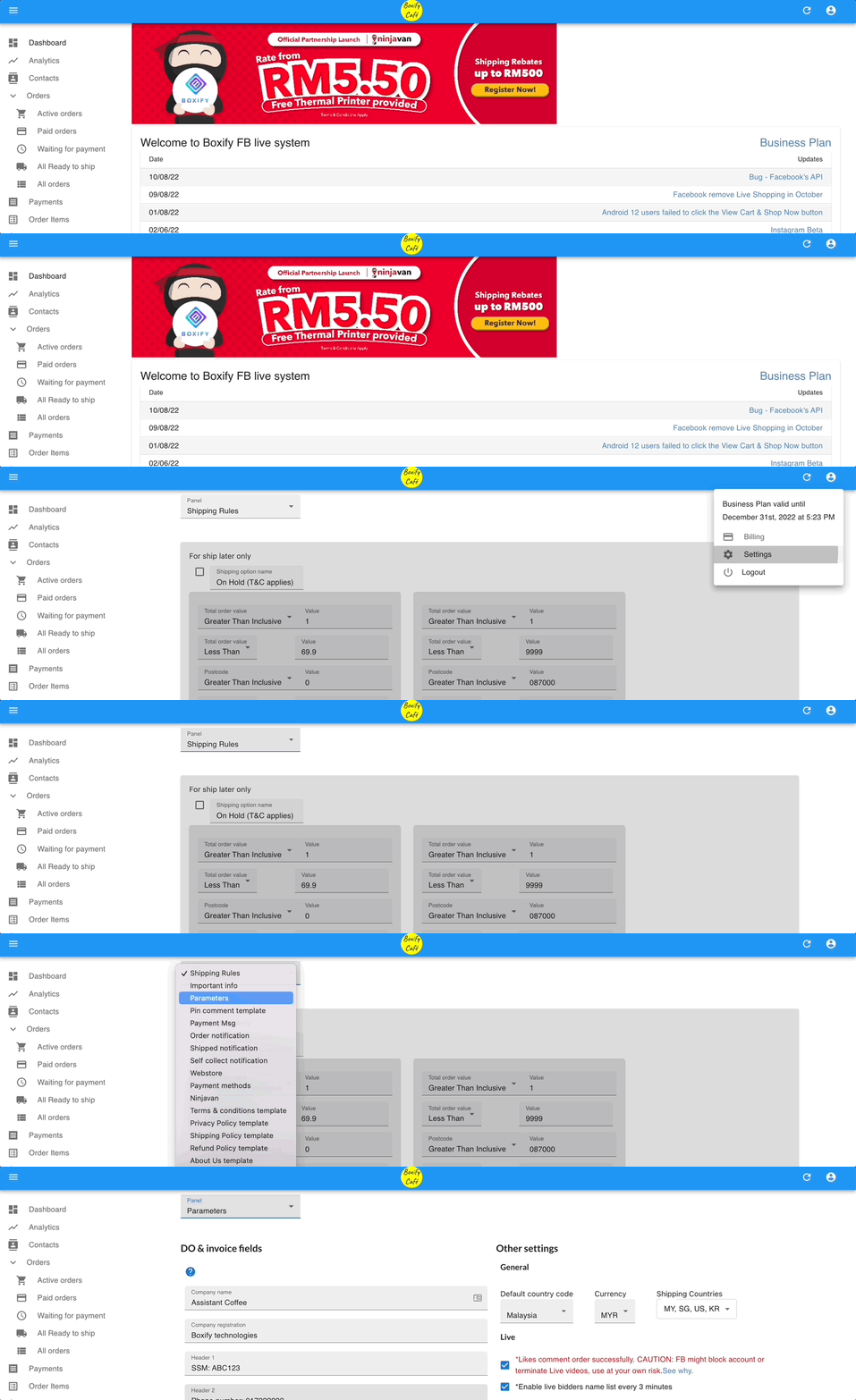
- Click the dropdown next to Country Code and select your country. Malaysia is the default.
- Click the dropdown next to Currency and select the currency you sell in (for example, MYR, SGD, or USD).
- Click the dropdown next to Shipping Countries and select every country you ship to. Customers will see these options in their cart at checkout.
- Click Save.


See also: